Admin Panel Developer Guide for Business Dashboards and CRM Systems
A practical guide for businesses that want to hire an Admin Panel Developer for business dashboards, CRM systems, backend workflows, MySQL databases, APIs, reports, and custom web applications.

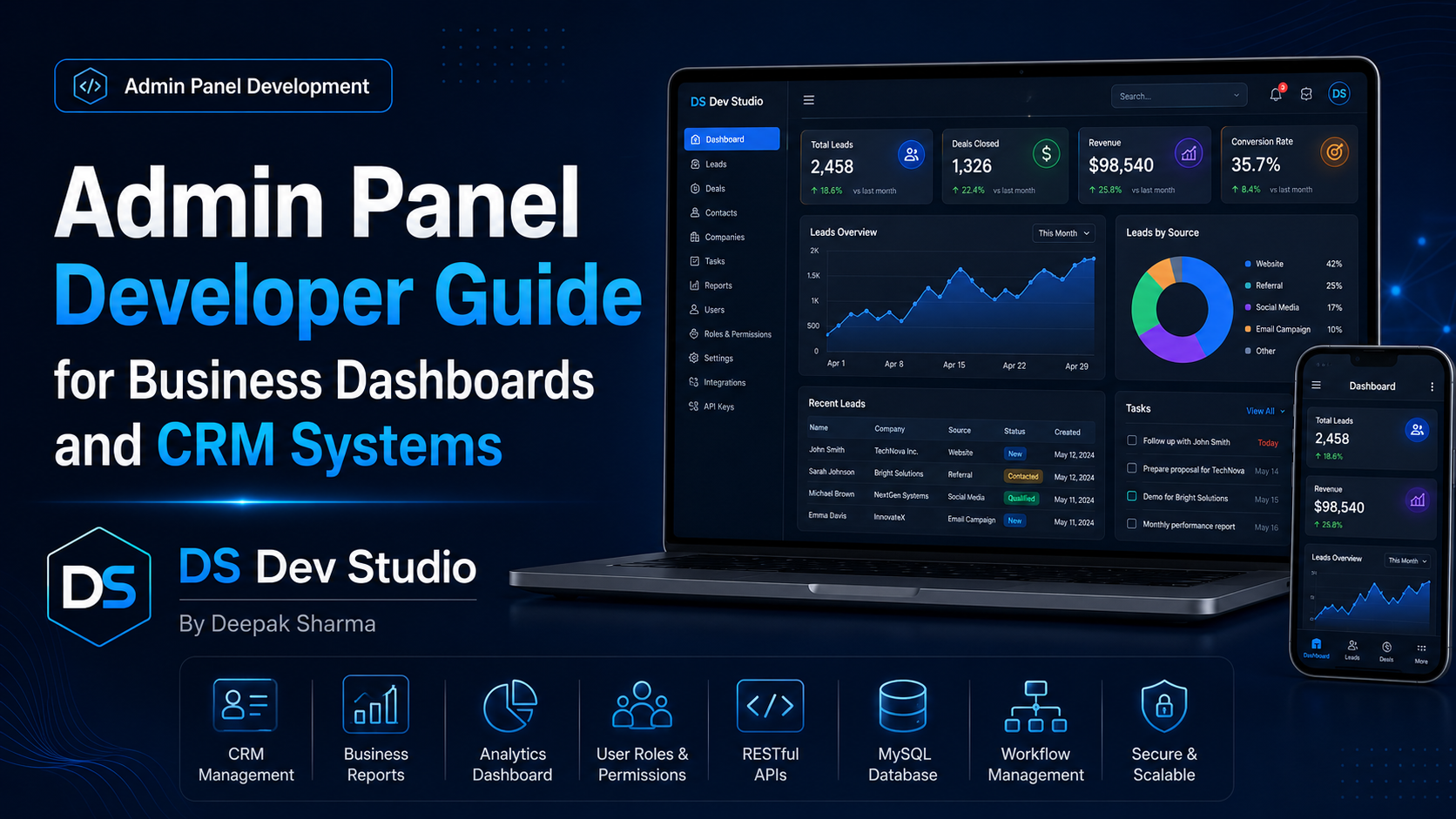
An Admin Panel Developer helps businesses build private dashboards, CRM systems, backend portals, lead management tools, reporting panels, user management screens, and data-driven web applications. A business website can bring enquiries, but an admin panel helps the business manage those enquiries properly. Without a structured backend system, teams often depend on emails, spreadsheets, manual notes, and scattered messages, which can create confusion as the business grows.
For small businesses, service-based companies, agencies, consultants, startups, local companies, and growing teams, an admin panel can make daily operations more organized. It gives the business one place to view leads, update customer records, manage statuses, add notes, assign work, track follow-ups, upload files, generate reports, and control website or CRM data. A Custom Admin Panel Developer can build this system around the real workflow of the business.
Business dashboards and CRM systems are not only technical tools. They support decision-making, customer follow-up, team productivity, and data management. A dashboard can show important numbers quickly. A CRM system can help manage leads and customers. An admin portal can allow the team to manage website content, enquiries, reports, and internal records without touching code.
DS Dev Studio by Deepak Sharma helps businesses with admin panel development, CRM web application development, business dashboards, backend systems, PHP development, Laravel development, CodeIgniter development, MySQL databases, API integration, React frontend interfaces, responsive websites, and custom web applications. This guide explains when to hire an Admin Panel Developer and what features matter in business dashboards and CRM systems.
What does an Admin Panel Developer do?
An Admin Panel Developer builds the private management side of a website or web application. While public website pages are built for visitors, an admin panel is built for business owners, managers, staff members, sales teams, support teams, or content editors. It allows authorized users to manage data, view records, update information, and control workflows from a dashboard.
Admin panel development can include login systems, user roles, dashboard cards, data tables, forms, filters, search, reports, export options, CRM modules, notifications, file uploads, API connections, and database workflows. The developer connects frontend dashboard screens with backend logic and database storage so the system works reliably.
A good Admin Panel Developer should understand both technical structure and business workflow. The admin panel should not be built as random screens. It should answer real operational questions: who will use it, what data needs to be managed, what actions are required, what reports are useful, what permissions are needed, and how the system can grow in future.
Why businesses need custom admin panels
Many businesses start with a simple website and contact form. In the beginning, receiving enquiries by email may feel enough. But when enquiries increase, it becomes difficult to track who contacted, who replied, what the status is, who is responsible, and which leads converted. A custom admin panel can organize this information properly.
A custom admin panel is useful when ready-made tools do not match the business workflow. Some businesses need simple lead tracking. Some need CRM modules. Some need booking management. Some need reports. Some need content management. Some need API-connected dashboards. A Custom Web Application Developer can build the system according to the exact requirement instead of forcing the business to adjust around fixed software.
For small businesses, a custom admin panel can be built in phases. The first version may include login, lead table, status update, notes, and reports. Later, the business can add user roles, email notifications, API integration, customer records, exports, and dashboard charts. This keeps the project practical and scalable.
Business dashboard vs CRM system
A business dashboard and a CRM system are related, but they are not exactly the same. A business dashboard shows important information in a summarized way. It may show total enquiries, new leads, pending follow-ups, monthly conversions, revenue summaries, user activity, or report charts. The goal is to help the business understand performance quickly.
A CRM system focuses on managing customer and lead relationships. It can store lead details, customer records, communication notes, status history, follow-up dates, assigned users, and conversion progress. The CRM helps the team manage individual records, while the dashboard gives an overview of business activity.
In many projects, both are combined. A CRM web application may include a dashboard homepage with summary cards and charts, plus detailed modules for leads, customers, follow-ups, notes, users, reports, and settings. A CRM Web Application Developer can plan both parts together so the system is useful for daily work and management reporting.
When should you hire an Admin Panel Developer?
You should hire an Admin Panel Developer when your business needs a private system to manage data, leads, users, content, reports, bookings, customers, services, or internal workflows. If your website only displays information, you may not need an admin panel immediately. But when your website starts collecting data or your team needs control over records, admin panel development becomes useful.
You should also hire a developer when manual work is becoming slow. For example, if your team is copying form submissions into spreadsheets, forgetting follow-ups, losing customer notes, or manually preparing reports, a custom admin panel can reduce this effort. It can create a single place where important business data is stored and managed.
- Hire an admin panel developer when website enquiries need database storage.
- Hire one when your team needs a CRM system for leads and customers.
- Hire one when you need dashboard reports and business summaries.
- Hire one when users need login and role-based access.
- Hire one when your business needs custom backend workflows.
- Hire one when forms, APIs, databases, and dashboards must work together.
- Hire one when ready-made tools do not match your process.
- Hire one when you want to manage website or application data from one place.
Important features of a business admin panel
A business admin panel should include features that support real work. It should not be overloaded with unnecessary screens. The best admin panels are simple enough for daily use but structured enough to manage important workflows. The features should depend on the business type, user roles, data needs, and reporting requirements.
Most admin panels need secure login, dashboard overview, user management, data tables, add/edit forms, search, filters, pagination, reports, exports, notifications, and settings. A CRM admin panel may also need lead status, assigned users, follow-up dates, notes, activity logs, customer history, and source tracking.
A Custom Admin Panel Developer should plan the first version carefully. Instead of building every possible feature, the developer should focus on core business actions. Once the team starts using the system, more advanced features can be added based on real usage.
- Secure login and protected dashboard access.
- Role-based permissions for admin, manager, staff, or editor users.
- Dashboard cards showing important business numbers.
- Data tables with search, filters, sorting, and pagination.
- Create, edit, view, and delete modules for important records.
- Lead, customer, service, booking, or content management modules.
- Reports, charts, and export options.
- Email, SMS, WhatsApp, or CRM notifications where needed.
- API integration with website forms or third-party tools.
- Clean UI that is easy for the team to use daily.
Admin panel development for CRM systems
A CRM system is one of the most common uses of admin panel development. A CRM helps the business manage leads, customers, follow-ups, communication notes, statuses, assigned users, and reports. For service-based companies and small businesses, a custom CRM can improve follow-up discipline and reduce missed opportunities.
A CRM admin panel can include modules such as Leads, Customers, Follow-ups, Notes, Activities, Users, Sources, Statuses, Reports, and Settings. When a website enquiry comes in, it can automatically appear inside the CRM. The team can mark it as new, contacted, interested, converted, lost, or follow-up required.
A CRM Web Application Developer should plan the data flow properly. Lead records should include useful fields such as name, email, phone, service requirement, source, status, assigned user, notes, follow-up date, and created date. Reports can then show how many leads came in, how many converted, and which source performed better.
Admin panel development for business dashboards
A business dashboard gives a quick view of important data. It helps business owners and managers understand activity without opening every record manually. A dashboard may show total leads, monthly enquiries, pending follow-ups, completed tasks, user activity, conversion rate, revenue summaries, and recent records.
The dashboard should be designed around useful information. A dashboard full of random charts may look impressive but may not help the business. A good Business Dashboard Developer should ask what decisions the dashboard should support. For example, does the business need to track lead sources, staff activity, project status, support tickets, or sales follow-ups?
Dashboard design should also be clean and readable. Summary cards should be clear. Charts should be simple. Tables should have filters. Reports should be easy to export if needed. The dashboard should help users understand data quickly and take action.
Admin panel development for website content management
Some businesses need admin panels to manage website content. This can include services, blogs, projects, testimonials, FAQs, homepage banners, images, landing pages, and team members. Instead of editing code every time content changes, an admin panel allows business users to update content from a private dashboard.
This type of admin panel is useful for custom websites built with React frontend and PHP, Laravel, CodeIgniter, or MySQL backend. The admin panel manages content, while the public website displays it. This approach can be useful when a business wants more control than a static website but does not want a full WordPress setup.
A Business Website Developer with backend skills can build custom content modules. For example, a service module can allow the admin to add service title, description, image, FAQ items, and meta details. A blog module can manage blog title, slug, content, image, category, and publish status.
Frontend UI for admin panels
Admin panel UI should be clean, practical, and easy to understand. Business users may not be technical, so the interface should not be confusing. Tables, forms, filters, buttons, sidebars, menus, modals, and dashboard cards should be designed for speed and clarity.
A clean admin interface helps team members complete tasks faster. For example, a lead table should show important fields, status labels, search, filters, and action buttons. A form should have clear labels and validation messages. A report screen should show useful summaries, not unnecessary complexity.
A Full Stack Web Developer Freelancer can build the frontend interface and backend logic together. React can be used for modern dashboard interfaces, while PHP, Laravel, CodeIgniter, or MySQL can power the backend. This creates a complete admin panel experience.
Backend development for admin panels
Backend development is the foundation of an admin panel. The backend handles database operations, user authentication, permissions, form submissions, API responses, reports, file uploads, validation, and business logic. Without a strong backend, the admin panel may look fine but fail during real use.
A Backend Developer Freelancer can build the admin backend using PHP, Laravel, CodeIgniter, MySQL, APIs, or other tools depending on the project. Laravel is useful for structured admin panels with authentication, roles, migrations, APIs, and reports. CodeIgniter is useful for lightweight systems and existing PHP applications. Plain PHP may work for simpler backend tasks.
The backend should be planned around the data. For example, a lead system needs tables for leads, users, statuses, notes, follow-ups, and activities. A content system needs pages, categories, media, authors, and metadata. A booking system needs customers, services, bookings, availability, and status records.
MySQL database planning for dashboards and CRM systems
MySQL database planning is important for admin panels, dashboards, and CRM systems. The database stores the records that the admin panel manages. If the database is poorly planned, the system may become slow, difficult to update, and unreliable for reports.
A MySQL Database Developer should plan tables, fields, relationships, indexes, and data types properly. For example, a CRM database may need tables for leads, customers, users, roles, statuses, notes, follow-ups, sources, activities, and reports. These tables should connect logically.
Good database design helps with performance and future growth. Search, filters, reports, exports, and dashboards depend on clean data structure. A custom admin panel should be built with database planning from the beginning, not added randomly after screens are designed.
API integration for admin panels
APIs help admin panels connect with websites, frontend interfaces, CRM systems, third-party tools, and databases. A React dashboard may use APIs to fetch lead data, update customer records, submit forms, show reports, or manage user actions. APIs make the frontend and backend communicate clearly.
An API Integration Developer can also connect the admin panel with external tools such as Google Sheets, email platforms, SMS tools, WhatsApp APIs, payment gateways, analytics tools, and marketing systems. This can reduce manual work and create automatic workflows.
API integration should include authentication, validation, error handling, logging, and secure access. A dashboard API should not expose sensitive business data publicly. Admin panel APIs should be protected based on user roles and permissions.
Reports and analytics inside admin panels
Reports help businesses understand performance. An admin panel can include reports for leads, customers, enquiries, bookings, users, sources, conversions, revenue, activities, and monthly growth. Reports can be shown as cards, tables, charts, or downloadable exports.
Reports should be practical. For example, a CRM report can show total leads this month, pending follow-ups, converted leads, lead source performance, and assigned user activity. A service business dashboard can show enquiries by service type, location, status, and date range.
A Business Dashboard Developer should design reports based on business questions. The dashboard should help owners and managers decide what needs attention. Good reporting is not about adding too many charts; it is about showing the right data clearly.
User roles and permissions
User roles are important in admin panels because different users need different access levels. An admin may manage everything. A manager may view reports and assign leads. A staff member may only update assigned records. A content editor may only manage blogs or service pages.
Role-based permissions help protect business data and reduce mistakes. Not everyone should be allowed to delete records, export customer data, change settings, or manage users. The admin panel should control access based on actual business responsibilities.
A Backend Developer Freelancer can build user roles and permissions using Laravel, CodeIgniter, PHP, or custom logic. Role planning should happen before development starts so the database and access rules are designed correctly.
Security basics for admin panels
Admin panels manage private data, so security is important. A secure admin panel should include protected login, strong password handling, validation, session protection, role-based access, safe file uploads, secure APIs, and controlled error messages. Sensitive data should not be exposed through public pages or weak routes.
Businesses should ask developers how the admin panel will protect data. The answer does not need to be overly technical, but the developer should understand secure authentication, access control, backend validation, and database safety. Security should be included from the start, not added later as a patch.
Backups and testing are also part of admin panel safety. Before major updates, database backups should be taken. After deployment, login, forms, reports, user roles, and important workflows should be tested carefully.
Admin panel performance and scalability
Performance matters because admin panels are used regularly by business teams. A slow dashboard can reduce productivity. Large tables, heavy reports, unoptimized queries, missing pagination, and returning too much data can make the system slow. Performance should be planned during development.
A good admin panel should use pagination, filters, search, optimized queries, and proper database indexing where needed. Reports should be generated efficiently. APIs should return only the data needed by the current screen. This keeps the system faster and easier to use.
Scalability means the system can grow as the business grows. It does not mean building a very complex system from day one. It means planning the admin panel so new modules, more records, more users, and future integrations can be added without rebuilding everything immediately.
Admin panel technologies: React, PHP, Laravel, CodeIgniter, and MySQL
Different technologies can be used to build admin panels. React is useful for modern frontend dashboards with reusable components, dynamic tables, filters, charts, and API-connected screens. PHP can power backend logic, form processing, and admin workflows. Laravel is useful for structured backend systems. CodeIgniter is useful for lightweight PHP applications and existing CRM systems. MySQL is commonly used for database storage.
A Laravel Developer Freelancer may be suitable when the admin panel needs authentication, user roles, APIs, database migrations, reports, and long-term maintainability. A CodeIgniter Developer Freelancer may be suitable when improving an existing PHP CRM. A PHP Developer Freelancer may be enough for simpler backend systems.
The right technology depends on the project requirement. A good Custom Admin Panel Developer should not choose tools only because they are popular. The technology should fit the business workflow, budget, hosting environment, future support needs, and system complexity.
Admin panel development for existing systems
Many businesses already have existing PHP, Laravel, CodeIgniter, or custom CRM systems. These systems may need improvement rather than complete rebuilding. An Admin Panel Developer can audit the current system, fix bugs, improve dashboards, add modules, optimize database queries, connect APIs, and improve user experience.
Existing systems should be handled carefully because they may contain valuable business data. Before making changes, the developer should understand the current workflow, database, user roles, reports, and code structure. Backups should be taken before major updates.
Sometimes the best approach is to maintain the existing system. Sometimes it is better to rebuild selected modules. Sometimes migration to Laravel or a new structure may be required. A skilled developer can help choose the practical path after reviewing the system.
What to prepare before hiring an Admin Panel Developer
Before hiring an Admin Panel Developer, prepare your business workflow clearly. Explain what data needs to be managed, who will use the system, what actions users need, what reports are required, and what problems the admin panel should solve. Clear workflow planning helps the developer build the right structure.
You should also prepare existing spreadsheets, forms, screenshots, current system access, user roles, report samples, and integration requirements where available. If you are building a CRM system, explain your lead stages, follow-up process, customer fields, team roles, and reporting needs.
- List the main problem the admin panel should solve.
- Prepare required modules such as leads, customers, users, reports, services, or bookings.
- Explain data fields for each module.
- Define user roles such as admin, manager, staff, editor, or sales user.
- Share workflow notes, spreadsheets, screenshots, or existing system access.
- Clarify dashboard cards, reports, filters, and export requirements.
- Discuss API integrations, email notifications, and database storage needs.
- Clarify hosting, deployment, testing, timeline, and support expectations.
What to check before hiring a developer
Before hiring a developer, check whether they understand admin panel architecture, backend development, databases, APIs, user roles, CRM workflows, dashboard UI, security basics, and performance. Admin panel work requires more than basic website page development because it manages business data and internal processes.
Ask about experience with PHP, Laravel, CodeIgniter, MySQL, React, APIs, CRM modules, admin dashboards, reports, user authentication, and role-based permissions. Also ask how the developer handles backups, validation, testing, deployment, and post-launch support.
Some admin panel projects may not be public because they are internal business systems. In that case, the developer can explain project types, modules, and workflows. Focus on whether the developer can understand your business process and convert it into a useful technical system.
Common mistakes in admin panel development
One common mistake is building the admin panel without understanding the business workflow. If the developer does not know how the team uses the system, the final dashboard may include screens that look good but do not solve real problems. Workflow planning should come before design and development.
Another mistake is adding too many features in the first version. A large admin panel can become delayed and confusing if everything is included from day one. It is better to build the core workflow first, launch it, and then improve it based on actual usage.
Other mistakes include weak user permissions, missing validation, slow tables, no pagination, poor database planning, confusing UI, no backups, and no maintenance plan. A good admin panel should be reliable, clear, and easy to improve over time.
How DS Dev Studio can help
DS Dev Studio by Deepak Sharma can help businesses with admin panel development, business dashboards, CRM systems, backend workflows, React dashboard interfaces, PHP backend systems, Laravel applications, CodeIgniter projects, MySQL databases, API integrations, reports, user roles, and custom web applications.
Deepak Sharma Web Developer work includes frontend and backend development, which is useful for admin panel projects that need both clean dashboard UI and strong backend logic. DS Dev Studio can help connect public websites, contact forms, landing pages, CRM modules, and dashboards into one practical business system.
If you want to hire an Admin Panel Developer for business dashboards or CRM systems, DS Dev Studio can help plan your workflow, design the module structure, build database tables, create backend APIs, develop dashboard screens, add user roles, set up reports, and prepare the system for future improvements.
Conclusion
An Admin Panel Developer helps businesses build private dashboards, CRM systems, admin portals, reporting tools, and backend workflows that make data easier to manage. A custom admin panel can help organize leads, customers, users, reports, services, content, bookings, and internal processes in one place. It can reduce manual work, improve follow-ups, support better reporting, and give the team more control over daily operations. DS Dev Studio by Deepak Sharma can help businesses with admin panel development, CRM dashboards, React interfaces, PHP backend systems, Laravel development, CodeIgniter improvements, MySQL databases, API integrations, user roles, reports, and custom web applications. With the right planning and development approach, a business dashboard can become a practical system that supports workflow, customer management, and long-term growth.
Useful internal links
Frequently asked questions
Can I hire Deepak Sharma as an Admin Panel Developer?+
Yes. You can hire Deepak Sharma for admin panel development, business dashboards, CRM systems, PHP backend systems, Laravel applications, CodeIgniter projects, MySQL databases, APIs, reports, and custom web applications.
What does an Admin Panel Developer do?+
An Admin Panel Developer builds private dashboards where businesses can manage leads, customers, users, content, reports, bookings, services, forms, and backend workflows through a secure interface.
Can DS Dev Studio build CRM dashboards?+
Yes. DS Dev Studio can build CRM dashboards with lead management, customer records, follow-up tracking, status updates, notes, user roles, reports, filters, exports, and database storage.
Which technologies are used for admin panel development?+
Admin panels can be built using React, PHP, Laravel, CodeIgniter, MySQL, REST APIs, HTML, CSS, JavaScript, Tailwind CSS, Bootstrap, and other tools depending on the project requirement.
When should a business build a custom admin panel?+
A business should build a custom admin panel when it needs to manage leads, customers, reports, users, forms, bookings, content, dashboards, APIs, or internal workflows from one private system.