CodeIgniter Developer Freelancer Guide for Existing PHP CRM Systems
A practical guide for businesses that want to hire a CodeIgniter Developer Freelancer for existing PHP CRM systems, backend fixes, MySQL databases, admin panels, APIs, and CRM customization.

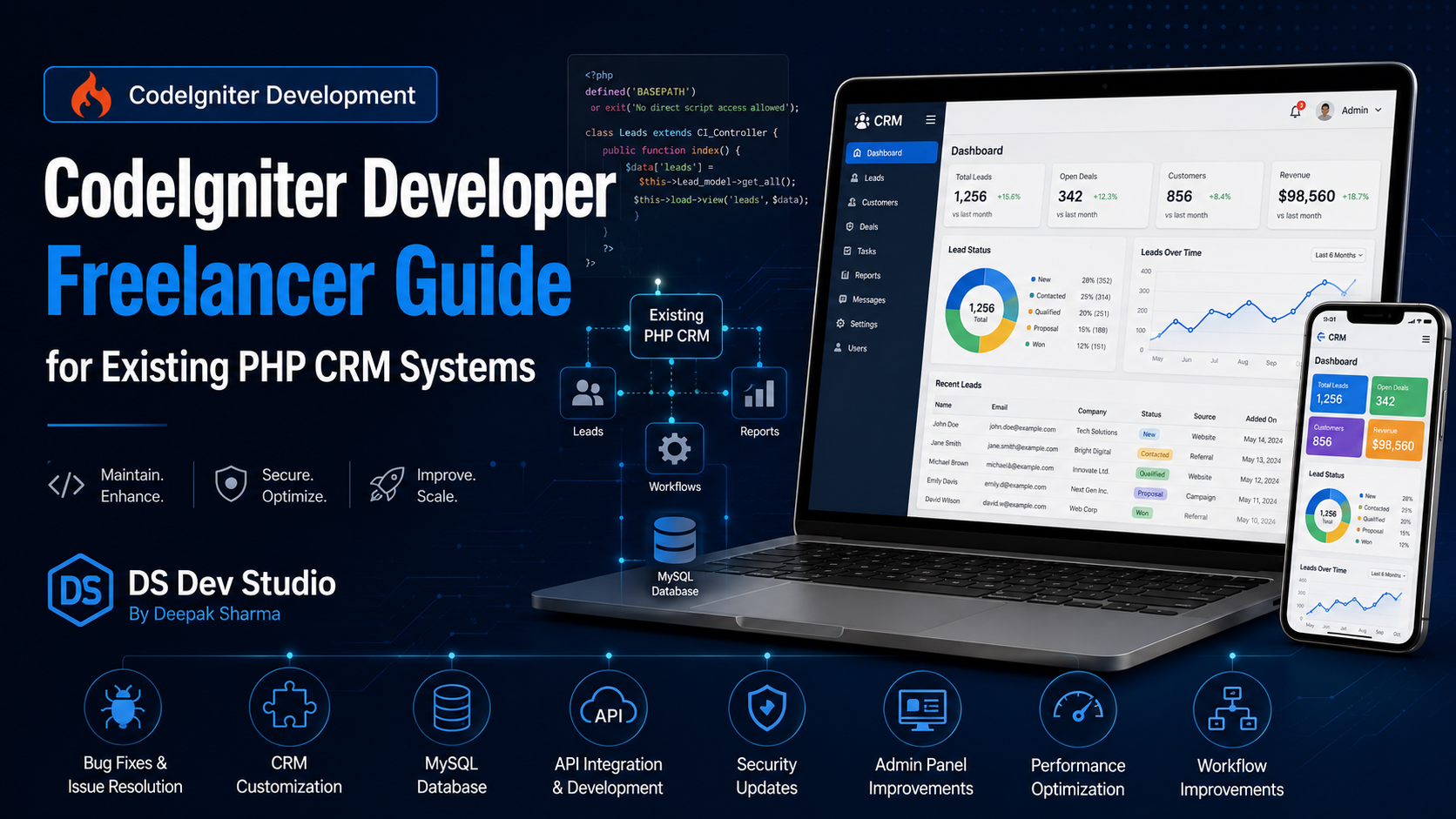
A CodeIgniter Developer Freelancer can help businesses maintain, improve, customize, and upgrade existing PHP CRM systems. Many businesses already have old CRM systems, admin panels, internal dashboards, lead management tools, customer record systems, or database-driven PHP applications built in CodeIgniter. These systems may still be useful, but over time they can become slow, difficult to update, outdated, or limited for current business needs.
An existing PHP CRM system usually contains important business data such as leads, customers, follow-ups, notes, statuses, users, reports, emails, documents, and service records. Because of this, businesses should not make random changes without proper planning. A skilled CodeIgniter Developer Freelancer can review the existing code, understand the database, identify issues, and improve the system carefully without damaging business workflows.
For small businesses, service companies, agencies, consultants, sales teams, and growing organizations, improving an existing CRM can be more practical than building everything again from zero. If the current system already manages useful records, the developer can fix bugs, improve performance, add new modules, update dashboards, connect APIs, improve security, and make the CRM more useful for daily operations.
DS Dev Studio by Deepak Sharma helps businesses with CodeIgniter development, PHP CRM systems, backend fixes, MySQL database improvements, admin panels, API integration, Laravel systems, React frontend development, business websites, and custom web applications. This guide explains when to hire a CodeIgniter Developer Freelancer for existing PHP CRM systems and what businesses should check before starting the work.
What does a CodeIgniter Developer Freelancer do?
A CodeIgniter Developer Freelancer works on web applications built with the CodeIgniter PHP framework. The developer can build new CodeIgniter modules, fix existing bugs, improve backend logic, manage database queries, update admin panels, create APIs, connect third-party tools, and maintain existing PHP CRM systems. CodeIgniter is often used for lightweight business applications and custom admin dashboards.
For an existing CRM system, the developer first needs to understand the current structure. This includes controllers, models, views, routes, database tables, user roles, forms, reports, and business workflows. After that, the developer can decide whether the system needs bug fixing, performance optimization, UI improvements, security updates, new features, API integration, or database cleanup.
A good Backend Developer Freelancer should not only write code. They should understand how the CRM is used by the business. For example, a CRM may have sales users, admin users, managers, lead statuses, follow-up dates, notes, reports, and enquiry sources. The developer should understand these flows before making changes so the system remains practical for real users.
Why businesses still use CodeIgniter CRM systems
Many businesses still use CodeIgniter CRM systems because they are already working and contain years of business data. Replacing a CRM is not always simple. The system may include custom workflows, specific lead fields, customer records, reports, admin permissions, and processes that match the business. Moving everything to a new platform can be expensive and risky if not planned carefully.
CodeIgniter is also lightweight and suitable for many internal business systems. It can handle CRM modules, admin panels, dashboards, data tables, search, filters, user roles, and MySQL database workflows. For small and medium businesses, an existing CodeIgniter application can still be useful if it is maintained properly.
Instead of rebuilding immediately, many companies choose to improve the current system. A PHP CRM Developer can fix broken features, add missing fields, improve reports, update the UI, optimize slow queries, connect APIs, and make the CRM easier to use. This gives the business better results without fully replacing the system.
When should you hire a CodeIgniter Developer Freelancer?
You should hire a CodeIgniter Developer Freelancer when your existing PHP CRM system needs maintenance, new features, bug fixes, database improvements, admin panel changes, or performance optimization. If your CRM is already built in CodeIgniter, hiring someone with CodeIgniter experience is usually better than hiring a general developer who does not understand the framework.
Businesses often need CodeIgniter support when old developers are no longer available, documentation is missing, the system has bugs, users are facing workflow issues, or new business requirements need to be added. A freelancer can review the project and provide focused development support without the cost of a large agency.
- Hire a CodeIgniter developer when your existing PHP CRM has bugs.
- Hire one when your CRM needs new modules or feature updates.
- Hire one when MySQL queries are slow or reports are not working properly.
- Hire one when the admin panel needs UI and workflow improvements.
- Hire one when user roles, permissions, or login issues need fixing.
- Hire one when APIs or third-party integrations need to be added.
- Hire one when your CRM needs security and validation improvements.
- Hire one when you want to maintain the existing system instead of rebuilding immediately.
Common problems in existing PHP CRM systems
Existing PHP CRM systems can develop many problems over time. Some features may stop working because of hosting updates, PHP version changes, database issues, or old code. Some modules may become slow as the amount of data increases. Some workflows may no longer match the business process because the company has grown or changed.
Common issues include slow dashboards, broken filters, missing validation, duplicate records, poor search functionality, confusing reports, outdated UI, broken email notifications, weak access control, and difficult export options. Sometimes the CRM still works, but users avoid using it because it feels slow or complicated.
A CodeIgniter Developer Freelancer can audit these problems and separate urgent fixes from future improvements. This is important because not every issue should be solved at once. The CRM should be improved in a planned way so daily business operations are not disturbed.
CodeIgniter CRM audit before making changes
Before making major changes to an existing PHP CRM system, the developer should perform an audit. A CRM audit means reviewing the code structure, database design, modules, user roles, forms, reports, routes, errors, and hosting environment. This helps the developer understand the system before changing anything.
An audit can identify outdated code, slow queries, duplicate logic, missing validation, insecure forms, unused files, broken modules, database problems, and workflow gaps. It can also reveal whether the system should be maintained in CodeIgniter, upgraded step by step, or eventually migrated to Laravel or another framework.
For businesses, this audit is useful because it avoids guesswork. Instead of randomly adding features, the developer can provide a practical improvement plan. DS Dev Studio can help review existing CodeIgniter CRM systems and suggest fixes based on actual business needs.
MySQL database improvements for existing CRM systems
Most CodeIgniter CRM systems use MySQL databases to store leads, customers, users, statuses, notes, activities, reports, and other business records. Over time, the database can become slow or messy if it was not planned properly. A MySQL Database Developer can help improve database structure and performance.
Database issues may include missing indexes, duplicate records, unclear table relationships, too many unused columns, slow joins, poor data types, and unoptimized reports. These problems can make dashboards slow and reports unreliable. The CRM may still open, but users may experience delays during search, filtering, or exporting data.
A CodeIgniter Developer Freelancer can optimize queries, add indexes where needed, clean unused data carefully, improve table relationships, and make reports more efficient. Database improvements should be done carefully with backup planning because CRM data is valuable business information.
Improving CRM dashboards and admin panels
A CRM dashboard should help users understand important information quickly. It should not only show data; it should make data useful. Existing CodeIgniter CRM systems often have admin panels that were built quickly and later became crowded, confusing, or slow. Improving the dashboard can make the CRM easier for the team to use.
A better dashboard can include total leads, new leads, pending follow-ups, converted leads, lead source summary, monthly enquiries, assigned tasks, recent activities, and status-wise counts. Tables should have search, filters, pagination, sorting, and export options where needed. Forms should be clean and easy to complete.
A Custom Web Application Developer can improve the admin panel UI while keeping the existing backend stable. In some cases, the old CodeIgniter backend can be kept, while the frontend interface is improved with cleaner HTML, CSS, JavaScript, Bootstrap, Tailwind CSS, or React depending on project scope.
Adding new modules to an existing CodeIgniter CRM
Businesses often need new modules in an existing CRM as their process grows. A CRM that originally handled only leads may later need customers, follow-ups, tasks, invoices, reports, service requests, support tickets, file uploads, or user activity logs. CodeIgniter can support new modules if the existing system is structured well enough.
Before adding a module, the developer should understand how it connects with existing data. For example, a follow-up module may connect with leads, users, statuses, and reminders. A customer module may connect with leads, invoices, projects, and communication notes. Good planning prevents messy database design.
A CodeIgniter Developer Freelancer can create new controllers, models, views, database tables, forms, validation rules, permissions, and reports for new modules. The goal should be to expand the system without breaking existing workflows.
User roles and permission fixes
Existing PHP CRM systems often need better user roles and permissions. A business may have admins, managers, sales users, support users, editors, and other staff members. Not everyone should access the same data or actions. Without proper role control, sensitive records may be exposed or changed by the wrong users.
A CodeIgniter CRM can include role-based access so users only see what they need. For example, an admin can manage all records, a manager can view reports, and a sales user can update assigned leads. Permissions can also control who can delete records, export data, change settings, or manage users.
A Backend Developer Freelancer can review existing access logic and improve it. This may include fixing login issues, session handling, password reset flow, permission checks, restricted routes, and admin-only actions. This improves both security and workflow clarity.
Security improvements for existing PHP CRM systems
Security is important because CRM systems store business and customer data. Existing PHP CRM systems may have old code, weak validation, outdated libraries, insecure file uploads, poor session handling, or direct database queries that need review. These issues should be fixed carefully.
Security improvements may include input validation, password hashing review, session protection, permission checks, safe file upload handling, error message control, SQL query review, CSRF protection where possible, and secure admin routes. The developer should also check whether sensitive data is exposed through public URLs or debug messages.
A PHP CRM Developer should treat security as part of maintenance, not as an extra optional task. Businesses should ask developers how they will protect existing data before making changes. Backups should be taken before major updates.
API integration for CodeIgniter CRM systems
Many businesses want their CRM to connect with other tools. A CodeIgniter CRM can be integrated with email systems, SMS services, WhatsApp APIs, payment gateways, Google Sheets, analytics tools, marketing platforms, third-party CRMs, and website contact forms. These integrations can reduce manual work and improve business workflows.
An API Integration Developer can create or consume APIs for the CRM. For example, website leads can enter the CRM automatically. An SMS can be sent when a follow-up is due. A Google Sheet can receive selected records. A payment status can update customer data. These integrations make the CRM more connected to daily business operations.
API integration should include validation, error handling, logging, and secure access. Poor integration can create duplicate records or missing data. A CodeIgniter Developer Freelancer should plan the data flow carefully before connecting tools.
Performance optimization for old CRM systems
Old CRM systems can become slow as data grows. A dashboard that loaded quickly with 500 records may become slow with 50,000 records. Slow queries, missing pagination, heavy reports, unoptimized joins, and loading too much data at once can make the system frustrating for users.
Performance optimization can include query improvements, database indexing, pagination, filters, caching where suitable, reducing unnecessary data loading, optimizing reports, and cleaning unused logic. The developer should identify the actual bottleneck instead of guessing.
A Backend Developer Freelancer can make the CRM faster and more usable. This is important because if the system is slow, staff may avoid using it. A CRM only helps the business when the team can use it easily and consistently.
CodeIgniter upgrade, maintenance, or migration?
Businesses with existing CodeIgniter CRM systems often ask whether they should maintain the current system, upgrade it, or migrate to Laravel or another platform. The answer depends on the system condition, business needs, budget, risk level, and future plans. There is no single answer for every CRM.
If the system is stable and only needs bug fixes or new modules, maintenance may be enough. If the system is outdated but still useful, step-by-step upgrades may work. If the code is very messy, insecure, slow, or unable to support future needs, migration may be better in the long term.
A Laravel Developer Freelancer may help when the business decides to rebuild or migrate to a more structured framework. However, migration should be planned carefully because CRM data, workflows, users, reports, and integrations need to be moved correctly. A CodeIgniter Developer Freelancer can help assess whether migration is actually needed.
Frontend improvements for existing CRM systems
Many existing PHP CRM systems have outdated interfaces. The backend may work, but the UI may feel old, crowded, or difficult to use. Improving the frontend can make the CRM easier for staff members. Clean UI can reduce confusion and improve daily productivity.
Frontend improvements can include better forms, cleaner tables, responsive dashboards, improved filters, better spacing, clearer buttons, status labels, readable typography, and modern layouts. In some cases, Bootstrap or Tailwind CSS can improve the admin panel without a complete rebuild. In other cases, React can be used for more interactive dashboard sections.
A Website Developer Freelancer with both frontend and backend skills can improve the CRM interface while keeping business logic stable. The goal should be usability, not only visual changes. A good CRM UI should help users complete tasks faster.
Reports and exports in PHP CRM systems
Reports are important for CRM systems because businesses need to understand leads, sales activity, follow-ups, conversions, sources, and team performance. Existing CodeIgniter CRM systems may have basic reports, but they may not match current business needs.
A developer can improve reports by adding date filters, status filters, source filters, user-wise data, export options, summary cards, and charts where useful. Reports should answer practical business questions, not only show random numbers. For example, how many leads came this month, how many are pending, and which source generated more enquiries?
Export options such as CSV or Excel can also be useful. However, exports should respect user permissions and data privacy. Not every user should be able to export all CRM data. Permission planning matters here.
Backup and testing before CRM changes
Before making changes to an existing PHP CRM system, backup is very important. The CRM may contain years of business data. A developer should create backups of files and database before major updates. This helps protect the business if something goes wrong during development.
Testing is also important. After changes are made, the developer should test login, forms, tables, reports, filters, exports, user roles, email notifications, and important workflows. If the CRM is used daily, updates should be planned to avoid disrupting business operations.
For bigger changes, a staging environment is useful. The developer can test updates separately before applying them to the live system. This is safer than editing the live CRM directly.
What to prepare before hiring a CodeIgniter Developer Freelancer
Before hiring a CodeIgniter developer, prepare details about your existing CRM system. Explain what the system does, what problems users are facing, what modules exist, what changes are needed, and what business goal you want to achieve. This helps the developer understand the project faster.
If possible, prepare access details for the codebase, hosting, database, admin login, and any documentation. If you do not have documentation, prepare screenshots or notes explaining the workflow. Also list urgent issues separately from future improvements.
- Share the existing CRM URL and admin access where safe and required.
- Prepare hosting, file, database, and codebase access details.
- List current CRM modules such as leads, customers, users, reports, and settings.
- Explain bugs, slow pages, broken forms, or missing features.
- Share screenshots or workflow notes if documentation is missing.
- Clarify whether you need fixes, new modules, API integration, or migration planning.
- Take database and file backups before major changes.
- Discuss timeline, testing, deployment, and post-update support.
What to check before hiring a CodeIgniter developer
Before you hire CodeIgniter Developer support, check whether the developer understands CodeIgniter structure, PHP backend development, MySQL databases, admin panels, CRM modules, user roles, APIs, security basics, and existing system maintenance. Existing CRM work is different from building a new page because the developer must understand old code before changing it.
Ask about experience with CodeIgniter projects, PHP CRM systems, bug fixing, database optimization, API integration, reports, admin dashboards, and migration planning. If the developer has worked on existing systems before, they will usually understand the importance of backups, testing, and careful updates.
Communication is also important. The developer should explain what they will check first, what changes are risky, what can be fixed quickly, and what needs deeper planning. A good freelancer should not make major changes without understanding the system properly.
Common mistakes with existing CodeIgniter CRM projects
One common mistake is editing a live CRM without backup. This can be dangerous because CRM systems contain important business data. Another mistake is adding new features without understanding the existing database. This can create duplicate data, broken relationships, and report issues.
Another mistake is fixing only visible UI problems while ignoring backend issues. A dashboard may look better, but if queries are slow, permissions are weak, or validation is missing, the system can still create problems. Existing CRM improvements should include both frontend and backend review.
Businesses also sometimes delay maintenance for too long. Small bugs become bigger problems when ignored. Regular maintenance, backups, security checks, and performance improvements can keep the CRM useful for longer.
How DS Dev Studio can help
DS Dev Studio by Deepak Sharma can help businesses with existing CodeIgniter CRM systems, PHP backend fixes, MySQL database improvements, CRM module development, admin panel updates, API integration, dashboard improvements, report fixes, performance optimization, security checks, and migration planning.
Deepak Sharma Web Developer work includes CodeIgniter development, PHP development, Laravel systems, MySQL database workflows, React frontend development, responsive business websites, WordPress customization, admin panels, CRM modules, API integrations, and custom web applications. This is useful for businesses that need practical support for both existing systems and future improvements.
If you want to hire CodeIgniter Developer support for an existing PHP CRM system, DS Dev Studio can help review the current system, identify issues, fix bugs, add modules, improve dashboards, optimize database queries, connect APIs, and plan future upgrades carefully. The focus is on keeping the system useful, stable, and aligned with real business workflows.
Conclusion
A CodeIgniter Developer Freelancer can help businesses maintain, improve, and upgrade existing PHP CRM systems without immediately rebuilding everything from scratch. Existing CRM systems often contain valuable business data, workflows, reports, users, and customer records, so changes should be planned carefully. A skilled developer can audit the system, fix bugs, optimize MySQL queries, improve admin panels, add new modules, connect APIs, strengthen security basics, and plan future upgrades or migration when needed. DS Dev Studio by Deepak Sharma can help businesses with CodeIgniter development, PHP CRM maintenance, backend fixes, database improvements, dashboard updates, API integration, Laravel migration planning, React frontend improvements, and custom web applications. With the right CodeIgniter development support, an existing PHP CRM system can become faster, cleaner, safer, and more useful for daily business operations.
Useful internal links
Frequently asked questions
Can I hire Deepak Sharma as a CodeIgniter Developer Freelancer?+
Yes. You can hire Deepak Sharma for CodeIgniter development, existing PHP CRM systems, backend fixes, MySQL database improvements, admin panel updates, API integration, CRM modules, reports, and custom web applications.
When should I hire a CodeIgniter developer for my CRM?+
You should hire a CodeIgniter developer when your existing PHP CRM has bugs, slow dashboards, broken reports, database issues, user role problems, missing features, API needs, or requires maintenance and upgrades.
Can DS Dev Studio improve an existing PHP CRM system?+
Yes. DS Dev Studio can review and improve existing PHP CRM systems by fixing bugs, optimizing MySQL queries, improving admin panels, adding modules, updating reports, connecting APIs, and improving security basics.
Should I maintain CodeIgniter or migrate to Laravel?+
If your current CodeIgniter CRM is stable and only needs improvements, maintenance may be enough. If the system is outdated, insecure, very slow, or difficult to expand, Laravel migration may be considered after proper audit.
What should I prepare before giving my CRM to a developer?+
Prepare CRM access, hosting details, database backup, codebase access, module list, bug list, screenshots, workflow notes, required features, and clear priorities before starting CodeIgniter CRM development work.