CRM Developer for Lead Tracking and Follow-Up System
A complete guide for businesses looking for a CRM Developer for lead tracking and follow-up system development, covering CRM dashboards, lead status tracking, customer records, follow-up notes, reminders, admin panels, PHP CRM development, Laravel CRM systems, CodeIgniter CRM applications, API integration, MySQL databases, and custom web application development by DS Dev Studio.

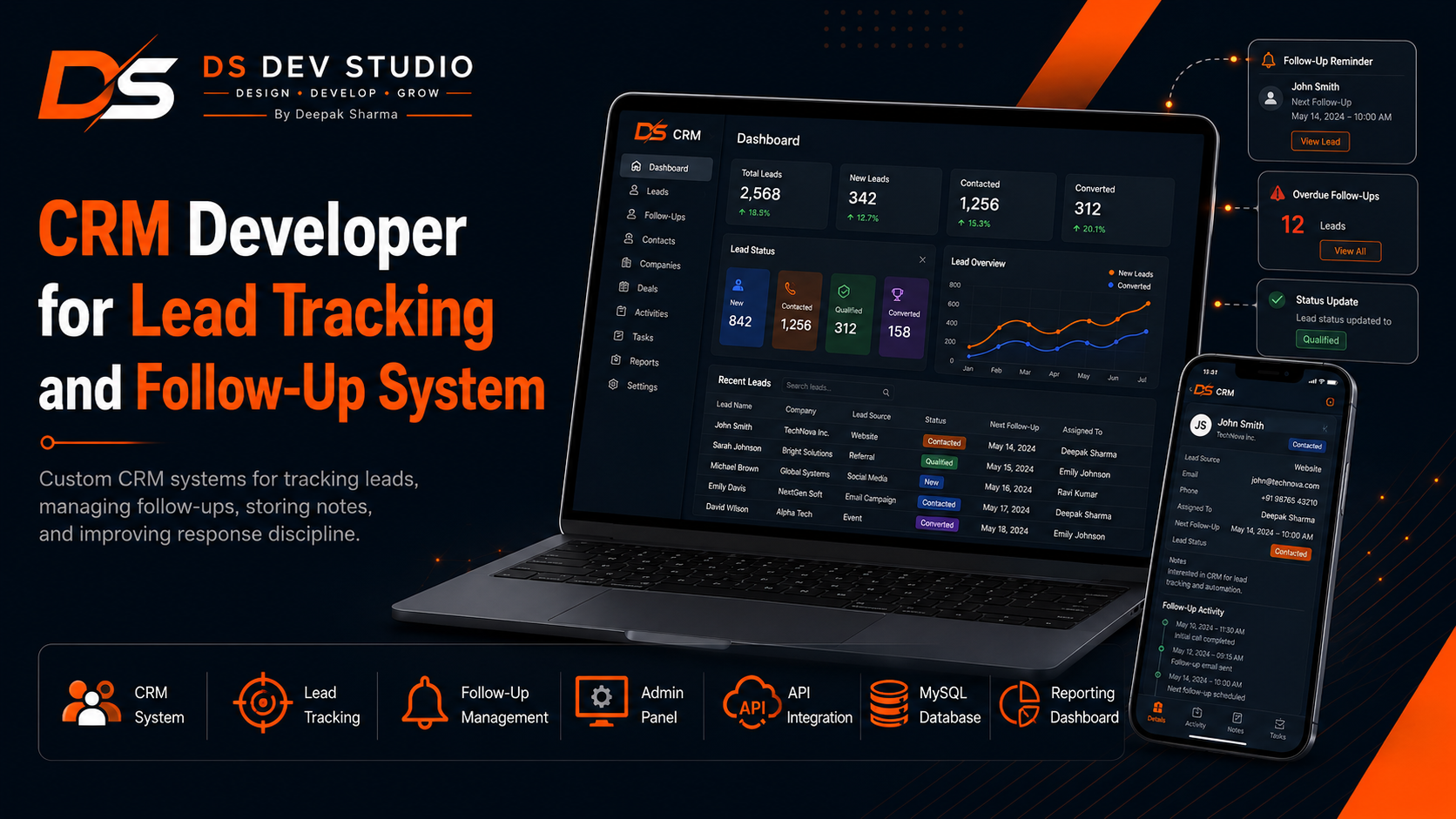
A lead is valuable only when it is tracked, followed up, and managed properly. Many businesses collect inquiries from websites, landing pages, WhatsApp, calls, ads, emails, social media, referrals, and offline campaigns, but they lose opportunities because there is no organized system to manage those leads. A custom CRM lead tracking and follow-up system helps businesses store every inquiry, update lead status, add notes, assign follow-ups, view reminders, track customer conversations, and understand which leads need attention.
When a business searches for a CRM Developer, the requirement is often practical. The business needs a system that can reduce scattered follow-ups and bring lead information into one dashboard. A CRM does not need to be complicated to be useful. Even a simple lead tracking system with customer details, lead status, notes, follow-up date, assigned user, source, and reports can improve daily business operations.
Deepak Sharma Web Developer services through DS Dev Studio include CRM development, lead tracking system development, follow-up system development, PHP CRM development, Laravel CRM application development, CodeIgniter CRM development, MySQL database planning, admin panel development, React dashboard UI, API integration, backend development, and custom web application development. The goal is to build CRM systems that match actual business workflows.
For businesses searching for CRM Developer, CRM Web Application Developer, PHP CRM Developer, CodeIgniter CRM Developer, Backend Developer India, Laravel Developer, Admin Panel Developer, API Integration Developer, or Custom Web Application Developer, DS Dev Studio provides a practical development approach. The system should help business teams manage leads, reduce manual work, and improve customer response discipline.
Why businesses need a lead tracking and follow-up system
Businesses often lose leads not because the customer was uninterested but because the follow-up process was weak. A lead may submit a form and wait for a response. A customer may ask for a quote and need a call the next day. A potential client may need more information after the first conversation. If the business does not track these interactions, the lead can go cold.
A lead tracking and follow-up system solves this problem by creating a single place for lead information. Instead of relying on memory, spreadsheets, email inboxes, or chat messages, the business can see each lead with its current status, next follow-up date, notes, assigned user, and source.
A CRM Developer should understand that follow-up is a workflow, not only a field in a database. The system should support actions such as adding a lead, updating status, assigning ownership, adding notes, setting follow-up dates, filtering pending leads, and viewing overdue follow-ups.
Deepak Sharma focuses on CRM systems that help teams act faster. DS Dev Studio builds lead tracking dashboards where businesses can see what is new, what is pending, what needs follow-up, and what has already converted or closed.
What a CRM Developer can build for lead management
A CRM Developer can build custom modules for leads, customers, users, statuses, notes, follow-ups, reminders, sources, reports, and settings. These modules can be customized according to the business type. A service business may need service interest and follow-up date. A startup may need signup source and demo request status. An agency may need lead owner, project type, budget, and proposal status.
A lead management system can include a lead list, lead detail page, add lead form, edit lead form, status dropdown, notes section, follow-up date field, assigned user field, source tracking, search, filters, and export-ready reports. These features make lead handling more organized.
As a CRM Web Application Developer, Deepak Sharma can build CRM systems using PHP, Laravel, CodeIgniter, MySQL, React dashboard interfaces, and API integration. The system can be designed for small businesses, service providers, consultants, agencies, startups, and local companies.
DS Dev Studio builds CRM systems based on business workflow. The goal is not to copy every feature of large CRM platforms. The goal is to create a custom lead tracking and follow-up system that fits the way the business actually works.
Lead status tracking in a custom CRM
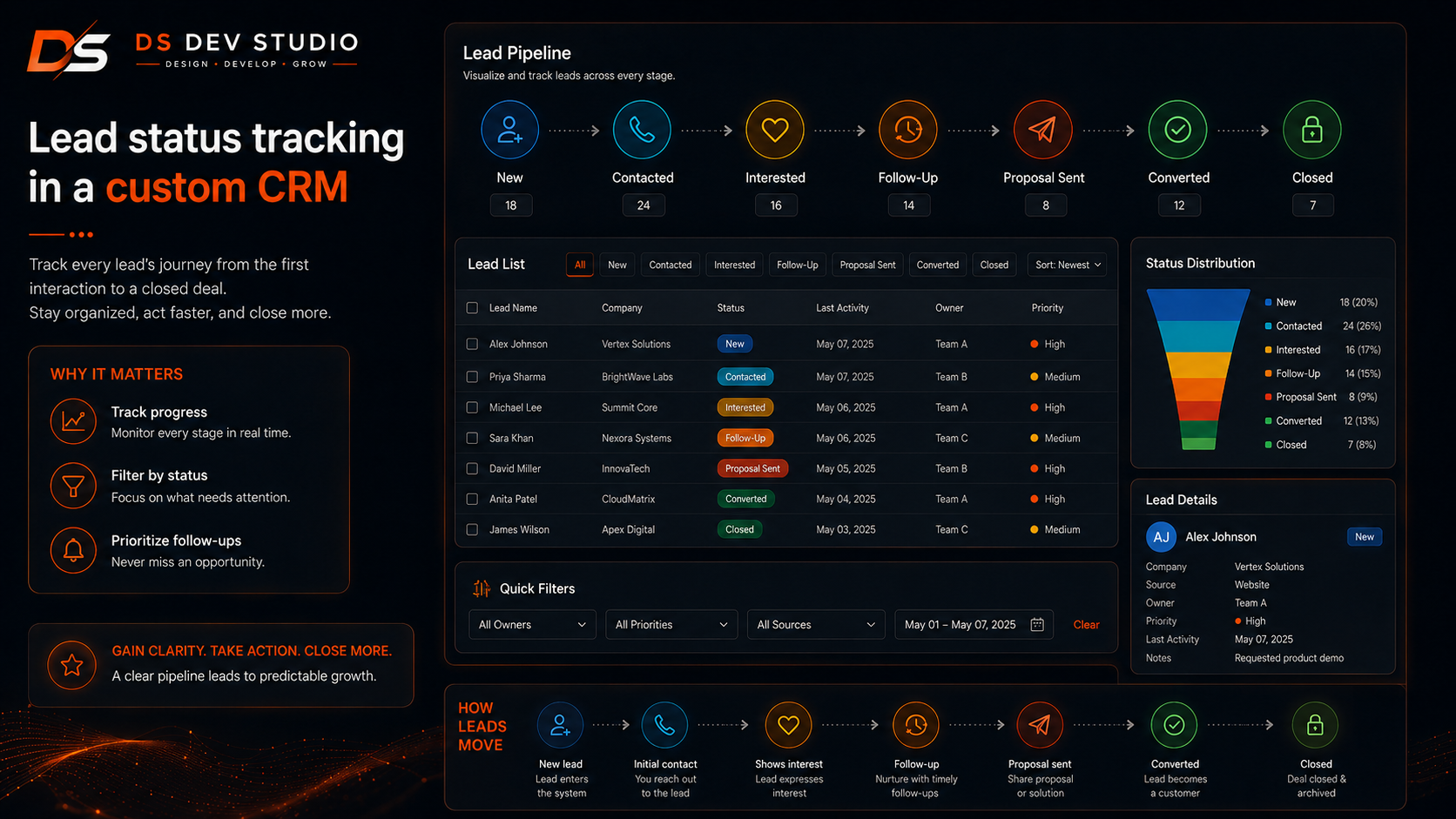
Lead status tracking is one of the most important parts of a CRM. A lead should not remain only as a name and phone number. The business needs to know whether the lead is new, contacted, interested, follow-up pending, proposal sent, converted, not interested, or closed.
A custom CRM can include status labels that match the business process. For example, a service provider may use New, Called, Visit Scheduled, Quote Sent, Follow-Up, Confirmed, Completed, and Closed. A consulting business may use New Inquiry, Discovery Call, Proposal Sent, Negotiation, Won, and Lost.
Deepak Sharma can build lead status tracking systems where users can update lead progress easily from a dashboard. Status filters can help the team see all pending leads, converted leads, inactive leads, or leads that require immediate attention.
DS Dev Studio focuses on status tracking that is simple and useful. Too many statuses can confuse users, while too few statuses may not show enough detail. The CRM should match real business decision stages.
Follow-up date and reminder features
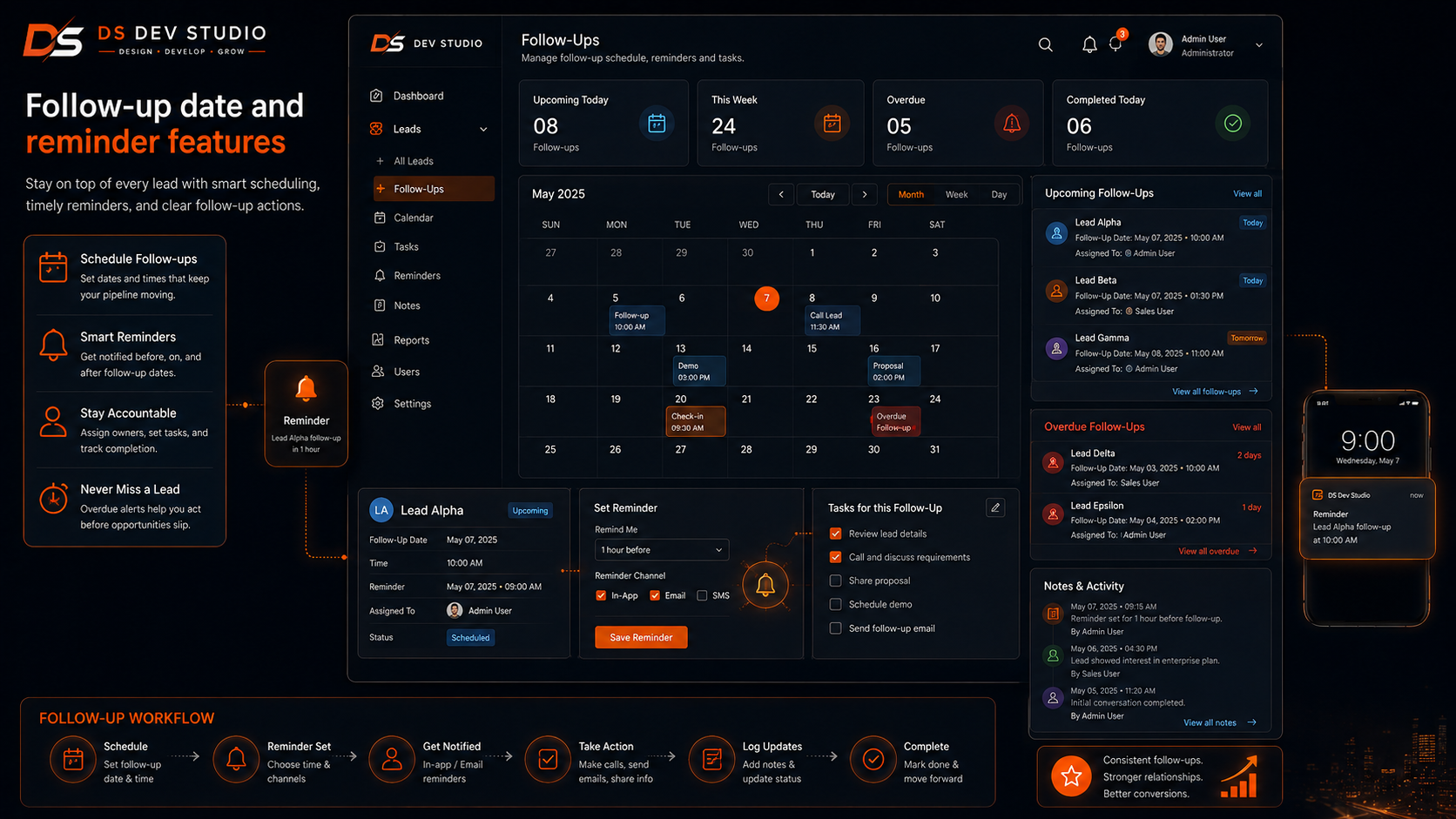
Follow-up date tracking helps businesses avoid missed opportunities. A lead may need a call tomorrow, a quote revision next week, or a reminder after a meeting. If the follow-up date is not recorded properly, the team may forget the next action.
A follow-up system can include next follow-up date, follow-up notes, assigned user, priority, last contact date, and follow-up status. The dashboard can show today’s follow-ups, overdue follow-ups, upcoming follow-ups, and completed follow-ups.
As a CRM Developer, Deepak Sharma can build follow-up tracking features that help business users focus on leads that need attention. The system can show reminders inside the dashboard and support filters by date or status.
DS Dev Studio can create follow-up workflows that are simple enough for daily use. A CRM should make follow-up discipline easier, not add extra manual work.
Lead notes and activity history
Lead notes are important because every conversation may include useful context. A customer may ask about pricing, timeline, service details, location, budget, or specific requirements. If these notes are not stored, the next conversation may feel disconnected.
A custom CRM can include a notes section for each lead. Users can add call notes, meeting notes, quotation details, follow-up comments, objection details, and internal remarks. The system can show note history with date and user information.
Deepak Sharma can build CRM activity history features where teams can track what happened with each lead. This is useful when multiple team members handle customer communication or when leads require several follow-ups before conversion.
DS Dev Studio builds note and activity tracking features that support continuity. A business should not depend only on individual memory when managing important customer conversations.
Lead source tracking for better marketing decisions
Lead source tracking helps businesses understand where inquiries come from. A lead may come from Google Search, a landing page, a Facebook ad, LinkedIn, WhatsApp, referral, email campaign, offline event, or direct website visit. Knowing the source helps the business evaluate marketing efforts.
A CRM lead tracking system can include source fields such as website form, landing page, Google Ads, social media, referral, cold outreach, event, or manual entry. The source can be selected by the user or captured automatically from form data where possible.
As an API Integration Developer and CRM Developer, Deepak Sharma can build systems where website forms and landing pages pass source information into the CRM. This helps businesses understand which channels generate useful leads.
DS Dev Studio can include source tracking in CRM dashboards and reports so businesses can make better decisions about marketing and follow-up priorities.
Lead assignment and team ownership
Lead assignment is useful when more than one person manages customer inquiries. A business may have sales users, service coordinators, managers, or team members responsible for different leads. A CRM can assign leads to specific users and show ownership clearly.
A lead assignment system can include assigned user, team member filter, lead owner, assignment date, and status updates. This helps avoid confusion about who is responsible for the next follow-up.
Deepak Sharma can build CRM systems where leads can be assigned manually or managed according to business rules. A manager can view all leads, while individual users may see assigned leads depending on role-based access.
DS Dev Studio can plan lead ownership features for businesses that need organized follow-up responsibility and team-level visibility.
Role-based access in CRM systems
Role-based access is important when multiple users work inside a CRM. An owner may need full access to all leads and reports. A manager may need access to team data. A sales user may only need access to assigned leads. A viewer may only need report access.
A CRM Developer can build role-based access so each user sees the correct sections and actions. The backend should control permissions for viewing, creating, editing, deleting, assigning, exporting, and reporting.
As a Backend Developer and CRM Web Application Developer, Deepak Sharma can build role-based CRM systems using PHP, Laravel, CodeIgniter, MySQL, and React frontend UI where required.
DS Dev Studio treats role planning as an important part of CRM development. It protects business data and makes the CRM easier for teams to use.
CRM admin panel development
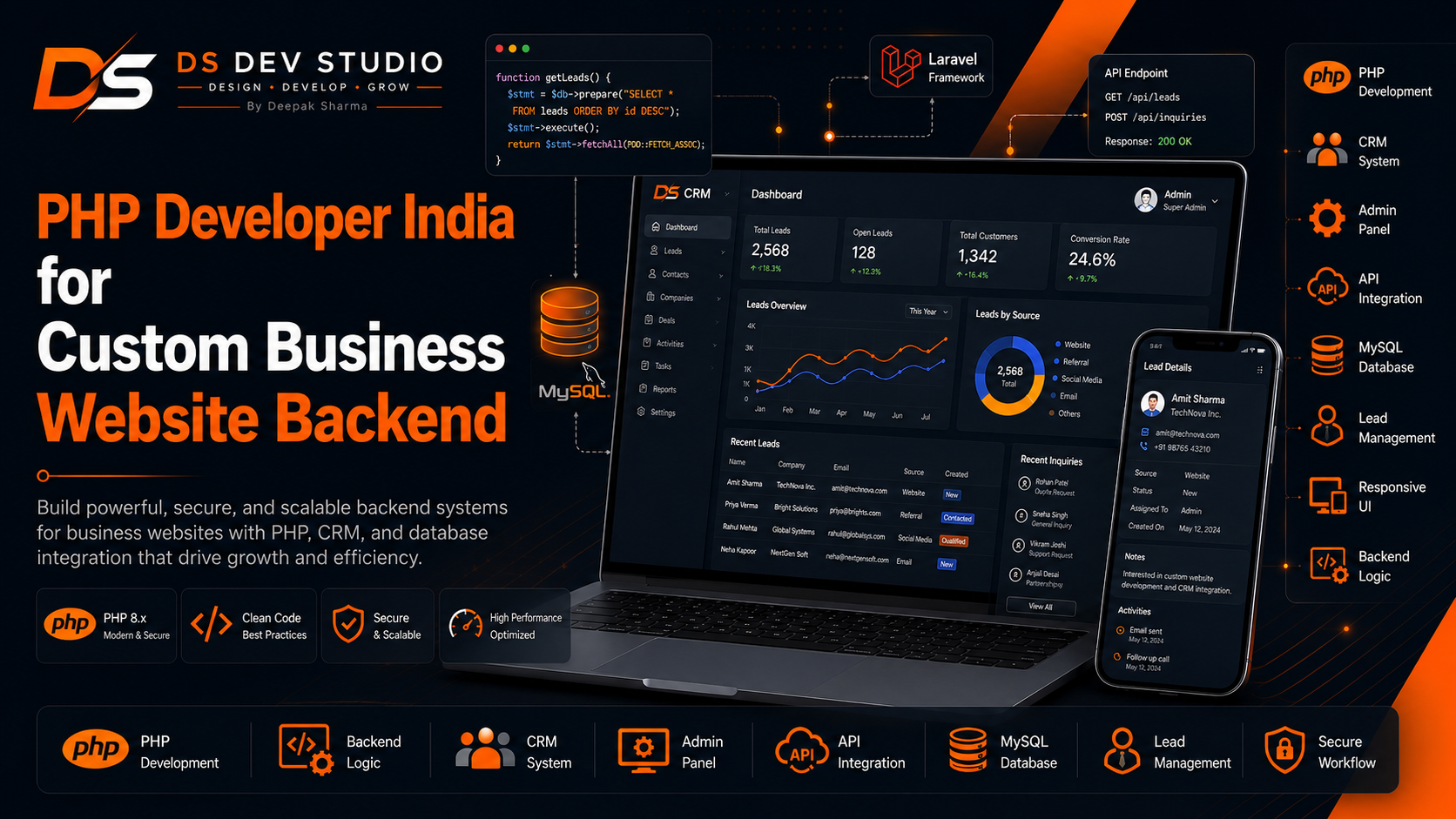
A CRM admin panel gives the business a secure place to manage leads and follow-ups. The panel may include login, dashboard cards, lead tables, customer records, follow-up filters, status controls, note sections, reports, user management, and settings.
As an Admin Panel Developer, Deepak Sharma can build CRM admin panels that are clear and practical. The interface should help business users complete tasks quickly. It should not be overloaded with unnecessary sections that make the system difficult to use.
A good CRM admin panel should include useful views such as New Leads, Today’s Follow-Ups, Overdue Follow-Ups, Converted Leads, Lost Leads, and Assigned Leads. These views help teams focus on action.
DS Dev Studio can build CRM admin panels using PHP, Laravel, CodeIgniter, MySQL, React dashboard UI, and APIs depending on the project scope.
PHP CRM development for lead tracking
PHP CRM development is practical for businesses that need a custom lead tracking system without unnecessary complexity. PHP can handle form processing, database storage, user login, lead records, notes, statuses, reports, and admin panel logic.
As a PHP CRM Developer and PHP Developer Freelancer, Deepak Sharma can build CRM systems that manage inquiries from websites, landing pages, and manual entries. The system can store leads in MySQL and show them inside a secure admin dashboard.
A PHP CRM can start with essential modules such as leads, customers, notes, statuses, users, and reports. If the system needs more structure, Laravel or CodeIgniter can be used to organize the backend more clearly.
DS Dev Studio uses PHP CRM development for businesses that need practical lead tracking and follow-up control with a custom workflow.
Laravel CRM development for structured follow-up systems
Laravel is useful for CRM systems that need structured backend development. A Laravel CRM can include authentication, user roles, database migrations, models, controllers, validation, APIs, dashboard logic, and report modules.
As a Laravel Developer Freelancer and CRM Web Application Developer, Deepak Sharma can build Laravel CRM systems for businesses that need secure lead tracking, follow-up management, user roles, reporting dashboards, and API-connected workflows.
Laravel is especially useful when the CRM may grow over time. If the business expects more modules such as customer records, pipeline views, task reminders, service requests, integrations, or reports, Laravel can provide a maintainable foundation.
DS Dev Studio can recommend Laravel when a CRM lead tracking and follow-up system needs stronger structure and future scalability.
CodeIgniter CRM development for lightweight business systems
CodeIgniter CRM development is useful when a business needs a lightweight and practical CRM system. CodeIgniter can support lead records, customer profiles, status updates, notes, reports, user login, and admin panels without unnecessary heaviness.
As a CodeIgniter CRM Developer and CodeIgniter Developer Freelancer, Deepak Sharma can build CRM systems that are clear, fast, and easy for small teams to use. CodeIgniter can be a good fit for businesses that need a custom CRM but want a manageable backend structure.
A CodeIgniter CRM can include modules for leads, customers, users, notes, follow-ups, sources, reports, and settings. These modules can be customized according to the business process.
DS Dev Studio can use CodeIgniter for CRM systems where the goal is practical lead tracking, follow-up management, and simple admin control.
MySQL database planning for CRM lead systems
MySQL database planning is important for CRM lead tracking systems because the CRM depends on organized data. Leads, customers, notes, statuses, users, sources, follow-ups, and activity records should be structured clearly.
A CRM database may include tables such as leads, customers, users, statuses, notes, follow_ups, sources, activities, roles, and settings. The relationships between these tables should support the actual workflow.
Deepak Sharma can plan MySQL databases for CRM systems, admin panels, lead dashboards, and follow-up systems. The goal is to make records easy to store, search, filter, update, and report.
DS Dev Studio treats database planning as a foundation of CRM development. A poorly planned database can make even a good-looking dashboard difficult to maintain.
React dashboard UI for CRM systems
React dashboard UI can improve the user experience of a CRM system. React can create reusable components such as lead tables, status badges, filters, modals, forms, notes sections, dashboard cards, and report views.
As a React Admin Dashboard Developer and CRM Developer, Deepak Sharma can build React-based CRM interfaces that connect with PHP, Laravel, or CodeIgniter backend APIs. This creates a modern dashboard experience while keeping business logic on the backend.
A React CRM dashboard can show summary cards for new leads, pending follow-ups, overdue follow-ups, converted leads, and lost leads. It can also allow users to filter, search, update status, and submit notes through API-connected forms.
DS Dev Studio can build CRM dashboards where frontend UI and backend data work together clearly.
API integration for CRM lead tracking
API integration helps a CRM receive and send data from different platforms. Website forms, landing pages, Google Sheets, email platforms, WhatsApp systems, payment tools, and third-party applications can connect with a CRM through APIs.
For example, a landing page form can send lead data to the CRM. A CRM can send customer records to an email follow-up tool. A dashboard can fetch updated data through APIs. API integration reduces manual copying and improves workflow accuracy.
As an API Integration Developer, Deepak Sharma can build CRM API workflows where data moves between the website, dashboard, backend system, and external tools. The integration should support actual business needs.
DS Dev Studio plans API integration carefully. Not every tool needs to be connected immediately. The priority should be integrations that improve lead capture, follow-up, reporting, or customer communication.
CRM reporting and follow-up analytics
CRM reporting helps businesses understand lead activity. Reports can show how many leads came in, how many were contacted, how many are pending, how many converted, how many were lost, and which sources generated better inquiries.
A follow-up report can show overdue follow-ups, today’s follow-ups, upcoming follow-ups, completed follow-ups, and user-wise follow-up performance. These reports help managers identify where attention is needed.
Deepak Sharma can build CRM reporting dashboards with filters by date, status, source, service, assigned user, and outcome. Reports should answer useful business questions instead of showing random numbers.
DS Dev Studio focuses on reporting that supports action. A good CRM report should help the business improve response time, follow-up consistency, and lead conversion tracking.
CRM follow-up system for service businesses
Service businesses need follow-up systems because customers often take time to decide. A customer may ask for a quote, compare providers, request clarification, schedule a service, or delay a decision. Follow-up tracking helps the business stay organized.
A CRM follow-up system for service businesses can include service interest, customer location, quote amount, next call date, assigned staff, status, notes, and completion details. This helps service teams handle inquiries more professionally.
Deepak Sharma can build CRM systems for consultants, agencies, local service providers, repair businesses, professional firms, education services, and small companies that need better inquiry management.
DS Dev Studio builds follow-up systems that are practical for daily use. The system should help teams respond faster and avoid missed conversations.
CRM lead system for startup MVPs
Startups often need a CRM-like system during MVP validation. Founders may collect waitlist signups, demo requests, early access requests, feedback, customer interviews, and partnership inquiries. A simple CRM can help organize this early traction.
A startup CRM can include lead source, interest level, demo status, follow-up date, notes, and conversion stage. This helps founders understand which users are interested and what follow-up actions are needed.
As a Full Stack Web Developer and CRM Developer, Deepak Sharma can build CRM lead systems for startup MVP websites using React, PHP, Laravel, CodeIgniter, MySQL, and API integration.
DS Dev Studio helps startups build lean CRM systems that support validation without overbuilding unnecessary enterprise features.
Security basics for CRM lead tracking systems
Security is important in CRM systems because they store customer data, phone numbers, emails, notes, follow-up details, and internal business information. A CRM should protect this information with proper access control and backend validation.
Security basics may include login protection, role-based access, form validation, safe database queries, controlled API access, careful error handling, and restricted admin permissions. If the CRM includes multiple users, permissions should be planned carefully.
Deepak Sharma can build CRM systems with practical security awareness using PHP, Laravel, CodeIgniter, MySQL, and API-based backend logic. The exact level of security depends on the project, but customer data should always be handled responsibly.
DS Dev Studio treats security as part of professional CRM development. A CRM should not only organize leads; it should also protect the information it stores.
Performance planning for CRM dashboards
Performance matters in CRM dashboards because business teams may use the system every day. Slow lead tables, delayed filters, heavy reports, and poor data loading can reduce productivity. A CRM should be responsive and practical.
Performance planning can include database indexing, pagination, efficient queries, optimized API responses, lightweight dashboard components, and filtered data loading. The CRM should load what users need without unnecessary delays.
Deepak Sharma can build CRM dashboards with practical performance planning. Lead lists, follow-up views, search filters, and reports should remain usable as records increase.
DS Dev Studio balances CRM features with dashboard speed. A lead tracking system should be useful for real business activity, not only impressive in a static demo.
SEO friendly public pages with CRM backend support
A CRM system usually works behind the scenes, but many CRM projects are connected with public website pages. A business may need service pages, landing pages, blog posts, contact pages, and lead forms that send information into the CRM.
As an SEO Friendly Website Developer, Deepak Sharma can build public-facing pages with proper headings, readable content, optimized images, descriptive alt text, internal links, and responsive layout. The CRM backend can then handle submitted leads and follow-up tracking.
For this topic, keywords such as CRM Developer, CRM Web Application Developer, PHP CRM Developer, CodeIgniter CRM Developer, Lead Tracking System, Follow-Up System, and Admin Panel Developer can be used naturally.
DS Dev Studio connects website lead generation with backend CRM systems so businesses can collect and manage inquiries more effectively.
Why hire Deepak Sharma as a CRM Developer?
Businesses can hire Deepak Sharma as a CRM Developer when they need a lead tracking system, follow-up system, CRM dashboard, customer record module, admin panel, PHP CRM system, Laravel CRM application, CodeIgniter CRM tool, API integration, MySQL database planning, or custom web application workflow.
The advantage of hiring a CRM Web Application Developer is that the system can be built around the business process. You can define lead statuses, follow-up rules, user roles, customer fields, notes, reports, and source tracking according to your actual workflow.
Deepak Sharma can also support connected services such as backend development, PHP development, Laravel development, CodeIgniter development, React dashboard development, admin panel development, API integration, responsive website development, and full stack web application development.
DS Dev Studio is suitable for small businesses, startups, consultants, agencies, local service providers, and growing teams that need a CRM system that is practical, organized, and useful after launch.
How DS Dev Studio plans CRM lead tracking projects
DS Dev Studio plans CRM lead tracking projects by first understanding the business workflow. This includes identifying where leads come from, what information must be stored, what statuses are needed, who will manage leads, how follow-ups work, what reminders are needed, and what reports are useful.
After planning, the CRM can be divided into modules such as leads, customers, users, statuses, notes, follow-ups, sources, reports, settings, API endpoints, and dashboard screens. Each module should serve a clear business purpose.
The development process can include database planning, backend logic, authentication, admin panel UI, lead forms, follow-up features, API connections, reporting dashboards, testing, deployment support, and future improvement planning.
Deepak Sharma focuses on CRM systems that remain useful after launch. The final system should help the business manage leads, follow up on time, organize customer data, and improve response discipline.
Common mistakes in CRM follow-up system development
One common mistake is building a CRM without understanding the actual follow-up process. If statuses, follow-up dates, notes, user ownership, and reminders are not planned clearly, the system may become difficult to use.
Another mistake is making the CRM too complex. A small business may not need every advanced feature. The CRM should start with essential modules and expand later. Too many fields and screens can discourage users from using the system.
Businesses should also avoid weak database planning, missing role-based access, no report structure, poor search filters, unclear lead source tracking, and no connection between website forms and the CRM. These issues can reduce CRM value.
DS Dev Studio helps avoid these mistakes by focusing on workflow planning, simple dashboard UI, useful lead fields, follow-up tracking, secure backend logic, API clarity, and practical CRM features.
When should a business hire a CRM Developer?
A business should hire a CRM Developer when leads are becoming difficult to manage manually. If inquiries are scattered across website forms, WhatsApp, calls, emails, spreadsheets, and social media, a CRM lead tracking system can bring them into one organized place.
A business should also hire CRM developer services when follow-ups are being missed, lead status is unclear, customer notes are not stored, team ownership is confusing, or reports are not available. A custom CRM can solve these problems with a workflow-specific system.
Businesses should consider CRM development before scaling campaigns, increasing sales activity, adding more team members, or launching new lead generation pages. More leads require better tracking and follow-up discipline.
Deepak Sharma can support businesses that need CRM Developer, CRM Web Application Developer, PHP CRM Developer, CodeIgniter CRM Developer, Backend Developer India, Admin Panel Developer, or API Integration Developer services through DS Dev Studio.
Conclusion
Hiring a CRM Developer for lead tracking and follow-up system development can help businesses organize inquiries, manage customer records, improve follow-up discipline, and reduce missed opportunities. A good CRM system should include lead records, statuses, notes, follow-up dates, assigned users, source tracking, reports, role-based access, admin panels, and API-connected forms where required. Through DS Dev Studio, Deepak Sharma provides CRM development, PHP CRM development, Laravel CRM application development, CodeIgniter CRM development, MySQL database planning, admin panel development, React dashboard UI, API integration, backend development, and custom web application development. For businesses searching for CRM Developer, CRM Web Application Developer, PHP CRM Developer, CodeIgniter CRM Developer, Lead Tracking System, Follow-Up System, Admin Panel Developer, Backend Developer India, or API Integration Developer, DS Dev Studio offers a practical and business-focused approach. A well-planned CRM lead tracking system can help a business respond faster, follow up on time, understand lead sources, manage customer conversations, and prepare for growth. With the right CRM developer, a follow-up system becomes more than a dashboard; it becomes a reliable process for turning inquiries into business opportunities.
Useful internal links
- Explore CRM web application development
- Explore lead tracking CRM development
- Explore PHP CRM development services
- Explore CodeIgniter CRM development services
- Explore Laravel development services
- Explore admin panel development services
- Explore backend development services
- Explore API integration development services
- View DS Dev Studio portfolio projects
- Contact Deepak Sharma to hire a CRM Developer
Frequently asked questions
Can I hire Deepak Sharma as a CRM Developer for lead tracking and follow-up system development?+
Yes. You can hire Deepak Sharma as a CRM Developer for lead tracking and follow-up system development, including CRM dashboards, lead status tracking, follow-up dates, notes, customer records, admin panels, PHP CRM systems, Laravel CRM applications, CodeIgniter CRM tools, MySQL databases, and API integration through DS Dev Studio.
What features should a lead tracking CRM include?+
A lead tracking CRM should include lead records, customer details, lead source, lead status, assigned user, follow-up date, notes, activity history, search, filters, reports, role-based access, and dashboard views such as new leads, overdue follow-ups, and converted leads.
Can DS Dev Studio connect website forms with a CRM system?+
Yes. DS Dev Studio can connect website forms, landing pages, quote request forms, and contact forms with a CRM system using backend development and API integration. This allows lead data to move into the CRM automatically.
Is a custom CRM useful for small businesses?+
Yes. A custom CRM is useful for small businesses when leads, follow-ups, customer notes, and inquiry sources become difficult to manage manually. The CRM can start with essential modules and expand later as the business grows.
Should I choose PHP, Laravel, or CodeIgniter for CRM development?+
PHP can be useful for simple CRM systems, Laravel is suitable for structured and scalable CRM applications, and CodeIgniter can work well for lightweight business CRM tools. DS Dev Studio can recommend the right option based on workflow, budget, and future requirements.