Custom Web Application Developer for CRM
A practical guide for businesses that need a Custom Web Application Developer for CRM, ERP, admin panels, dashboards, and internal tools.

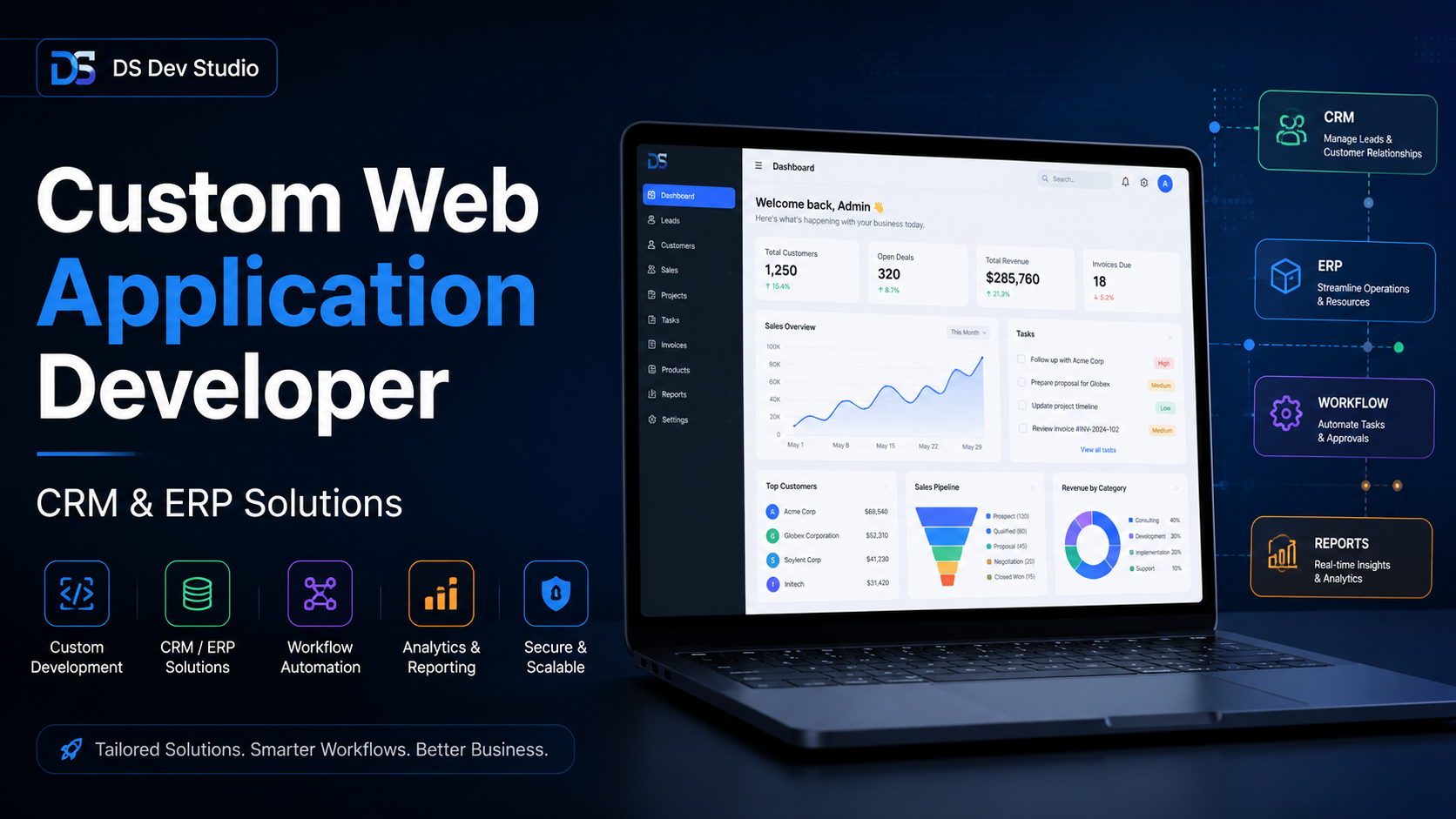
An expert Custom Web Application Developer is capable of providing solutions that enable businesses build applications that are more than just typical websites. While a standard website serves the purpose of displaying information, services, project details, contact information and more, many organizations require systems to manage internal processes. Such systems may be in the form of CRM components, ERP pathways, admin dashboards, user management and many others.
Most companies operate using spreadsheets and keep records by hand. Initially, this process is manageable due to fewer users, leads, customers, or tasks. However, as time passes, manual methods become harder to deal with. As a result, records become duplicated, follow-ups are forgotten, reports take longer to compile, and team members find it challenging to recognize what has been completed and what is still pending.
A custom CRM or ERP web application can streamline the management of such operations by placing everything in one system. Rather than relying solely on manual tracking, the business can set up a well-organized system for managing various aspects of its operations such as leads, customers, inquiries, tasks, employees, products, services, reports, approvals, and administrative actions. This is where the input of a Custom Web Application Developer becomes important for businesses seeking practical digital solutions as opposed to just an attractive website.
What is a custom web application?
A tailored web application is an online system that was created for a particular business need. Unlike a general website, a web application is typically created to allow the possibility of logging in, uploading, managing information, and displaying business activities. Depending on the needs of the business, it can be utilized internally by employees or outside by clients.
For instance, a service firm might be looking for a CRM to take care of its client inquiries. An industrial business might seek an ERP module to manage its inventory or orders. An educational business could need an admissions form and an administrative panel. A real estate business could want a property dashboard. A marketing team might require a lead management tool. All of these require something more than the regular web pages; each of them requires custom processes.
The Custom Web Application Developer designs these workflows and translates them into dashboards, forms, databases, buttons, filters, reports, and backend systems. The end product should be simple to use, reliable for everyday tasks, and adaptable to growth for future improvements of the business.
When do you need a CRM Developer?
It may be necessary to hire a CRM developer if your organization is experiencing the need for unified management of leads, clients, follow-ups, questions, sales stages, tasks, notes, reports, and communication histories in one place. CRM web applications are particularly useful and effective in situations where different people are taking care of clients' information, and they all need a clear view of the ongoing processes.
Using a CRM solution makes it easy for organizations to address crucial questions. It can provide answers to questions such as how many inquiries there were in the last week, which leads are still open, who requires communication from the company, what stage of selling has the highest level of dropout, which employee handles which lead, etc. Without a CRM, these answers may be found in emails, spreadsheets, chats or other forms of communication, making it complicated to extract important information.
A developer creating a CRM-based web application can design various components for managing leads, storing customer information, designing investigation forms, scheduling the status of leads, taking required notes, adding filters, creating search options, sending reminders, assigning user roles, and putting together needed report. The system can be basic in the beginning then grow into something more complex by adding, for instance, records of activities, opportunity to upload files, notifications, graphs, and API.
When do you need an ERP Developer?
When your company requires functionalities for operations, inventory, personnel, invoices, internal procedures, approvals, logs, or business process management, you will require the assistance of an ERP Developer. ERP applications are often more comprehensive than CRM applications since they may be utilized in virtually all departments and functions of an organization.
A web-based ERP solution can encompass functional areas like supplies management, purchase logs, order handling, employee records, tracking attendance, monitoring projects, accounting information, supplier accounts, reports, and authorizing supervisors. Not every organization requires an ERP system on the level of an enterprise, but businesses rely on smaller tailored ERP modules that address certain operability issues.
An ERP module designed specifically for custom use can help minimize time-consuming manual processes. For instance, instead of having to edit data manually in three spreadsheets, it is possible for a team to make the changes in a single dashboard. Instead of having to request updates, a manager can access the reports automatically. Instead of worrying about missing approvals, the flow chart can show the status of approvals.
Admin Panel Developer for business workflows
The Admin Panel Developer can create dashboards, tables, filters, forms, edit screens, user controls, role-based areas, and report interfaces. Admin panels are beneficial for companies that require an interface to control application & website data. Suppose the business owner or one of the members of the enterprise wants to add, change, delete, or approve the data – the admin panel helps a lot.
The typical admin panel is a system used to manage queries, users, products, services, blog posts, projects, clientele records, reports, orders, payments, staff, and application settings. A good admin panel is one that users do not find difficult to operate. The various functions provided by the admin panel should be easy to locate, and there should be useful tables, forms, validations, search functions, and action buttons that ensure users quickly understand what to do.
A Laravel Admin Panel Developer, PHP CRM Developer, CodeIgniter CRM Developer or React Admin Dashboard Developer is able to work in their respective fields depending on the technology used. On the front end, it is necessary to have a neat and correctly working page, while the back end should guarantee good data storage and processing.
Both front end and back end need to interact with each other to operate properly.
Common features in CRM and ERP web applications
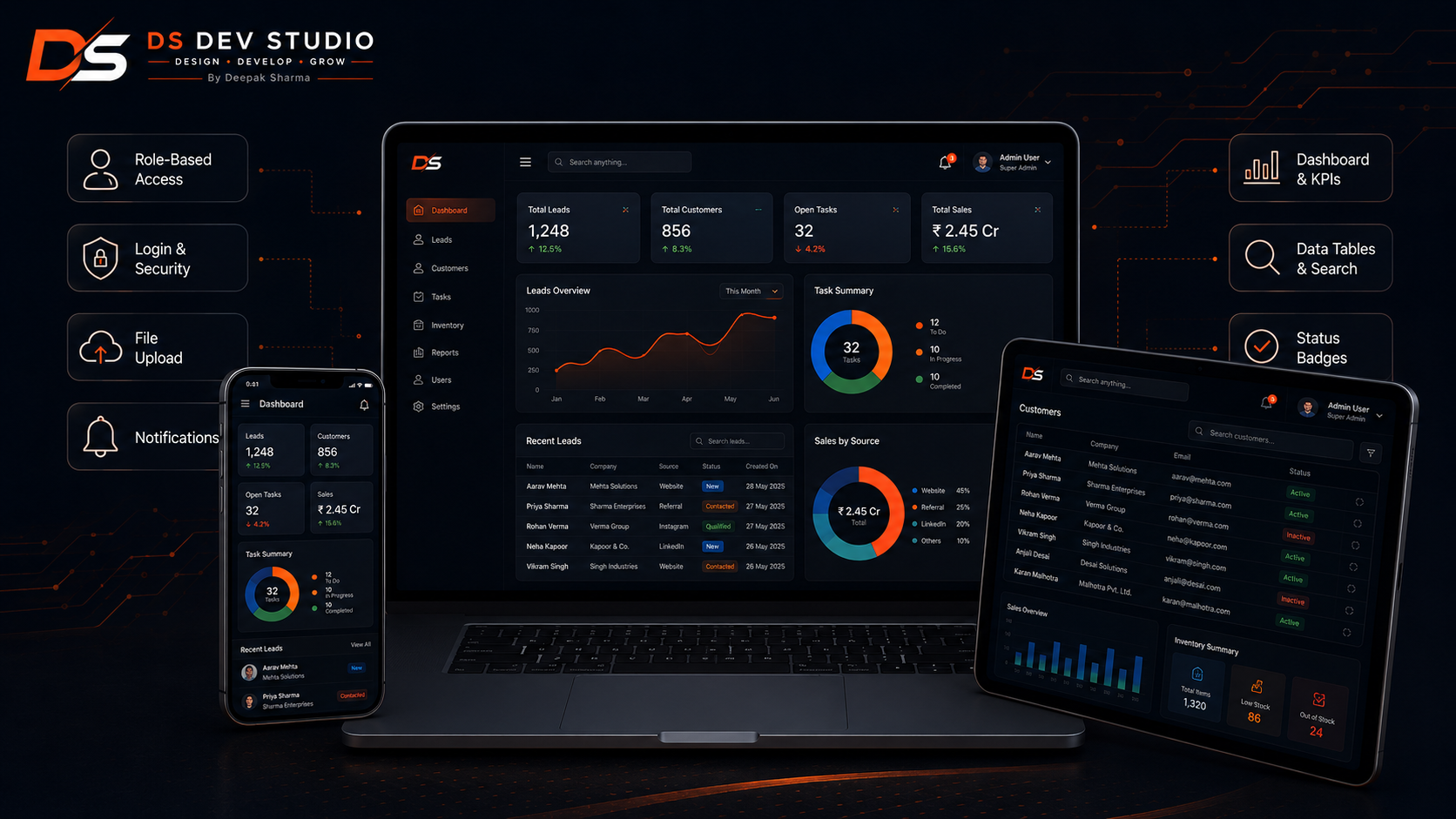
Every ERP or CRM project differs from each other, but a number of features can be found in many systems. These features enable clients to handle information, cut down on efforts done manually and comprehend business processes better. The right list of features must be established according to the process used by a particular company and not based on what competitors have. A simple though helpful system is more preferable than complex projects that cannot be used properly.
- Secure login and user authentication for access.
- Access control based on the role of users (administrator, manager, team members, or limited users).
- Dashboard displaying the figures and current activity.
- Forms for management of prospects, customers, products, tasks, or records.
- Tables enabling search, filtering, editing, deleting, and modifying status.
- Reports about calls, sales, tasks, inventory, or effectiveness.
- Document upload by file upload feature.
- Possibility of API connection to the front and back parts, forms, and third-party services.
- E-mail notifications in case of important events.
- Responsive administrative screens for having access from desktop and mobile.
Technology options for custom web applications
It is important to choose the right technology stack while developing a project. If you are building front end dashboards and dynamic user interfaces then ReactJS will be suitable for your project. PHP, Laravel or CodeIgniter can be chosen for backend development. When it comes to database management MySQL can be used. With the help of REST APIs the communication between front end and back end can be achieved.
When the project requires reusable components such as dynamic interfaces along with the need for designing forms, APIs, bars, etc., React comes in handy. Laravel works wonders when the need for backend work comes into play requiring a neat structure with routing, authentication, operations on the database and code that can be maintained. CodeIgniter comes in really useful in light PHP projects. On the other hand, core PHP can be utilized in custom modules also depending on the demand.
The most effective technology solution may not always be the latest technology. A software solution should be stable, easy to support and appropriate for the people who will work with it. For a small project, a simple platform will suffice. For an extensive project requiring addition of more components, APIs and complex processes, more sophisticated platforms like Laravel + React should be considered.
- ReactJS is useful for making dashboard frontend applications and user interfaces that change as the user interacts.
- PHP, Laravel, or CodeIgniter are perfect for coding your backend logic.
- MySQL is useful to save structured data.
- REST API is used for communication between the frontend and the backend of your project.
- The Tailwind CSS and the Bootstrap frameworks are necessary to build responsive admin interfaces.
- You can choose between Firebase and the regular hosting methods depending on your needs.
- You can use EmailJS for sending notifications from your app or use services that provide email notification on backend.
How API integration improves business systems
Having the right skills as an API Integration Developer can be crucial in building a web application that can communicate with various platforms. APIs allow for connections between several components in a system, such as connecting a React front-end with a PHP or Laravel backend. APIs play an important role in connecting other systems, from a CRM with a contact form, email system, payment system, third-party tools, etc. Without API integration, many systems would be left unconnected.
As an example, a contact form can submit inquiries directly to an admin email while also adding the same inquiry into CRM system. The dashboard can collect customer information from backend API. The report screen can pull certain data from a server. User's actions on frontend can modify information in the database using API.
A good API integration must deal with the loading states, errors, validation, and security. Users should always be aware when data is being sent and when something did not go as planned or something went well. This facilitates user experience and avoids confusion during everyday business operations.
Planning a CRM or ERP project before development
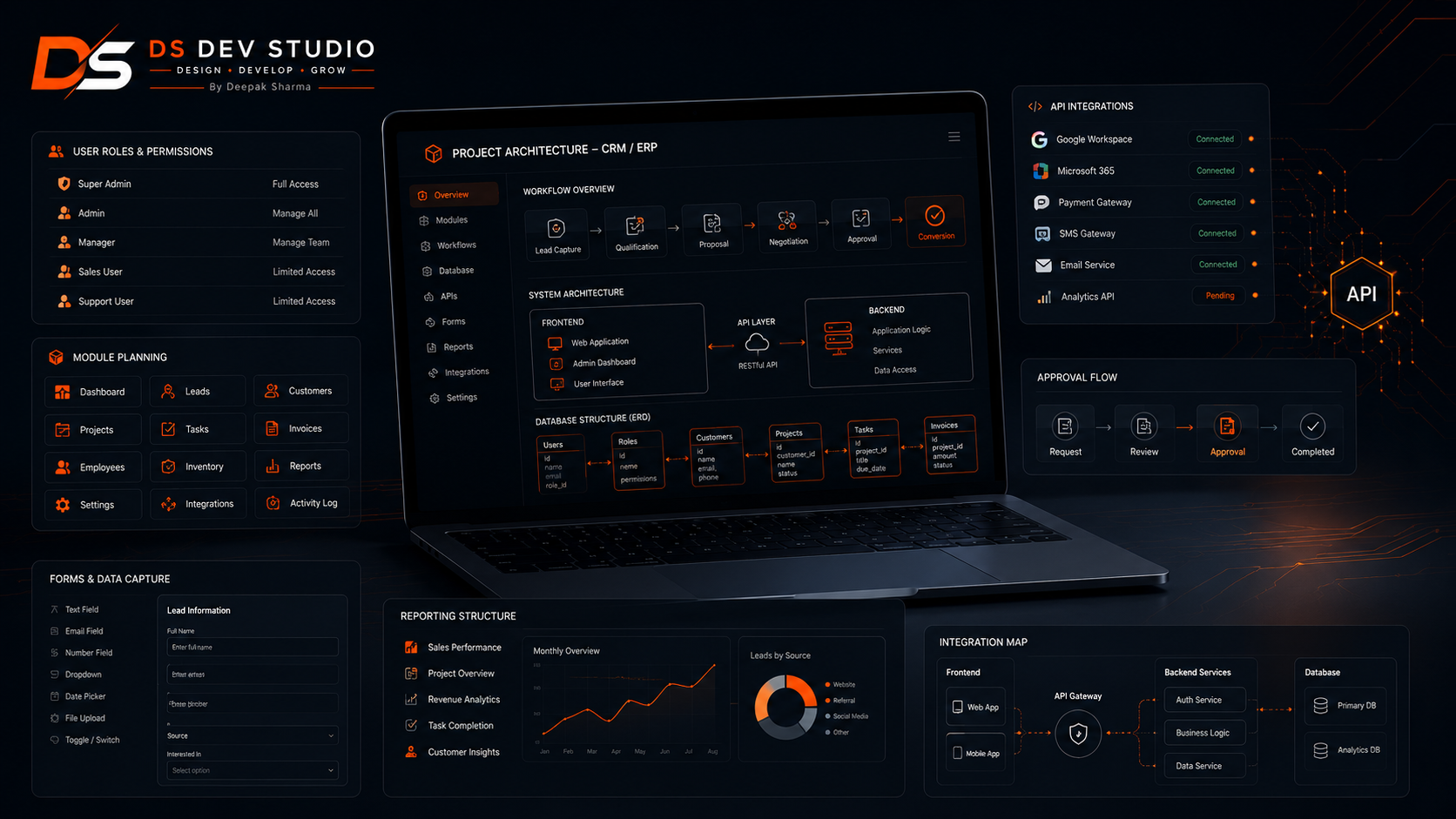
Before selecting a Custom Web Application Developer, a plan for the working process should be created. A lot of businesses, while defining their needs, may say that they need a CRM or ERP. But in fact, they need something much simpler or more specific than that. A good project brief should cover information about possible actions of users in the system, about data to be stored, about reports to be generated, and about problems to be solved by the developed application.
First, it is important to identify participation of users in the system. Who will use the system? Admin, manager, sales team, support team, employee, customer, or vendor? After identifying users, you need to make a list of modules. Are there leads, customers, tasks, products, invoices, inventories, reports, or user management needed? Lastly, you need to determine the actions that can be performed by users. Can users create new records, edit the records, delete the records, change status, export the reports, upload documents, or assign the tasks?
Well-defined plan minimizes confusion in developing the product. It allows a business to choose whether to launch the first version as a simple MVP or more complex version. In most cases, it is better to start with a simple version first, as once the product is used, the business will know how to make it better based on real feedbacks.
Why custom systems are better than forcing spreadsheets
While spreadsheets are adequate for initial monitoring, they get complicated when they need to be managed by more than one individual recording, tracking statuses, generating reports, and giving approvals. There is a risk of data being lost, formulas becoming corrupted, and there being no access levels. A bespoke web program can provide proper forms, properly defined user roles, and databases.
Custom systems enhance visibility as well. One can check the total number of leads, pending tasks, completed orders, number of active clients, monthly inquiries, or inventory situation on the dashboard. While before users would have to count data, they can now just access the information they need, saving time and making fewer errors.
The aim is not to instantly substitute all tools. The objective is to recognize the recurring tedious tasks and construct a real-life system around the tedious tasks. A competent CRM Developer or ERP Developer must attempt to deal with real workflow issues rather than load everything with unnecessary complexities.
Security and maintainability in web applications
Since companies' systems are usually responsible for important information, it is important to secure and maintain them. This means that the login procedures, access based on roles, validation, database design, and safe form submission must be well thought-out. Administrators must have access to only the areas that they are supposed to work within. Sensitive actions should not be done without any measures and verification.
Another fundamental principle for systems development is maintainability. A CRM system or an ERP system can be modified later to include new features, modules, or fields. The programming code for the system is messy, making it difficult to make any changes to the system after its deployment. Hence, to maintain the stability of the system, clean structure, modular design, good organization of code, and clear database design have to be in place.
When creating a Custom Web Application, the developer must pay attention to subjects such as backups, deployment, testing, and error handling. Even for smaller business applications, it’s important to test the usual operations like adding data, modifying entries, filtering tables, submitting forms, uploading data, or checking dashboards.
How DS Dev Studio can help
According to Deepak Sharma's DS Dev Studio, businesses can get help with custom web application development, CRM modules, ERP modules, admin panels, React dashboards, PHP backend system, Laravel workflows, CodeIgniter projects, MYSQL database structure, and API integration. The focus is mainly on building systems that fulfill real business processes rather than something unnecessarily complicated.
The experience of Deepak Sharma as a web developer encompasses everything from front-end development to back-end programming, React-based interface design, and developing PHP-driven admin panels, modules, dashboards, forms, and CRM systems for the web. This is why companies relying on DS Dev Studio's work are guaranteed not only clean user interface but also working backend logic.
In case your company requires a web application for CRM, an admin panel, a dashboard, an interface connected via an API, an ERP module, or any kind of in-house application, the DS Dev Studio team is here to help with organizing the structure, defining the screens, creating the user interface, establishing the links between the back-end processes, and preparing the system for actual usage.
Conclusion
A custom web application developer gives businesses a way to transition from manual processes to well-structured digital systems. Businesses might need systems like a CRM, ERP, or an admin panel. All of them have the same aim of resolving the business issues with a maintainable system. The right web application should help organize the data, avoid duplicated efforts, provide visibility, and give teams clearer guidelines on how to operate. DS Dev Studio under Deepak Sharma can empower companies to create different systems, like CRM modules and ERP workflows as well as React dashboards, PHP backend systems, Laravel admin panels, CodeIgniter CRM systems, MySQL databases, and API-connected tools. If your company is tired of spreadsheets and isolated systems, the right custom web application would ease work for your team and foster growth.
Useful internal links
Frequently asked questions
Can I hire Deepak Sharma as a Custom Web Application Developer?+
Yes. You can hire Deepak Sharma for custom web applications, CRM modules, ERP systems, admin panels, dashboards, API-connected business tools, React interfaces, PHP backend systems, and database-driven workflows.
Can DS Dev Studio build CRM web applications?+
Yes. DS Dev Studio can build CRM web applications with lead management, customer records, forms, tables, filters, admin workflows, status tracking, reports, user roles, and database-driven features.
Can a custom web application include admin panels?+
Yes. A custom web application can include admin panels for managing users, records, enquiries, products, services, reports, approvals, tasks, content, and business workflows.
Which technologies are useful for CRM and ERP development?+
ReactJS, PHP, Laravel, CodeIgniter, MySQL, JavaScript, REST APIs, Tailwind CSS, and Bootstrap are useful for CRM, ERP, dashboard, API integration, and admin panel development.
Is a custom web application better than a normal website?+
A normal website is useful for presenting information. A custom web application is better when you need login systems, dashboards, data management, forms, reports, workflows, user roles, admin panels, or business tools.