Custom Web Application Developer Guide for Business Automation
A practical guide for businesses that want to hire a Custom Web Application Developer for business automation, CRM systems, admin panels, dashboards, APIs, backend workflows, and database-driven applications.

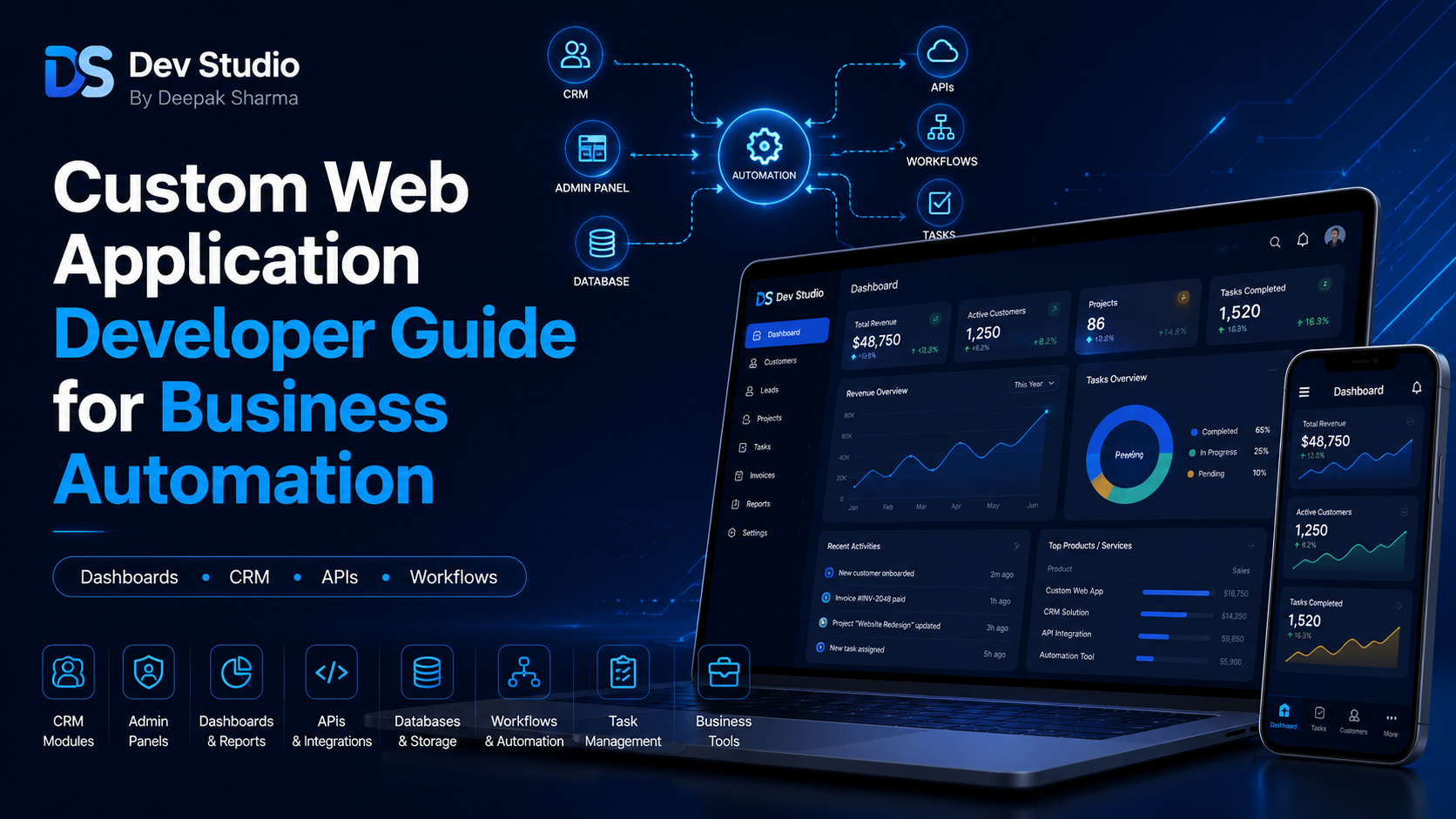
A Custom Web Application Developer helps businesses build digital systems that reduce manual work, organize data, connect workflows, and improve daily operations. A normal website can show information about a business, but a custom web application can process enquiries, manage customers, track leads, assign tasks, generate reports, store files, connect APIs, and automate repeated business activities. For many growing businesses, this becomes important when spreadsheets, emails, WhatsApp messages, and manual follow-ups are no longer enough.
Business automation does not always mean a very complex enterprise system. It can start with simple improvements such as saving contact form submissions into a database, showing leads in an admin panel, sending email notifications, assigning follow-up dates, or creating a dashboard for important records. Over time, the same system can grow into a CRM, booking system, customer portal, reporting dashboard, internal task manager, or custom business workflow application.
A custom web application is useful because it can be built around the exact process of the business. Ready-made tools may offer many features, but they may not match the way a business actually works. A Custom Web Application Developer can study the workflow, plan the database, build the frontend screens, create backend logic, connect APIs, and develop a system that supports real business operations.
DS Dev Studio by Deepak Sharma helps businesses with custom web application development, business automation, CRM systems, admin panels, dashboards, PHP backend development, Laravel systems, CodeIgniter projects, React frontend interfaces, MySQL databases, API integration, responsive business websites, and full stack development. This guide explains how custom web applications can support business automation and what to check before hiring a developer.
What does a Custom Web Application Developer do?
A Custom Web Application Developer builds web-based systems that solve specific business problems. Unlike a basic website, a web application usually has user actions, data storage, dashboards, forms, reports, APIs, login access, and backend workflows. The developer plans how users will interact with the system and how data will move between frontend screens, backend logic, and databases.
For example, a business may need a lead management system. The public website collects enquiries. The backend stores every enquiry in a MySQL database. The admin panel shows all leads in a table. Team members can update status, add notes, assign follow-ups, and generate reports. This complete system is a custom web application because it supports a real business process from start to finish.
A good Custom Website Developer or Custom Web Application Developer should understand both technical development and business workflow. The goal is not only to create screens and buttons. The goal is to build a useful system that reduces confusion, saves time, improves visibility, and helps the team work more efficiently.
Why businesses need custom web applications
Businesses need custom web applications when manual processes become difficult to manage. In the early stage, a business may handle leads in email, customer details in spreadsheets, tasks in WhatsApp messages, and reports manually. This may work for a small number of records, but it becomes inefficient as the business grows.
Manual work can create many problems. Leads can be missed. Customer notes can be scattered. Follow-ups can be delayed. Reports can take too much time. Team members may not know who is responsible for what. Data may be duplicated across different files. A custom web application can bring these workflows into one system.
A business automation system helps by turning repeated actions into structured digital workflows. Instead of manually copying form data, the system can store it automatically. Instead of checking multiple sheets, the dashboard can show important records. Instead of remembering follow-ups, the CRM can display pending tasks. This makes business operations more organized.
Business automation examples for custom web applications
Business automation can be applied in many areas. The right automation depends on the business type, team size, customer journey, and current workflow. A small business may need simple lead tracking, while a growing company may need CRM modules, customer portals, booking systems, reports, and API integrations.
A Custom Web Application Developer should first understand what task is repeated again and again. If the business is manually entering website enquiries into a spreadsheet, that can be automated. If staff members are sending the same status updates manually, notifications can be automated. If managers are preparing reports manually, dashboard reports can be automated.
- Website enquiry automation with database storage.
- CRM automation for leads, customers, notes, and follow-ups.
- Admin panel automation for managing website or application data.
- Booking and appointment management workflows.
- Customer portal systems for records, requests, or updates.
- Task assignment and internal workflow tracking.
- Report dashboards with filters, summaries, and exports.
- API integration between website forms, CRM, Google Sheets, and email tools.
- Notification automation through email, SMS, or WhatsApp APIs.
- File upload, document management, and approval workflows.
Custom web application vs normal business website
A normal business website mainly presents information. It may include Home, About, Services, Projects, Blogs, and Contact pages. It helps visitors understand the business and submit enquiries. A Business Website Developer can build this type of website with responsive design, SEO-friendly structure, clear content, and contact forms.
A custom web application goes further. It includes functional workflows such as login, database storage, admin panels, user roles, reports, APIs, dashboards, customer records, and automation. It is built not only for visitors but also for internal users who need to manage data and processes.
For many businesses, both are needed together. The public website attracts visitors and collects enquiries. The custom web application handles what happens after the enquiry is received. This can include storing data, assigning leads, sending notifications, creating tasks, and showing reports in a dashboard.
When should you hire a Custom Web Application Developer?
You should hire a Custom Web Application Developer when your business needs more than static website pages. If your current process involves repeated manual work, scattered data, missed follow-ups, slow reporting, or too many disconnected tools, a custom web application can help. It can organize your workflow and create a system that matches your business needs.
You may also need a custom web application when ready-made software does not fit your process. Some businesses need specific fields, custom dashboards, unique user roles, private portals, CRM workflows, or integration with existing systems. A custom solution can be designed around these requirements.
- Hire a custom web application developer when spreadsheets are no longer enough.
- Hire one when website leads need automatic storage and tracking.
- Hire one when your business needs a CRM or lead management system.
- Hire one when your team needs an admin panel or private dashboard.
- Hire one when you need APIs, databases, and frontend screens together.
- Hire one when business reports take too much manual time.
- Hire one when users need login, roles, and protected access.
- Hire one when your workflow needs automation instead of manual follow-up.
Custom CRM systems for business automation
A custom CRM system is one of the most common business automation projects. A CRM helps manage leads, customers, follow-ups, notes, statuses, assigned users, reports, and communication history. Instead of handling enquiries manually, a CRM gives the team one place to track every lead and customer.
A CRM Web Application Developer can create a system where leads from the website automatically enter the CRM. Each lead can have a status, source, assigned user, follow-up date, notes, and activity history. Managers can see reports such as total leads, pending follow-ups, converted leads, and source-wise performance.
This type of automation helps businesses respond faster and manage leads more consistently. It also helps business owners understand what is happening without checking every email or spreadsheet manually. A custom CRM can be built around the exact sales or service process of the business.
Admin panels for managing business data
An admin panel is a private dashboard where business users can manage data. It may include modules for leads, customers, bookings, services, projects, blogs, users, reports, files, settings, and notifications. An Admin Panel Developer can build this interface so non-technical users can manage the system without editing code.
Admin panels are useful because they centralize control. A business can view records, update statuses, add notes, edit content, upload files, assign users, and export reports from one place. This reduces dependency on manual database edits or scattered tools.
A good admin panel should be clean, secure, and easy to use. Tables should have search and filters. Forms should have clear labels. Reports should answer real business questions. User roles should protect sensitive actions. The admin panel should support daily work, not make it more complicated.
Dashboards for business reporting
Dashboards help businesses see important information quickly. A dashboard can show total leads, active customers, pending tasks, monthly enquiries, completed bookings, revenue summaries, user activity, source-wise leads, or support tickets. This helps owners and managers understand performance without preparing manual reports every time.
A dashboard should be designed around useful decisions. For example, a lead dashboard should show pending follow-ups and conversion status. A booking dashboard should show upcoming appointments and cancellations. A customer dashboard should show active customers and recent activity. Reports should be practical, not only visually attractive.
A Custom Web Application Developer can connect dashboard screens with backend APIs and databases. The frontend displays cards, charts, tables, and filters, while the backend calculates counts, fetches records, and prepares report data. This creates a useful business automation layer.
API integration for business automation
API integration is important for custom web applications because it allows different systems to communicate. A website form can send data to a backend API. The backend can store it in MySQL. The CRM dashboard can fetch the same record. An email tool can send a notification. A Google Sheet can receive selected data. This connected flow reduces manual work.
An API Integration Developer can connect custom applications with third-party tools such as email platforms, SMS services, WhatsApp APIs, payment gateways, Google Sheets, analytics tools, CRM platforms, booking systems, and marketing tools. These integrations make the web application more useful for real business operations.
APIs should be built carefully with validation, authentication, error handling, and secure access. If an API fails, the system should not silently lose important data. Good API planning is essential for reliable business automation.
Backend development for custom web applications
The backend is the foundation of any custom web application. It handles database operations, user authentication, APIs, business logic, validation, role permissions, reports, file uploads, and notifications. A Backend Developer Freelancer can build this backend using PHP, Laravel, CodeIgniter, MySQL, APIs, and other tools depending on the project.
For business automation, backend logic must match the workflow. If a lead status changes, the system may need to update a report. If a follow-up date is set, it may need to appear in a pending follow-up dashboard. If a user submits a form, the system may need to store the record and send an alert. These actions require proper backend planning.
Backend development should include security and performance from the beginning. Forms should validate input. APIs should protect private routes. Database queries should be optimized. User roles should control access. Reports should load efficiently. A strong backend makes automation reliable.
Frontend development for custom web applications
The frontend is the part users interact with. In a custom web application, the frontend can include dashboards, forms, tables, filters, charts, login pages, customer portals, admin panels, status labels, and action buttons. A React Developer Freelancer can build modern frontend interfaces with reusable components and responsive layouts.
React is useful for custom web applications because it supports component-based UI. A dashboard can use components for cards, tables, filters, forms, modals, alerts, charts, and navigation. These components can be reused across different modules, which makes the application more consistent and easier to maintain.
Frontend design should focus on usability. Business users may work inside the application daily, so the interface should be clean and practical. Tables should be readable. Forms should be easy to complete. Buttons should be clear. Navigation should be simple. Good UI makes automation easier for the team to adopt.
MySQL database planning for automation systems
MySQL database planning is important because business automation depends on accurate data. The database may store leads, customers, users, roles, tasks, follow-ups, bookings, services, notes, files, reports, activities, and settings. If the database is poorly planned, the application can become slow and difficult to update.
A MySQL Database Developer should plan tables, fields, relationships, indexes, and data types carefully. For example, a CRM may need separate tables for leads, users, statuses, notes, sources, and activities. A booking system may need customers, services, bookings, availability, and payment records.
Good database structure supports better reporting and faster workflows. Search, filters, dashboards, exports, and automation rules all depend on clean data. Database planning should happen before development starts, not after screens are already built.
Laravel, CodeIgniter, PHP, and React in custom applications
Different technologies can be used for custom web application development. PHP can handle backend logic, forms, and server-side workflows. Laravel is useful for structured applications with authentication, APIs, migrations, validation, and role-based access. CodeIgniter is useful for lightweight PHP systems and existing CRM applications. React is useful for modern frontend dashboards and reusable UI components.
A Laravel Developer Freelancer may be suitable for a new structured business automation system. A CodeIgniter Developer Freelancer may be suitable for improving an existing PHP CRM or admin panel. A PHP Developer Freelancer may be suitable for smaller backend systems. A Full Stack Web Developer Freelancer can help when the project needs frontend, backend, database, and API work together.
The right technology should be selected based on the workflow, budget, hosting, project size, security needs, maintenance expectations, and future growth. A good developer should recommend tools based on business need, not only personal preference.
User roles and permissions in business automation systems
User roles are important in custom web applications because different users need different access. An admin may manage all modules. A manager may view reports and assign tasks. A staff member may only update assigned records. A customer may only view their own portal. Role-based access keeps the system organized and secure.
Permissions should be planned early because they affect backend logic, database design, API access, and frontend menus. Not every user should be allowed to delete records, export customer data, change settings, or manage other users. A secure system should match access with responsibility.
A Custom Web Application Developer can build role-based access in Laravel, CodeIgniter, PHP, or custom backend systems. This helps protect data and makes the application easier for teams to use.
Security basics for custom web applications
Security is important because custom web applications often handle private business data, customer records, login details, internal notes, files, reports, and workflow information. A secure system should include protected login, password hashing, backend validation, secure APIs, user permissions, safe file uploads, and controlled error messages.
Forms and APIs should not accept data blindly. User input should be validated. Sensitive routes should be protected. Database queries should be written safely. File uploads should be controlled. Error messages should not expose private system details. Security should be part of development from the beginning.
Businesses should also discuss backups and maintenance. Before major updates, database backups should be taken. After launch, the application should be monitored for bugs, performance issues, and security updates. A custom application is a business system, so it needs care after delivery.
Performance and scalability in custom web applications
Performance matters because business users may use the application every day. Slow dashboards, delayed reports, heavy tables, and broken forms can reduce productivity. A custom web application should be built with optimized backend queries, clean frontend structure, pagination, filters, and efficient APIs.
For example, a lead table with thousands of records should not load everything at once. It should use pagination, search, filters, and optimized database queries. Reports should be calculated efficiently. APIs should return only the data required by the current screen. These decisions make the system faster.
Scalability means the system can grow with the business. The first version does not need every feature, but it should be planned so new modules, more users, more records, and future integrations can be added. A practical development approach avoids unnecessary complexity while keeping future growth possible.
Custom web application development process
A good custom web application project should start with requirement understanding. The developer should understand the business problem, current workflow, users, data fields, reports, and required automation. After that, the developer can plan the modules, database, frontend screens, backend APIs, and deployment process.
The first version should focus on the core workflow. For example, if the business needs lead automation, the first version can include lead capture, admin login, lead table, status update, notes, follow-up date, and reports. Advanced features such as notifications, exports, user roles, and third-party integrations can be added based on priority.
This phased approach is useful because it helps the business launch faster and test real usage. Once users start working with the system, the next improvements become clearer. Custom development should solve real problems step by step.
What to prepare before hiring a Custom Web Application Developer
Before hiring a Custom Web Application Developer, prepare your workflow clearly. Explain what problem you want to solve, what data you manage, who uses the system, what tasks are repeated, what reports are needed, and what tools need to connect. The clearer your workflow is, the better the developer can plan the system.
You should also prepare existing spreadsheets, screenshots, forms, website links, CRM access, current tools, user roles, report samples, and pain points. If you already have an old PHP, Laravel, or CodeIgniter system, explain what is working and what needs improvement. If you are starting from zero, explain the first workflow you want to automate.
- List the main business problem the application should solve.
- Prepare current workflow notes, forms, spreadsheets, or screenshots.
- Define users and roles such as admin, manager, staff, or customer.
- List required modules such as leads, customers, tasks, reports, or bookings.
- Explain what data each module should store.
- Clarify API integrations, notifications, and third-party tools.
- Prepare dashboard and report requirements.
- Discuss hosting, deployment, security, testing, maintenance, and future updates.
What to check before hiring a developer
Before hiring a developer, check whether they understand full stack development, backend workflows, frontend UI, databases, APIs, user roles, security, and business automation. A custom web application requires more planning than a simple website because it handles real business data and internal processes.
Ask about experience with React, PHP, Laravel, CodeIgniter, MySQL, APIs, admin panels, CRM systems, dashboards, authentication, permissions, reports, and deployment. Also ask how the developer handles backups, testing, validation, performance, and future maintenance.
Some custom web applications are private and cannot be shown publicly. In that case, the developer can explain the type of systems they have built, such as CRM modules, admin panels, dashboards, lead management systems, APIs, and internal business tools. Focus on whether the developer can understand your workflow and convert it into a practical system.
Common mistakes in business automation projects
One common mistake is trying to automate everything at once. This can make the project large, slow, expensive, and confusing. It is better to start with the most important workflow and then add more features after the first version is tested. Business automation should be practical, not overloaded.
Another mistake is building the system without understanding the actual process. If users, roles, data fields, statuses, and reports are unclear, the final application may not support daily work. Workflow planning should happen before database design and frontend development.
Other mistakes include poor database planning, weak security, no validation, slow dashboards, unclear reports, missing user permissions, no backup process, and no maintenance plan. A custom web application should be built as a long-term business asset, not only a quick coding task.
How DS Dev Studio can help
DS Dev Studio by Deepak Sharma can help businesses with custom web application development, business automation, CRM systems, admin panels, dashboards, PHP backend systems, Laravel development, CodeIgniter projects, MySQL databases, React frontend interfaces, API integrations, user roles, reports, and workflow automation.
Deepak Sharma Web Developer work includes both frontend and backend development. This is useful for business automation because a custom web application needs clean user interfaces, backend logic, database structure, API workflows, secure access, reports, and integration with public websites or internal tools.
If you want to hire a Custom Web Application Developer for business automation, DS Dev Studio can help understand your workflow, plan the database, build frontend screens, create backend APIs, add admin panels, connect website forms, automate repeated tasks, and prepare the system for future improvements.
Conclusion
A Custom Web Application Developer can help businesses automate workflows, organize data, reduce manual work, and build systems that support daily operations. Custom web applications are useful when a normal website is not enough and the business needs CRM modules, admin panels, dashboards, APIs, databases, user roles, reports, notifications, or internal workflow tools. The right system should be built around real business processes, not unnecessary complexity. DS Dev Studio by Deepak Sharma can help businesses with custom web application development, business automation, React frontend interfaces, PHP backend systems, Laravel and CodeIgniter projects, MySQL databases, API integrations, admin panels, CRM systems, and dashboard development. With the right planning and development approach, a custom web application can become a practical business asset that improves productivity, customer management, reporting, and long-term growth.
Useful internal links
Frequently asked questions
Can I hire Deepak Sharma as a Custom Web Application Developer?+
Yes. You can hire Deepak Sharma for custom web application development, business automation systems, CRM modules, admin panels, dashboards, PHP backend systems, Laravel projects, CodeIgniter applications, React frontend interfaces, MySQL databases, APIs, and full stack development.
What does a Custom Web Application Developer do?+
A Custom Web Application Developer builds web-based systems that manage data, automate workflows, connect APIs, create dashboards, store records, handle users, generate reports, and support business operations.
Can DS Dev Studio build business automation systems?+
Yes. DS Dev Studio can build business automation systems for lead management, CRM workflows, admin panels, customer records, reports, dashboards, API integrations, notifications, and database-driven processes.
Which technologies are used for custom web applications?+
Custom web applications can be built using React, PHP, Laravel, CodeIgniter, MySQL, REST APIs, HTML, CSS, JavaScript, Tailwind CSS, Bootstrap, and other tools depending on the business requirement.
When should a business build a custom web application?+
A business should build a custom web application when manual work, spreadsheets, scattered tools, missed follow-ups, slow reporting, or disconnected systems are affecting productivity and workflow clarity.