React Admin Dashboard Developer Guide
A practical guide to hiring a React Admin Dashboard Developer for CRM interfaces, admin panels, API data, forms, and business dashboards.

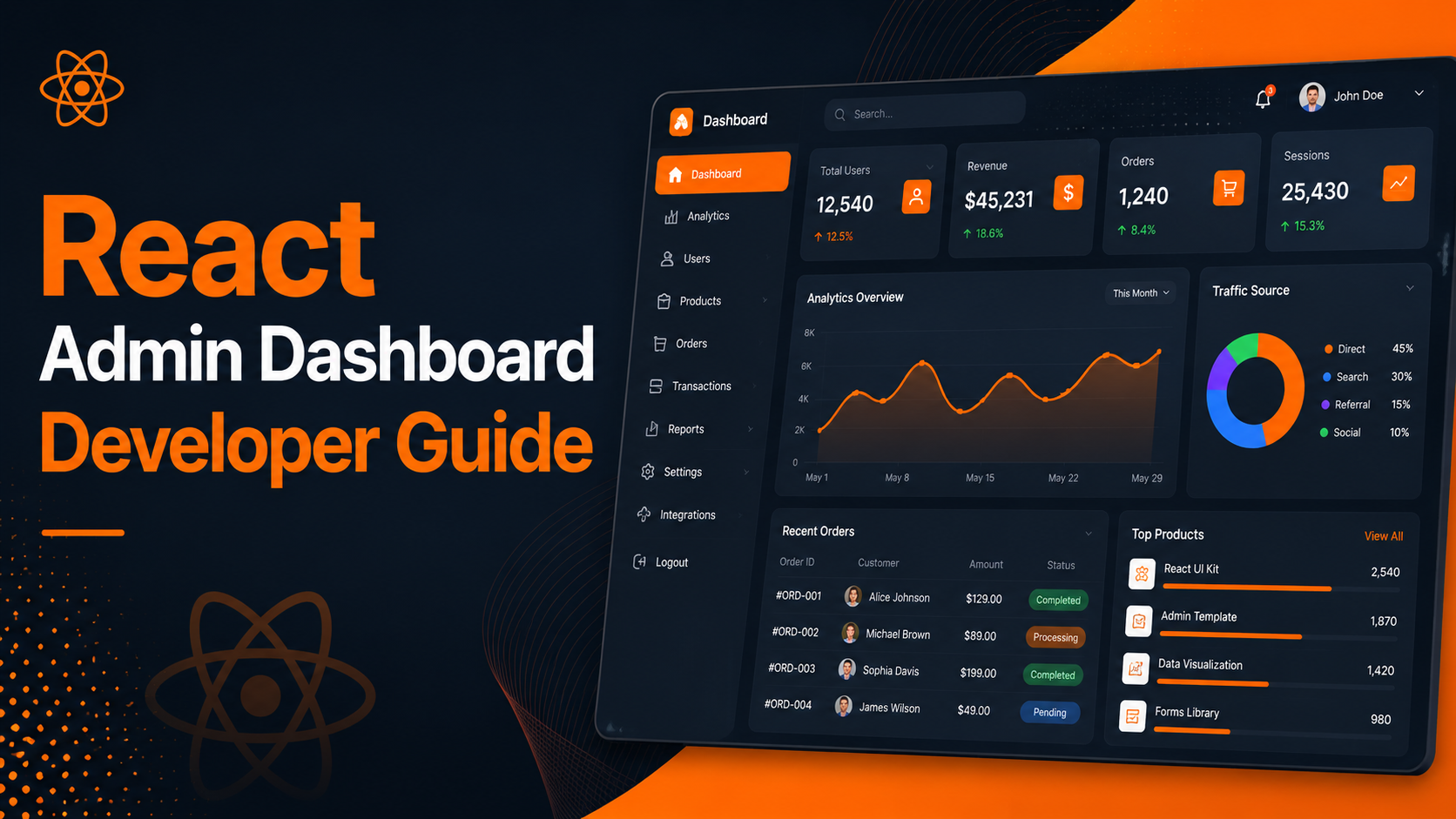
A React Admin Dashboard Developer creates interfaces whereby a business is able to effectively manage data, users, forms, tables, CRM management and reporting, and handling workflow activities from one dashboard. A React Admin dashboard differs from an ordinary web page as dashboards are built for business use. Users can make new records, change status states, filter information, view reports, manage clients, assign tasks and perform admin functions in a quick manner.
The reason why React is beneficial for admin dashboards lies in its ability to create reusable components, render dynamic data, integrate APIs, utilize filters, modals, forms, tables, charts, and interactive UI states. An admin dashboard consists of components that repeat often - cards, buttons, forms, table rows, sidebars, dropdowns, status badges, modals, etc. React organizes the components and enables reuse throughout the application.
If a business needs user dashboards, API-enhanced data views, admin consoles, internal tools, or a reporting dashboard, hiring a React Admin Dashboard Developer may be worthwhile. An ideal developer must have knowledge of UI on the front end, responsive layouts, state management, data flow through APIs, error handling, and dashboards that are easy to use.
What is a React admin dashboard?
A React admin dashboard functions as a front-end interface that allows business users to control records, access reports, fill out forms, filter data, and implement administrative actions. Using APIs, such dashboard integrates server-side applications, giving the ability to track business data visually. The dashboard can be operated by individuals holding various roles within the company including administrative personnel, managers, colleagues, support team members, sales representatives, and executives.
Take, for example, a CRM dashboard which will show leads, customers, follow-up dates, status tags, notes, assigned users, and reports. The Admin panel will show website inquiries, services, blogs, products, orders, documents, and user information. Meanwhile, the business dashboard will show sales figures, pending tasks, recent activities, and monthly summations.
The goal of creating a React admin dashboard is to render data accessible. Even if you have data stored in a database, it is not sufficient for users to see it – they need a clear interface to process that information. A React framework makes it possible to build such an interface where users can interact easily and quickly.
Why React is useful for admin dashboard development
Utilizing React in dashboard development helps leverage the fact that dashboards require a lot of re-usable and interactive UI components. For instance, a table component can be used for different purposes, like showing leads, customers, products, tasks, and reports. There can be the same form component used for creating and editing records. This means that a status badge component can be used in various modules. Thus, React makes sure that all of these components can be easily organized and widely used instead of coding the same thing over and over again.
React is a perfect match when it comes to working with data from APIs. A dashboard can retrieve records from a backend API, represent this data in the tables, allow end-users to filter the records, apply updates, and refresh the view after any changes are made. That makes React a good option for CRM systems, administration panels, ERP modules, or any customized business applications.
A React developer freelancer is capable of creating dashboards that represent speed and order. There is no need for users to refresh the entire page for actions taking place. With React, sections of the user interface can be updated based on state alterations, and hence the standard and quality of the dash board experience can be improved.
Features of React admin dashboards
A React-based admin dashboard can provide a multitude of functions based on the needs of the business. Some dashboards are relatively simple and provide basic records of information. Others may include functions such as complex filters, forms, dashboards, charts, APIs, file uploads, or workflow capabilities. The dashboard’s functionality needs to correlate with the specific business process, avoiding adding superfluous functions.
Effective dashboard design takes into account the users’ activities. For example, the sales team would need filters for leads, and follow-up notes. The support team would require information regarding the status of tickets or customer history. The business owner requires reports and summaries. Admins need to manage users and content. A React Admin Dashboard Developer should be aware of the respective roles and duties of the various users before proceeding with the design of the dashboard.
- Data tables to easily sort, filter and paginate your information.
- Forms to assist with your data validation and success messages.
- Records connected to backend databases via API.
- Modules specifically designed for CRMs and ERPs.
- Dashboard card widgets showing reports, totals, and recent activity.
- User administration interfaces with role-based authorizations.
- Responsive admin user interface to be used for desktops, tablets and some mobile activities.
- Modals for fast creation, editing and confirmation.
- Status labels and signals and buttons.
- Charts and reports provided for seeing business overview.
React dashboard with API integration
React dashboards usually connect to backend APIs to create, read, update, and delete data records. That’s why React dashboards can be useful for CRM systems, management panels, and other business applications. The frontend part concerns the user interface development and the backend one is about working with the database, validation, authentication, and business processes development.
Let’s say there is a dashboard which requests for all the customer data from a back-end application programming interface. React gets the response and displays all the records in table form. Once one of the records is changed by the user, React sends the updated record to the API which then receives the changed record and sends back a confirmation message.
Loading states, error messages, validations and indications of success need to be included in API integration. Users need to be aware when data is loading, when a record is stored, when something fails, and what has to be done next. API Integration Developers and React Developers must therefore take all these details into careful consideration.
React dashboards for CRM systems
React is an appropriate choice for building CRM dashboards since it is capable of handling components, forms, APIs, filters, tables, and user interaction states. CRM web application developers can create screens for leads, customers, follow-ups, notes, assigned users, status updates, and reports. These screens allow teams to manage customer relationships easily.
The dashboard of a customer relationship management system must be user-friendly, enabling customers to take necessary actions while capturing leads or managing them. Users should have access to the basic functions, such as adding new leads to the system, following up on existing leads, changing their status, and filtering customers based on their database history. A dashboard that occupies a central place in the marketing and sales strategies of companies, while being modern-looking and user-unfriendly cannot be effective.
React may also be used to create modular CRM interfaces. Components such as lead cards, customer tables, status dropdowns, note forms, report cards, and filter bars can be created as reusable components. This makes it easier to make changes to the CRM when new components are implemented.
Admin panel developer for business dashboards
A person who is a developer of admin panels facilitates in the designing of user interface so that business users can easily manage their important records and that admin panels can turn out to be more effective. Admin panel may include management of users, inquiries, services, blogs, projects, products, files, orders and reports. The frontend of admin panel can be created by the help of React.
A well-designed admin panel is supposed to be used on a permanent basis. Navigation in it should be easy, tables should be easy to read, buttons should have the same design, the forms should be simple, confirmations should be obvious, and filtering tools should be useful.
Admin panels based on React can be associated with PHP, Laravel, CodeIgniter, Node.js, and Firebase as well as REST APIs and MySQL based systems. It is important to select the frontend technology and backend technology depending on the needs of the project and plans for its support.
Data tables, filters, and search in React dashboards
Tables of data are one of the key features of the administration console. Tables may display users, leads, orders, tasks, products, surveys, or reports. An exceptional React table ought to be easy to read, easy to use, searchable, and filterable, and must present relevant data without excess.
To quickly find the records they require, the users use the filters. While using a CRM dashboard there can be other filters which can be the status of a record, date, name of the user it is assigned to, type of service, location, source of record, or priority. A reporting dashboard can also use date range or category filters. React is quite capable of managing the filter state at the frontend and sending the active filter values to the backend API.
The search feature is essential for dashboards with lots of records. It should allow users to find a particular customer, lead, phone number, email, project, order, etc. React Admin Dashboard developers should take care of the search and filter functionality at the beginning of the development as it influences frontend architecture and backend API design.
Forms and validation in React admin dashboards
Forms play an important role in most of the admin dashboards. Users are expected to carry out several tasks like adding leads, editing customer details, uploading files, creating services, changing tasks, and performing configuration changes. React serves as a great choice for the development of form interfaces since it can handle field values and validation messages along with loading and success states.
The ideal form for a dashboard should be uncomplicated and easy to understand. Fields that need to be filled out have to be clearly indicated. The notification on the screen should indicate the error that the user has to correct. The submit key should be activated when the system gets the information. After receiving data, confirmation or updated record should become visible.
Forms must also correspond to backend validation. Although frontend validation makes the experience better for the end user, backend validation is still needed behind the scenes for purposes of data security and quality. A React admin panel must appropriately inform users about results of backend validation.
Charts and reports in React dashboards
Business persons can take reports at their disposal to get complete insights into overall activities. Information reported on React dashboards may include report cards, charts, tables, summaries, and graphs. Various reports may include a lot of useful information, such as the number of received leads, monthly requests received, number of tasks done, the current number of customers, or the projects' successes.
Graphs have to be used properly. They need to provide relevant information, not just embellishments. A business dashboard must give answers to real questions like: How many new customers arrived this month? Which status holds the maximum number of entries? What is the number of pending tasks? What is the business service with the largest number of inquiries?
React is capable of showing report data retrieved from APIs and it can modify graphics according to the policies of selection filters. As an example, if a user selects a period, the reporting dashboard will call record data from the data processing tool.
Responsive admin dashboard design
While it is possible to create react dashboards that are responsive, it is important to plan carefully how complex the dashboard will be on smaller screens. Business dashboards can often include tables, filter controls, forms, charts, and sidebars along with many action buttons. All of these elements may not be easy to fit on mobile devices if the layout has not been planned properly.
Dashboards allow desktop users to view bigger tables and multiple cards. With tablets, the sections of the dashboard likely need to stack or minimize columns. Mobile users, on the other hand, will require more simplified tables, which could include horizontal scrolls and collapsible filters. The specific approach taken will depend on the specific uses of the dashboard by the business team.
A Freelance Frontend Developer must not just scale down the desktop version. It is important for responsive design to ensure functionality. Key processes need to stay easy to use; forms must remain simple to enter and legible.
Backend options for React admin dashboards
React dashboards allow integration with frameworks such as PHP, Laravel, CodeIgniter and Node.js, as well as cloud-based systems such as Firebase. React is responsible for creating the interface in the front end while the backend is responsible for storing data and authenticating users. Choose your backend based on the size of your project.
Laravel is good for backend API development, management tasks, and database applications. CodeIgniter can also be beneficial for projects written in PHP or light yet effective CMR solutions. MySQL with PHP implements forms, records, and unique usability processes successfully. Firebase is also effective for some types of projects and requires minimal setup.
An essential skill for a React Admin Dashboard Developer is to know how communication between the front-end and the back-end will occur. Even if the developer works primarily on the front-end, the structure of the API affects functions like table loading, form submission, filtering, reporting and overall dashboard usability.
Planning a React admin dashboard before development
Prior to beginning the development process, requirements for the dashboard should be planned well. Start off by writing down the different user roles that would interact with the dashboard. For example, will it be used by Admins, Managers, Sales Users, Support Users, Team members, or Customers? Then proceed to itemize the modules that would be present in the dashboard. Some examples might include Leads, Clients, Tasks, Reports, Users, Services, Projects, or Settings.
Defining actions comes after the listing of the modules. Do users get to perform actions like adding records, modifying records, removing records, updating statuses, assigning tasks, downloading reports, uploading files, or viewing graphs? The actions will determine the screens, elements, forms, and API endpoints to build.
- Compile a comprehensive list of the components of the dashboard to be created.
- Establish the hierarchy of user rights.
- Devise a strategy for tables, forms, filters, reports, and dashboard cards.
- Identify the types of data to be catered to by back-end APIs.
- Determine load, success, and failure states of actions planned.
- Know the behaviour of the dashboard on mobile and desktop.
- Identify back-end technologies employed such as PHP, Laravel, CodeIgniter, Firebase or REST APIs.
- Monitor the actual user processes in the course of testing before the launch of the product.
Common mistakes in React dashboard projects
Wrongly beginning dashboard development is when you do not define user workflow before the development process. The dashboard must not be a random collection of widgets and tables. It should be created in view of what people are supposed to do. Otherwise, the dashboard cannot lead to successful results and may turn into a burden.
Another oversight is not taking API status into consideration. Make sure that you take into account all states of an API-linked screen, such as loading, success, empty, or error states. Users will not be able to tell if files are still being uploaded or whether something went wrong without these indicators.
A third mistake is to make the interface too complicated. Business dashboards need to be efficient but understandable to users. The design must keep the number of buttons, columns, graphs, or filters to a minimum since an overloaded interface slows down the users. A qualified React Admin Dashboard Developer pays attention to ensuring that the interface focuses on the most needed actions.
How DS Dev Studio can help
Deepak Sharma's DS Dev Studio provides support for building a range of products including React admin dashboards, CRM interfaces, API-connected tables, and frontend forms. The aim of the studio is to build efficient dashboards that are clean, responsive, and connected to actual business processes.
The job of a React developer such as that of Deepak Sharma involves working with React components, admin dashboard layouts, cards, CRM screens, tables, forms, API-based interfaces, frontend states etc. Also, DS Dev Studio provides backend connected workflows using PHP, Laravel, CodeIgniter, MySQL, APIs and custom web application development.
You have come to the right place if you want to hire React Developer services for your administrator dashboard and interface, API-integrated frontends, or for business websites. DS Dev Studio is prepared to assist you in creating dashboard layouts, developing reusable elements, integrating API data, designing form processes, and enhancing user experience.
Conclusion
A developer specializing in React Admin Dashboards can be instrumental in transforming business information into a user-friendly interface. A React dashboard is beneficial for things such as CRM applications, admin panels, interfaces, API-based tables, filters, reports, etc. A successful and efficient dashboard should not only look appealing; it should help users carry out their tasks without any confusion. DS Dev Studio, which is owned by Deepak Sharma, is capable of developing React dashboards, CRM applications as well as a various custom business web applications. Careful planning, code reusability, API integration, and effective UI design can make a React Admin Dashboard not only look good but also usable.
Useful internal links
Frequently asked questions
Can I hire Deepak Sharma as a React Admin Dashboard Developer?+
Yes. You can hire Deepak Sharma for React admin dashboards, CRM interfaces, API-connected tables, forms, filters, reports, cards, responsive layouts, and business web applications.
Can React be used for CRM dashboards?+
Yes. React is suitable for CRM dashboards because it can manage components, forms, API data, filters, tables, charts, dashboard cards, and user interaction states.
Can DS Dev Studio connect dashboards with APIs?+
Yes. DS Dev Studio can connect React dashboards with backend APIs for records, reports, forms, tables, filters, status updates, CRM workflows, and admin actions.
What backend can work with React dashboards?+
React dashboards can work with PHP, Laravel, CodeIgniter, Node.js, Firebase, REST APIs, and MySQL-backed systems depending on the project requirement.
Are React admin dashboards mobile responsive?+
Yes. React admin dashboards can be built responsive, but dashboard complexity should be planned carefully for smaller screens so tables, filters, forms, and actions remain usable.