WordPress Customization Guide for Small Business Owners
A practical guide for small business owners who want WordPress customization for responsive websites, service pages, blogs, landing pages, contact forms, SEO-friendly structure, and business website growth.

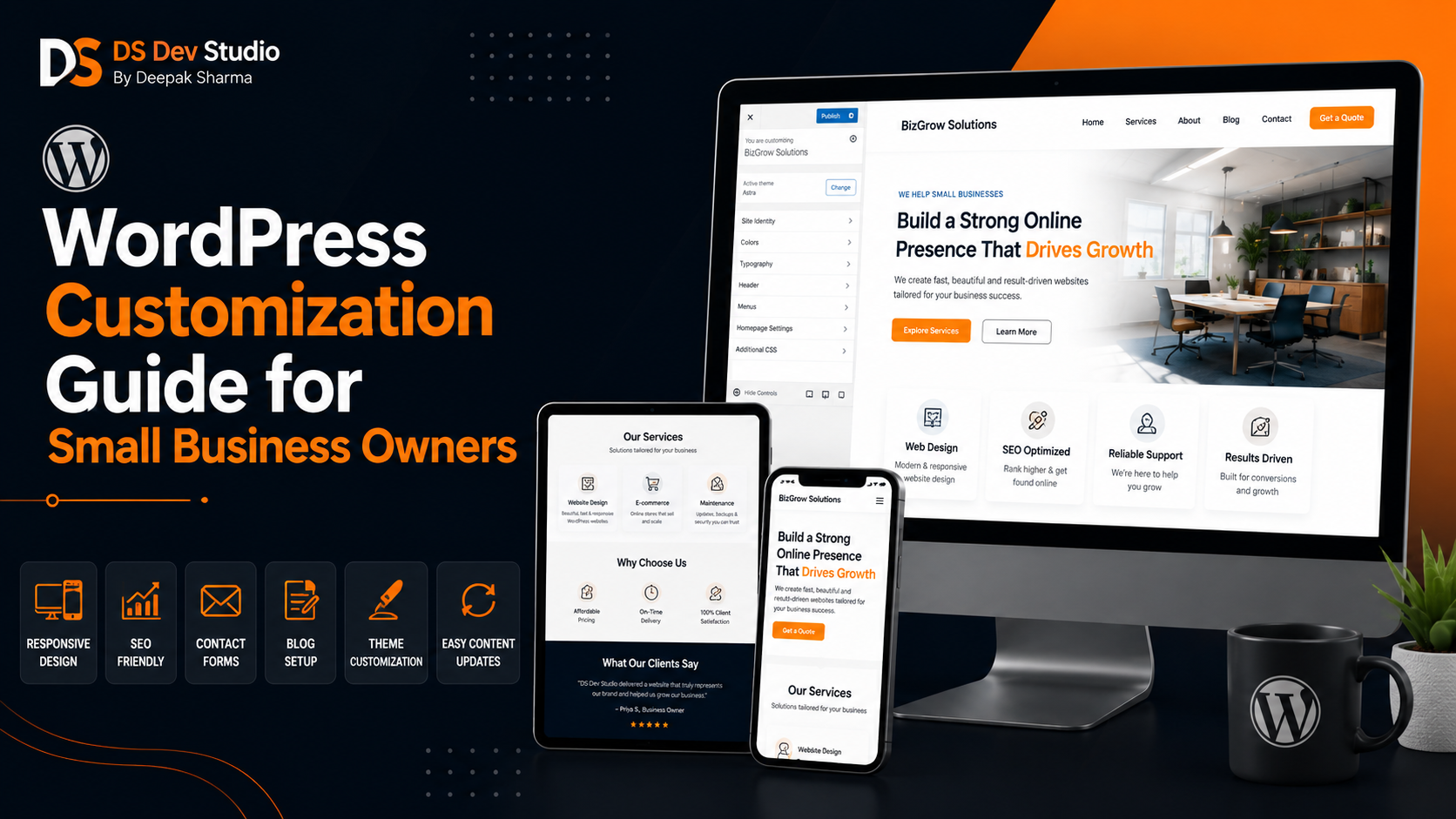
WordPress Customization can help small business owners build websites that are professional, easy to manage, responsive, and suitable for long-term online presence. Many small businesses choose WordPress because it allows page editing, blog publishing, image updates, menu changes, form management, and content updates from an admin dashboard. However, a WordPress website becomes useful only when it is customized properly according to the business goal.
A basic WordPress theme may look attractive in demo mode, but real business websites need more than a theme. They need clear homepage structure, service pages, contact forms, landing pages, SEO-friendly headings, fast loading, mobile responsiveness, brand colors, trust sections, blog layout, and proper navigation. A skilled WordPress Developer Freelancer can customize WordPress so the website matches the business instead of looking like a generic template.
For small business owners, the website should help customers understand services, check trust signals, submit enquiries, read blogs, view projects, and contact easily. Whether the business is a local service provider, consultant, coaching center, clinic, agency, shop, startup, or professional brand, WordPress customization can create a flexible website that the owner can update after launch.
DS Dev Studio by Deepak Sharma helps small businesses with WordPress customization, responsive website development, business websites, landing pages, service pages, SEO-friendly website structure, contact forms, React frontend development, PHP backend systems, API integration, admin panels, CRM modules, and custom web applications. This guide explains what small business owners should know before customizing a WordPress website.
What is WordPress Customization?
WordPress Customization means modifying a WordPress website so it fits the actual business requirement. This can include theme customization, page layout changes, service page creation, blog template setup, contact form development, plugin configuration, responsive fixes, custom CSS, speed optimization, menu setup, footer design, SEO structure, and backend adjustments.
Customization can be simple or advanced. A simple WordPress customization project may include changing colors, adding a logo, creating pages, setting up a contact form, and adjusting the homepage. An advanced project may include custom post types, dynamic service pages, API integration, CRM connection, booking forms, membership areas, admin panel changes, or custom PHP development.
A WordPress Developer Freelancer should understand both design and functionality. The website should not only look good. It should work properly, load fast, be mobile-friendly, support SEO-friendly content, and make it easy for the business owner to manage content after delivery.
Why small business owners choose WordPress
Small business owners often choose WordPress because it gives them control over their website content. After the website is built, they can update pages, publish blogs, add images, edit menus, manage forms, and change content without depending on a developer for every small update. This is useful for businesses that want flexibility.
WordPress also supports many website types. It can be used for service websites, local business websites, portfolio websites, coaching websites, clinic websites, agency websites, blogs, landing pages, company websites, and content-focused business websites. With the right customization, it can support both simple websites and more structured business websites.
However, WordPress should be handled carefully. Too many plugins, heavy themes, poor hosting, weak mobile layout, and unoptimized images can make the website slow or difficult to maintain. A Website Developer for Small Business should customize WordPress with a practical and lightweight approach.
WordPress theme customization vs custom WordPress development
Theme customization means using an existing WordPress theme and adjusting it according to the business brand and content. This may include changing colors, typography, sections, menus, buttons, images, layouts, and page templates. Theme customization can be a good option when the business needs a professional website within a practical budget and timeline.
Custom WordPress development goes deeper. It may include custom templates, custom post types, custom fields, plugin customization, PHP changes, API connections, database handling, advanced forms, or custom backend features. This is useful when the business has requirements that a ready-made theme cannot handle properly.
The right choice depends on the project. A small business with basic pages and blogs may need theme customization. A growing business with custom workflows, dynamic content, booking systems, or CRM integration may need custom WordPress development. A good Custom Website Developer should recommend the right approach based on actual need.
Important pages for a small business WordPress website
A small business WordPress website should have a clear page structure. The exact pages depend on the business, but most small businesses need a homepage, about page, service pages, blog page, project or gallery page, contact page, and landing pages for specific campaigns. These pages help visitors understand the business and take action.
The homepage should introduce the business clearly. The about page should build trust. Service pages should explain each offering in detail. The blog section should answer customer questions and support SEO-friendly content growth. The contact page should make enquiry simple. Landing pages can support ads, offers, or local promotions.
- Homepage with business introduction, services, trust points, and CTA sections.
- About page with background, experience, and credibility details.
- Service pages for each important business offering.
- Blog page for useful articles and SEO-friendly content growth.
- Project, portfolio, or gallery page to show work examples.
- Landing pages for campaigns, offers, and lead generation.
- Contact page with form, email, phone, WhatsApp, and location details.
- FAQ sections to answer common customer doubts.
- Privacy policy and important business information pages.
- Internal links connecting blogs, services, projects, and contact page.
Homepage customization in WordPress
The homepage is often the first page visitors see. A customized WordPress homepage should explain the business quickly and guide users toward important services or contact options. It should not be a random collection of theme sections. Every section should have a purpose.
A strong homepage can include a hero section, service overview, benefits, process, testimonials, project highlights, blog previews, FAQs, and contact CTA. The hero section should clearly state what the business does. Service sections should guide users to detailed service pages. Trust sections should reduce doubt.
A Business Website Developer should customize the homepage so it works well on both desktop and mobile. The layout should be clean, text should be readable, buttons should be easy to tap, and sections should stack properly on smaller screens.
Service page customization in WordPress
Service pages are very important for small business websites. A homepage can show a short service overview, but each main service should have its own page when possible. This helps users understand the service in detail and gives the website a stronger structure.
A WordPress service page can include service introduction, benefits, features, process, use cases, testimonials, FAQs, related services, and contact CTA. These sections should be customized according to the service. A clinic, coaching center, consultant, travel agency, web developer, or local service provider will all need different content flow.
An SEO Friendly Website Developer should also make sure service pages have clear headings, useful content, internal links, metadata, optimized images, and mobile-friendly layout. A service page should support both user understanding and long-term website growth.
Blog customization for small businesses
Blogs are one of the main reasons many small businesses choose WordPress. A blog allows the business owner to publish helpful articles, answer customer questions, explain services, share updates, and support SEO-friendly content growth. However, the blog layout should be customized properly for readability.
A good WordPress blog should have a clear title, readable paragraph width, proper headings, featured image, category, publish date, internal links, related posts, and CTA sections where useful. Blog pages should not feel cluttered or difficult to read. Mobile readability is especially important.
For small businesses, blog topics can include customer questions, service guides, local business tips, comparison articles, how-to guides, and educational content. A blog should naturally link to relevant service pages and contact options so readers can take the next step.
Landing page customization in WordPress
Landing pages are useful for small business campaigns, ads, offers, consultation pages, local promotions, and service-specific lead generation. A Landing Page Developer can customize WordPress landing pages that focus on one main action, such as sending an enquiry, booking a call, or requesting a quote.
A landing page should have a clear headline, short explanation, benefits, trust signals, CTA buttons, FAQs, and a simple form. It should avoid unnecessary distractions. If the page is connected to ads or WhatsApp campaigns, the message should match the campaign clearly.
WordPress landing pages can be built using custom templates, blocks, or page builders. The developer should make sure the page stays fast, responsive, and easy to update. A landing page that looks good but loads slowly may not support lead generation properly.
Responsive WordPress customization
Responsive Website Development is essential for WordPress websites because many visitors open small business websites from mobile phones. A customer may click from Google Search, WhatsApp, Instagram, Facebook, email, or a local listing. If the website does not work properly on mobile, the business can lose trust and enquiries.
A Responsive Website Developer should check every important WordPress page on mobile, tablet, laptop, and desktop screens. Homepage sections, service cards, blog layouts, images, menus, CTA buttons, and forms should all adjust properly. Users should not need to zoom or scroll sideways.
Many WordPress themes claim to be responsive, but real content can still break layouts. Long headings, large images, custom blocks, plugin widgets, and page builder sections can create mobile issues. WordPress customization should include real mobile testing before launch.
Mobile-friendly forms and enquiry flow
Forms are important because they convert website visitors into enquiries. A small business WordPress website may need contact forms, quote request forms, booking forms, consultation forms, admission forms, or service enquiry forms. These forms should be simple and easy to complete on mobile.
A basic form may include name, phone number, email, service requirement, and message. Some businesses may also need location, budget, preferred date, or timeline. The form should collect enough information for follow-up without becoming too long or difficult.
A WordPress Developer Freelancer can connect forms with email notifications, Google Sheets, CRM tools, admin panels, or database storage where needed. Form submissions should show a clear success message so users know their enquiry was received.
SEO-friendly WordPress customization
SEO-friendly WordPress customization means building a website structure that is useful for visitors and organized for search visibility. This includes proper headings, readable URLs, metadata, image alt text, internal links, fast loading, mobile responsiveness, and useful content sections.
Small businesses should avoid depending only on one homepage. Important services should have dedicated pages. Blogs should answer real customer questions. Landing pages should focus on specific offers. Internal links should connect related pages naturally. This creates a stronger website structure.
An SEO Friendly Website Developer can also set up basic SEO fields, blog categories, service page structure, and internal linking flow. SEO-friendly development does not mean keyword stuffing. It means making the website clear, fast, helpful, and well organized.
WordPress speed optimization
Website speed is important for small business websites. If a WordPress website loads slowly, visitors may leave before reading services or submitting a form. Slow websites often happen because of heavy themes, large images, too many plugins, unoptimized scripts, and poor hosting setup.
A WordPress Developer Freelancer can improve speed by optimizing images, removing unnecessary plugins, using lightweight themes, setting up caching where suitable, reducing heavy scripts, and cleaning up page builder sections. The goal is to keep the website fast and practical.
Speed is especially important for mobile users. Many customers open websites from mobile networks. A fast WordPress website creates a smoother experience and supports better enquiry flow.
WordPress plugin customization
Plugins are useful because they add features to WordPress websites. Small businesses may use plugins for forms, SEO, caching, security, backups, galleries, sliders, page building, ecommerce, booking, analytics, or CRM integration. However, plugins should be used carefully.
Too many plugins can slow down the website and create maintenance issues. Some plugins may conflict with each other. Some may add unnecessary scripts. A Website Developer Freelancer should choose plugins based on need and avoid adding tools that do not support the business goal.
Plugin customization may include changing form fields, adjusting design, connecting email notifications, setting up SEO fields, configuring caching, customizing galleries, or connecting third-party tools. The developer should test plugins after setup to make sure everything works properly.
WordPress security and maintenance basics
Small business owners should not ignore WordPress security and maintenance. A WordPress website needs regular updates, plugin checks, theme updates, backups, spam protection, secure passwords, and basic monitoring. If maintenance is ignored, the website can become slow, outdated, or vulnerable.
A WordPress Developer Freelancer can help set up basic security practices such as trusted plugins, backup setup, login protection, update management, and form spam protection. The goal is to keep the website stable and easier to manage after launch.
Maintenance also includes content updates, broken link checks, image updates, page changes, blog publishing, speed checks, and design improvements. A small business website should keep improving as the business grows.
WordPress and custom backend features
Some WordPress websites need custom backend features beyond standard pages and posts. A business may need custom enquiry storage, booking workflows, CRM connection, customer records, service management, admin dashboards, or custom forms. In such cases, backend support may be required.
A Backend Developer Freelancer can work with WordPress using PHP, MySQL, APIs, and custom plugin logic where needed. For example, a custom form can store leads in a database and send them to a CRM dashboard. A service business can manage enquiries from an admin area instead of only receiving emails.
WordPress is flexible, but custom features should be planned carefully. If the requirement becomes too complex, a separate custom web application or React dashboard may be better. A Custom Website Developer can guide the right approach based on scope.
WordPress with API integration
API integration helps WordPress websites connect with other systems. A small business may need to connect forms with Google Sheets, CRM tools, email platforms, WhatsApp APIs, SMS tools, payment gateways, booking systems, or analytics tools. An API Integration Developer can create these connections.
For example, a WordPress contact form can send enquiry data to an email address, store it in a database, add it to a CRM, and trigger a notification. This creates a better lead management process. The business owner does not have to manually copy data from one place to another.
API integration should include validation, error handling, security, and testing. A business website should not lose enquiries because of a broken form connection or poorly tested integration.
WordPress vs React for small business websites
WordPress and React serve different needs. WordPress is useful when the business wants easy content management, blogs, page editing, and an admin dashboard for updates. React is useful when the business needs custom frontend interfaces, reusable components, dashboards, API-connected pages, or future web application features.
For many small businesses, WordPress is practical because owners can update content without technical knowledge. For businesses that need custom UI, dashboards, or application-style features, React may be a better frontend choice. Some businesses may use WordPress for content and React for custom tools or dashboards.
A Business Website Developer should recommend the right solution based on business goals. The decision should not be based only on trend. It should depend on content needs, editing needs, budget, future features, and maintenance expectations.
When should you hire a WordPress Developer Freelancer?
You should hire a WordPress Developer Freelancer when you need a professional WordPress website, theme customization, service pages, blog setup, landing pages, responsive fixes, form setup, speed improvement, plugin configuration, SEO-friendly structure, or website maintenance support.
If your current WordPress website looks generic, loads slowly, has poor mobile layout, uses too many plugins, or does not support enquiries, a developer can review and improve it. WordPress customization can make the website more useful without always rebuilding everything from zero.
- Hire a WordPress developer when you need a new small business website.
- Hire one when your current WordPress site needs redesign or mobile fixes.
- Hire one when you need service pages, blogs, and landing pages.
- Hire one when you need contact forms and lead generation setup.
- Hire one when plugins need proper setup or customization.
- Hire one when your website is slow or difficult to manage.
- Hire one when you need SEO-friendly WordPress structure.
- Hire one when your website needs maintenance and future updates.
What to prepare before starting WordPress customization
Before starting WordPress customization, prepare your business details, required pages, services, logo, brand colors, content, images, testimonials, FAQs, contact information, and reference websites. Clear preparation helps the developer customize the website properly.
If you already have a WordPress website, prepare a list of current problems. This may include outdated design, slow pages, broken layout, poor mobile experience, missing service pages, weak blog structure, plugin issues, form problems, or no SEO setup. If you are building a new website, prepare the full page structure.
- Prepare business name, logo, colors, and brand style.
- List required pages such as Home, About, Services, Blog, Projects, and Contact.
- Prepare service descriptions, blog topics, testimonials, and FAQs.
- Share images, project examples, social links, and contact details.
- Share reference websites for layout and design direction.
- Clarify whether you need theme customization or custom WordPress development.
- List required forms, plugins, integrations, or backend features.
- Discuss speed, responsive testing, SEO setup, launch, maintenance, and support.
What to check before hiring a WordPress developer
Before hiring a WordPress developer, check whether they understand WordPress themes, plugins, responsive design, page structure, blog setup, service pages, forms, speed optimization, SEO-friendly structure, custom CSS, and basic PHP where needed. A good developer should be able to explain what they will customize and why.
Review live WordPress websites instead of only screenshots. Check whether pages load properly, menus work, forms submit, service pages are clear, blog pages are readable, and mobile layout is smooth. A website should work well in real use, not only look good in demo mode.
Also ask about post-launch support. WordPress websites need updates, plugin checks, backups, content updates, bug fixes, and maintenance. The developer should explain what is included after delivery and what will be handled separately.
Common WordPress customization mistakes to avoid
One common mistake is using a theme without customizing it properly. A theme demo may look good, but your real business content may not fit the same structure. The website should be customized around your services, pages, and customer journey.
Another mistake is installing too many plugins. Every plugin adds maintenance responsibility and may affect speed. Use plugins only when they support a real business need. A developer should avoid unnecessary plugin dependency where simple customization can solve the issue.
Other mistakes include poor mobile testing, slow images, missing service pages, weak blog layout, unclear CTA buttons, broken forms, no internal links, no backup setup, weak security, and no maintenance plan. A skilled WordPress Developer Freelancer can help avoid these issues through proper planning and testing.
How DS Dev Studio can help
DS Dev Studio by Deepak Sharma can help small business owners with WordPress customization, WordPress website development, responsive website development, service pages, blogs, landing pages, contact forms, plugin setup, SEO-friendly website structure, speed improvement, website redesign, and maintenance support.
Deepak Sharma Web Developer work includes WordPress, HTML, CSS, JavaScript, ReactJS, PHP, Laravel, CodeIgniter, MySQL, APIs, frontend development, backend development, responsive UI, business websites, admin panels, CRM systems, and custom web applications. This is useful for small businesses that need both WordPress customization and technical support for future growth.
If you want WordPress customization for a small business website, DS Dev Studio can help plan your website structure, customize your theme, create responsive pages, build service pages, improve blog layouts, set up contact forms, optimize speed, improve SEO-friendly structure, and prepare the website for long-term use.
Conclusion
WordPress Customization can help small business owners create professional, responsive, and easy-to-manage websites that support services, blogs, landing pages, contact forms, and long-term online presence. A strong WordPress website should not depend only on a generic theme. It should have customized homepage sections, detailed service pages, readable blogs, mobile-friendly forms, fast loading, SEO-friendly structure, optimized images, and clear enquiry flow. DS Dev Studio by Deepak Sharma can help small businesses with WordPress customization, responsive website development, service pages, landing pages, blog templates, contact forms, speed improvements, plugin setup, API integration, backend support, and custom web development. With the right WordPress customization approach, a small business website can become easier to manage, more professional, and better prepared for growth.
Useful internal links
Frequently asked questions
Can I hire Deepak Sharma for WordPress Customization?+
Yes. You can hire Deepak Sharma for WordPress customization, WordPress website development, responsive design, service pages, blogs, landing pages, contact forms, plugin setup, speed improvement, SEO-friendly structure, and website maintenance.
Why is WordPress useful for small business owners?+
WordPress is useful because small business owners can update pages, publish blogs, manage images, edit menus, and maintain content from an admin dashboard after the website is developed.
What can be customized in a WordPress website?+
WordPress customization can include homepage layout, service pages, blog templates, contact forms, colors, typography, menus, footer, plugins, responsive design, speed optimization, SEO fields, and custom backend features.
Can DS Dev Studio fix an existing WordPress website?+
Yes. DS Dev Studio can improve existing WordPress websites by fixing mobile layout, improving speed, redesigning pages, setting up forms, customizing plugins, improving service pages, and making the website more SEO-friendly.
Should I choose WordPress or React for my small business website?+
WordPress is useful when easy content management and blog publishing are important. React is useful for custom frontend interfaces, reusable components, dashboards, and API-connected pages. The right choice depends on your business requirement.