Admin Panel Developer for Role-Based Business Dashboards
A complete guide for businesses looking for an Admin Panel Developer for role-based business dashboards, covering user roles, permissions, secure admin access, CRM dashboards, lead management panels, reporting dashboards, PHP admin panels, Laravel backend systems, CodeIgniter admin tools, API integration, MySQL database planning, and custom web application development by DS Dev Studio.

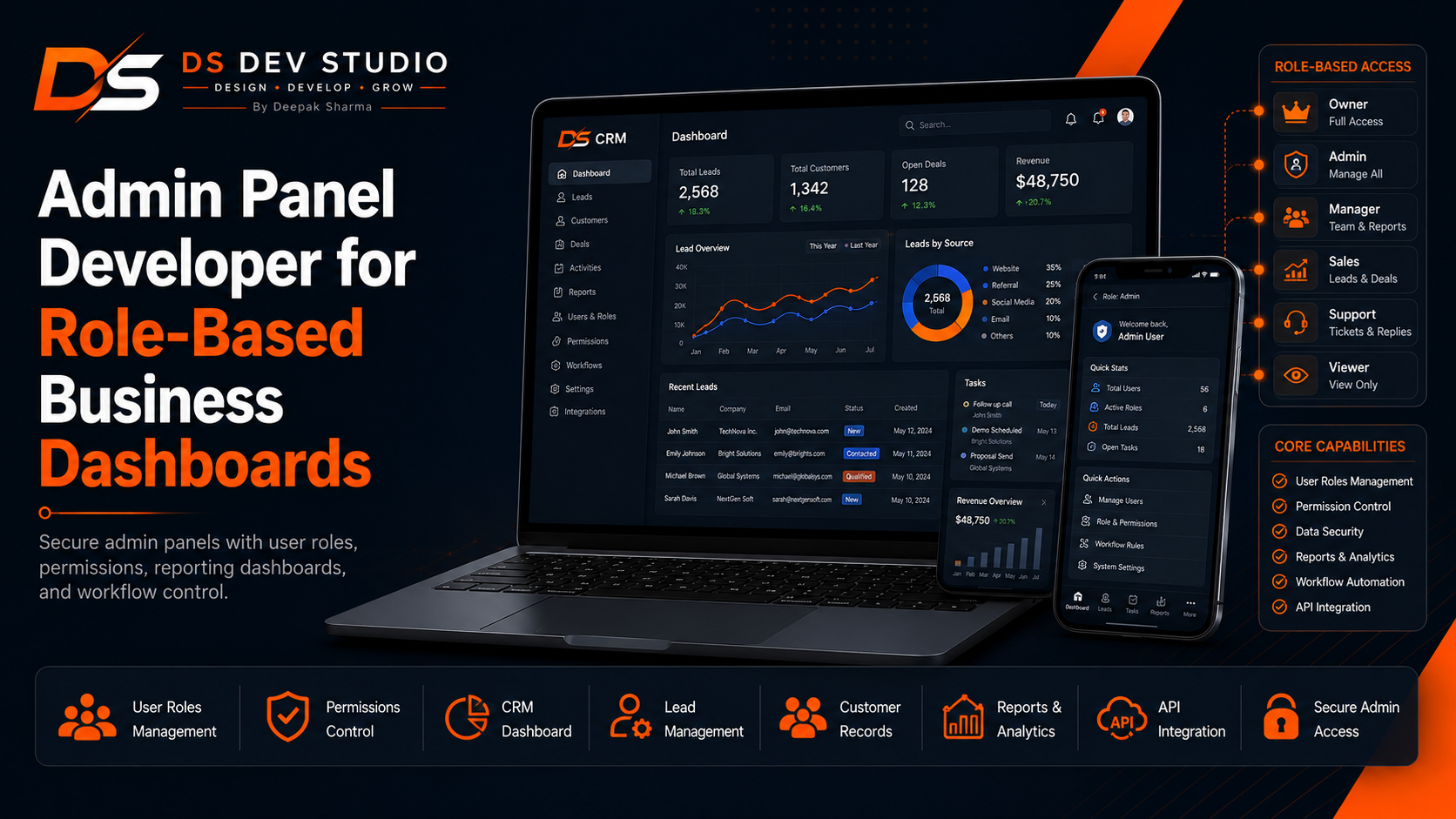
A role-based business dashboard helps a company control who can see, manage, edit, assign, approve, export, and report on business data. A normal admin panel may show the same information to every user, but a role-based admin dashboard gives different users different levels of access. This is important for businesses that manage leads, customers, users, reports, service requests, CRM records, bookings, sales data, internal notes, or custom web application workflows.
When a business searches for an Admin Panel Developer, the requirement is often more serious than a simple backend screen. The business needs a secure control system where owners, admins, managers, staff users, sales users, support users, and viewers can work according to their responsibilities. A role-based dashboard can reduce confusion, protect sensitive information, and help teams manage operations more clearly.
Deepak Sharma Web Developer services through DS Dev Studio include admin panel development, role-based dashboard development, Laravel admin panel development, PHP backend development, CodeIgniter admin panel development, CRM web application development, React admin dashboard UI, MySQL database planning, API integration, report dashboard development, lead management systems, and custom web application development.
For businesses searching for Admin Panel Developer, Role-Based Dashboard Developer, Business Dashboard Developer, Laravel Admin Panel Developer, React Admin Dashboard Developer, CRM Web Application Developer, Backend Developer India, PHP Developer Freelancer, or API Integration Developer, DS Dev Studio provides a practical and business-focused development approach. The admin panel should not only display data. It should control workflow, protect access, and help the business operate better.
Why role-based business dashboards are important
Role-based business dashboards are important because different team members need different information and permissions. A business owner may need full access to leads, customers, reports, users, settings, and exports. A manager may need access to team records and performance summaries. A sales user may need only assigned leads. A support user may need customer records but not sales reports. A viewer may need read-only dashboard access.
Without role-based access, every user may see too much or too little. If everyone has full access, sensitive business information can be exposed unnecessarily. If access is too limited, users cannot complete their work. A role-based admin dashboard solves this by matching access with responsibility.
A professional Admin Panel Developer should plan user roles before development begins. Roles affect database structure, backend permissions, frontend menus, API access, report visibility, action buttons, and workflow rules. Role planning is not a small detail. It is part of the foundation of the dashboard.
Deepak Sharma focuses on admin panels that reflect real business structure. DS Dev Studio builds role-based dashboards where users can work efficiently while protected backend logic controls important actions.
What an Admin Panel Developer can build
An Admin Panel Developer can build secure dashboards for many business needs. These may include CRM dashboards, lead management panels, customer management systems, service request dashboards, booking management panels, user management systems, content management panels, reporting dashboards, product management systems, sales pipeline dashboards, and custom business control panels.
A role-based admin panel can include login, user roles, permission management, dashboard cards, data tables, filters, search, forms, status controls, notes, activity logs, reports, export options, API connections, and settings. These features make the dashboard useful for daily business operations.
As an Admin Panel Developer and Backend Developer India, Deepak Sharma can build dashboards using PHP, Laravel, CodeIgniter, MySQL, React, APIs, and custom backend logic. The technology can be selected based on the project size, security needs, reporting requirements, and future growth plan.
DS Dev Studio builds admin panels according to workflow. The dashboard should help users manage data, complete tasks, track activity, and make decisions without depending on scattered spreadsheets or manual notes.
Role-based access control in admin panels
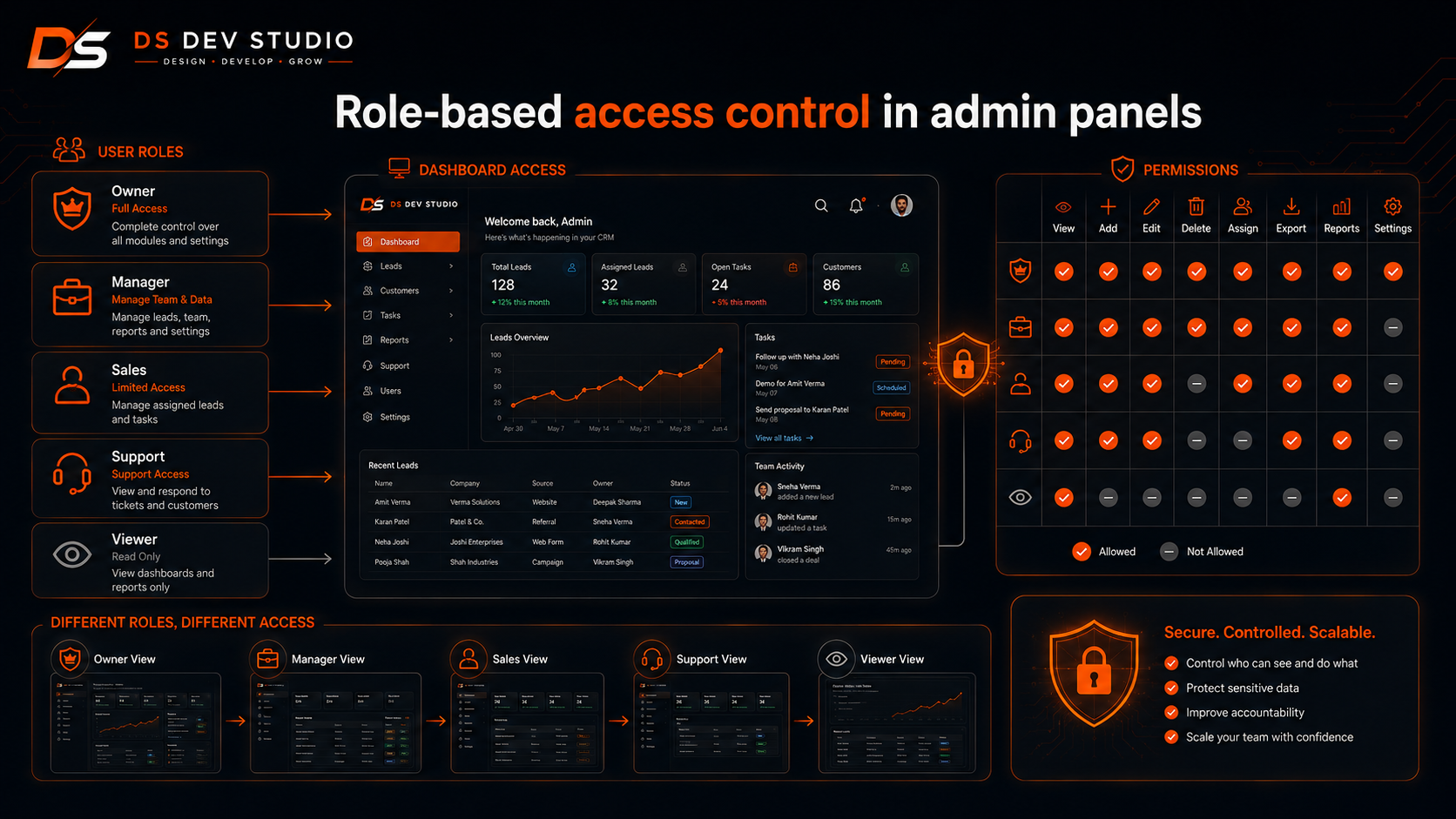
Role-based access control decides what each user can do inside the admin panel. This can include permissions for viewing records, adding records, editing records, deleting records, assigning users, exporting data, managing settings, approving requests, and viewing reports.
For example, an owner may have all permissions. A manager may view all leads but not change system settings. A sales user may edit only assigned leads. A support user may view customer profiles but not revenue reports. A viewer may only read dashboard summaries.
Deepak Sharma can build role-based access with backend-controlled permissions. The frontend can hide menus and buttons based on the user role, but important protection should happen on the backend as well. This prevents unauthorized actions even if someone tries to access routes directly.
DS Dev Studio treats role-based access as a core part of secure dashboard development. A business dashboard should protect important data while keeping daily workflows simple for authorized users.
Secure login and authentication for business dashboards
Secure login is the first layer of a role-based admin dashboard. A business dashboard may contain leads, customers, service requests, reports, user accounts, internal notes, and confidential business records. These sections should not be accessible without proper authentication.
Authentication can include login, logout, password handling, session management, protected routes, and user status checks. For larger systems, login can also be connected with role checks so users are directed to the correct dashboard sections after signing in.
As a Backend Developer and Laravel Admin Panel Developer, Deepak Sharma can build authentication flows using Laravel, PHP, CodeIgniter, MySQL, and API-based logic where required. The login system should be easy for users and protective for the business.
DS Dev Studio builds admin panel authentication with practical security awareness. A dashboard should not only look organized; it should also control access responsibly.
Laravel admin panel development for role-based dashboards
Laravel is useful for role-based admin panel development because it supports structured backend architecture, routing, middleware, authentication, validation, database migrations, models, controllers, policies, and APIs. These features make it suitable for secure and maintainable business dashboards.
A Laravel admin panel can include user roles, permission checks, protected routes, lead management, customer records, reports, activity logs, service requests, settings, and API endpoints. Laravel can also support future expansion when the business adds more modules.
As a Laravel Admin Panel Developer and Laravel Developer Freelancer, Deepak Sharma can build role-based dashboards for CRM systems, startup MVPs, service request platforms, business management systems, and custom web applications.
DS Dev Studio can recommend Laravel when the admin panel needs strong structure, multiple roles, secure backend logic, and long-term maintainability.
PHP admin panel development for business workflows
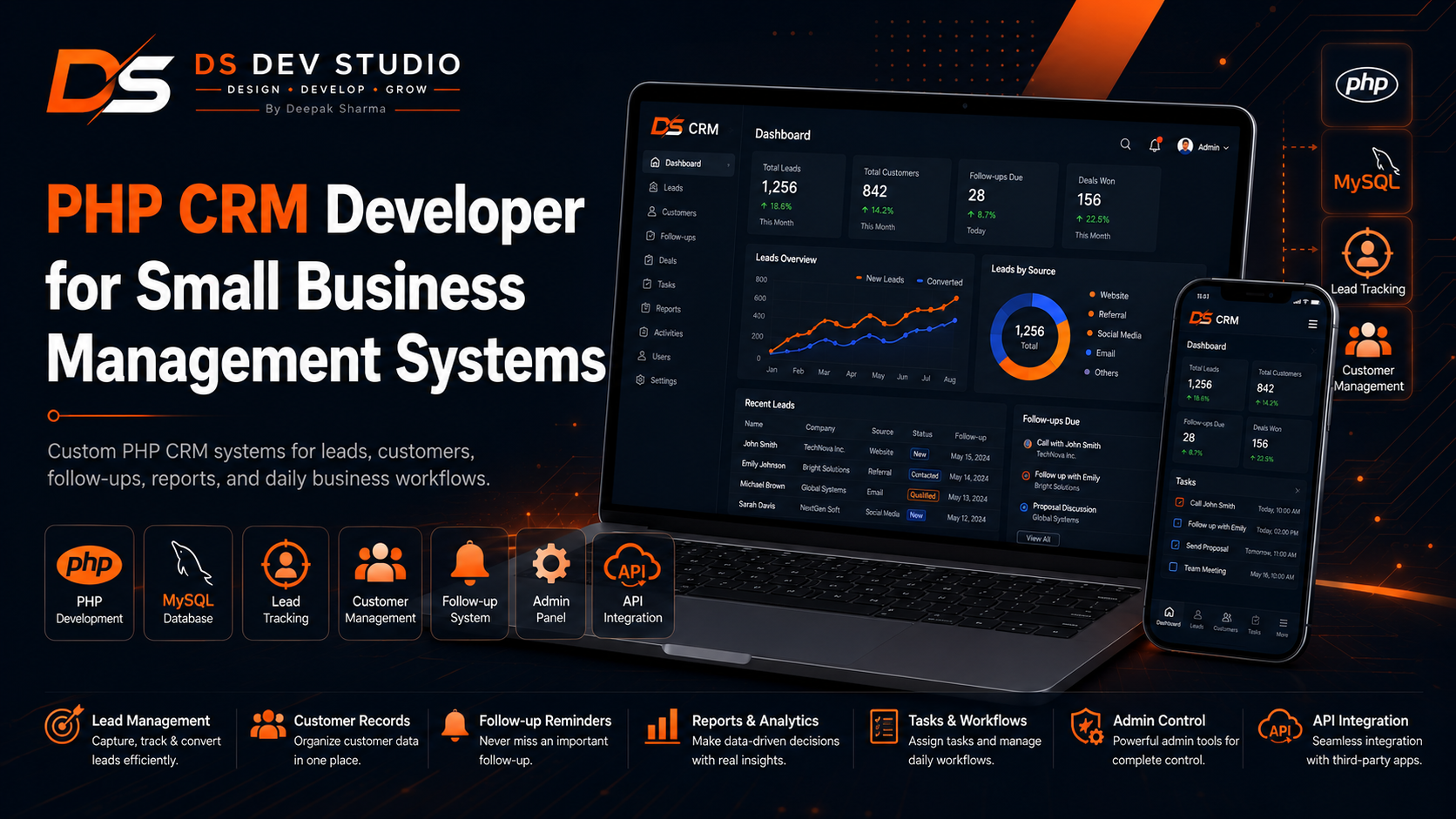
PHP admin panel development is practical for businesses that need custom backend control without unnecessary complexity. PHP can support login systems, data tables, forms, lead management, customer records, service request management, reports, and database-driven workflows.
As a PHP Developer Freelancer and Admin Panel Developer, Deepak Sharma can build PHP admin panels for small businesses, service providers, consultants, agencies, and startups. These panels can be simple or advanced depending on the business need.
A PHP admin panel may include modules for leads, customers, services, notes, statuses, follow-ups, reports, users, and settings. Role-based access can also be added to control what different users can see and manage.
DS Dev Studio uses PHP admin panel development when the business needs a practical backend system that is easy to understand and suitable for the project scope.
CodeIgniter admin panel development for lightweight dashboards
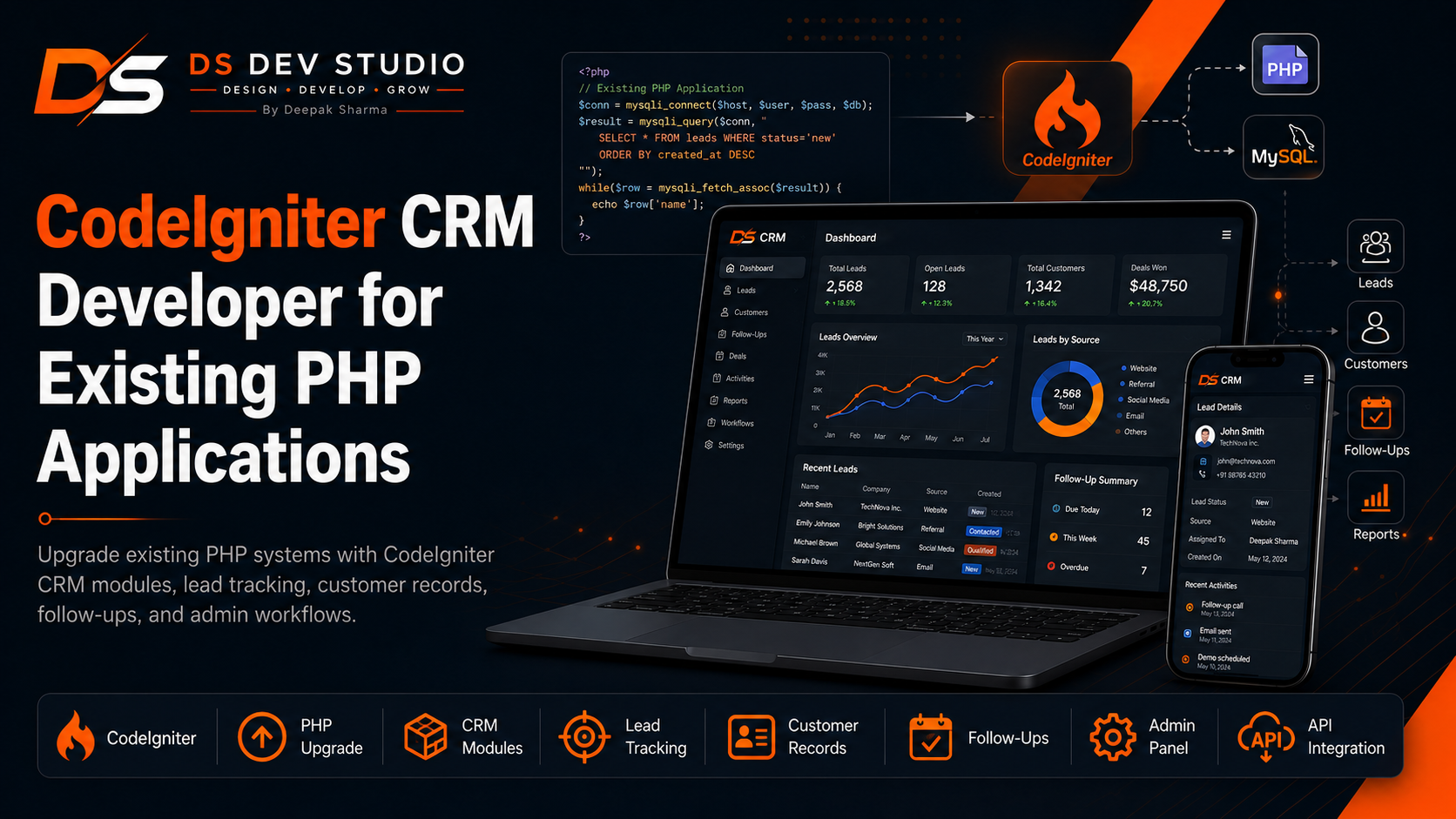
CodeIgniter is useful for lightweight admin panel development, especially when a business already has a PHP application or needs a practical backend dashboard with manageable structure. CodeIgniter can support CRM modules, lead tracking, customer records, reports, user roles, and API endpoints.
As a CodeIgniter Developer Freelancer and CodeIgniter CRM Developer, Deepak Sharma can build CodeIgniter admin panels that are clear, fast, and suitable for small business workflows. CodeIgniter can be a good option when the project needs more structure than plain PHP but does not require a large framework setup.
A CodeIgniter dashboard can include role-based menus, lead lists, customer profiles, follow-up views, service request tables, reports, user management, and settings. These modules can be customized according to the business process.
DS Dev Studio can recommend CodeIgniter when a business needs a lightweight role-based dashboard or CRM admin panel for an existing PHP environment.
React admin dashboard UI for modern business panels
React admin dashboard UI can improve the frontend experience of a role-based admin panel. React can create reusable components such as sidebar menus, dashboard cards, data tables, status badges, filters, forms, modals, report cards, and user profile sections.
As a React Admin Dashboard Developer and Full Stack Web Developer, Deepak Sharma can build React dashboard interfaces that connect with PHP, Laravel, or CodeIgniter backend APIs. React can manage the interface while the backend controls data, permissions, validation, and business logic.
A role-based React dashboard can show different menus and screens based on user type. Owners may see reports and settings. Staff users may see assigned work. Managers may see team performance. The backend should still enforce access control for important actions.
DS Dev Studio can build modern admin dashboard UI where frontend usability and backend security work together clearly.
CRM dashboards with role-based permissions
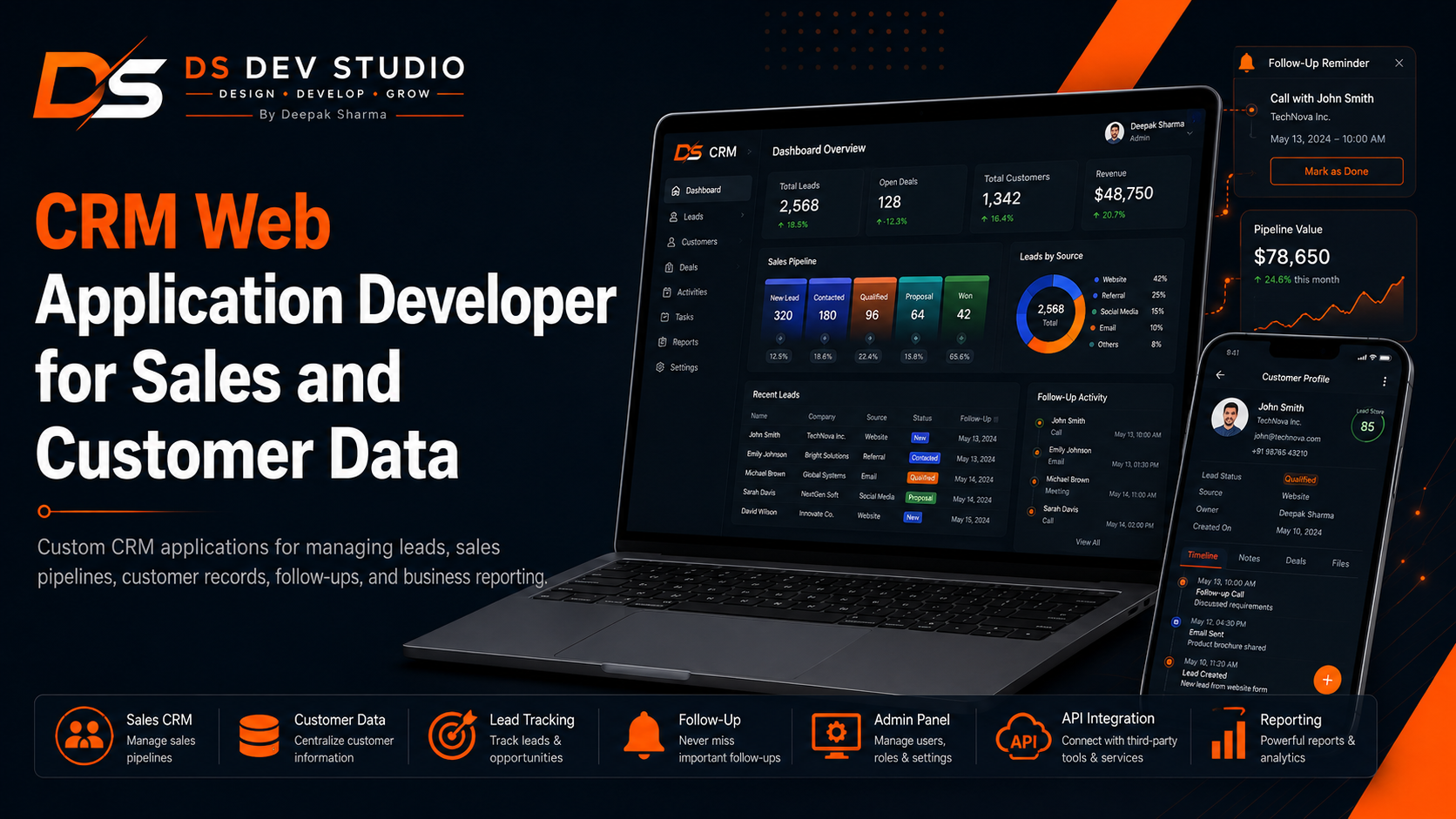
CRM dashboards are one of the most common use cases for role-based admin panel development. A CRM may include leads, customers, follow-ups, notes, sales stages, sources, reports, and user assignments. Different users may need different access levels.
A role-based CRM dashboard can allow owners to view all leads, managers to view team leads, sales users to view assigned leads, and viewers to see only reports. This structure helps teams work clearly while protecting customer and sales information.
As a CRM Web Application Developer and Admin Panel Developer, Deepak Sharma can build CRM dashboards with role-based access, lead tracking, follow-up views, customer profiles, reports, and API-connected forms.
DS Dev Studio builds CRM dashboards that help businesses manage customer activity, track leads, and improve follow-up discipline.
Lead management dashboards for business teams
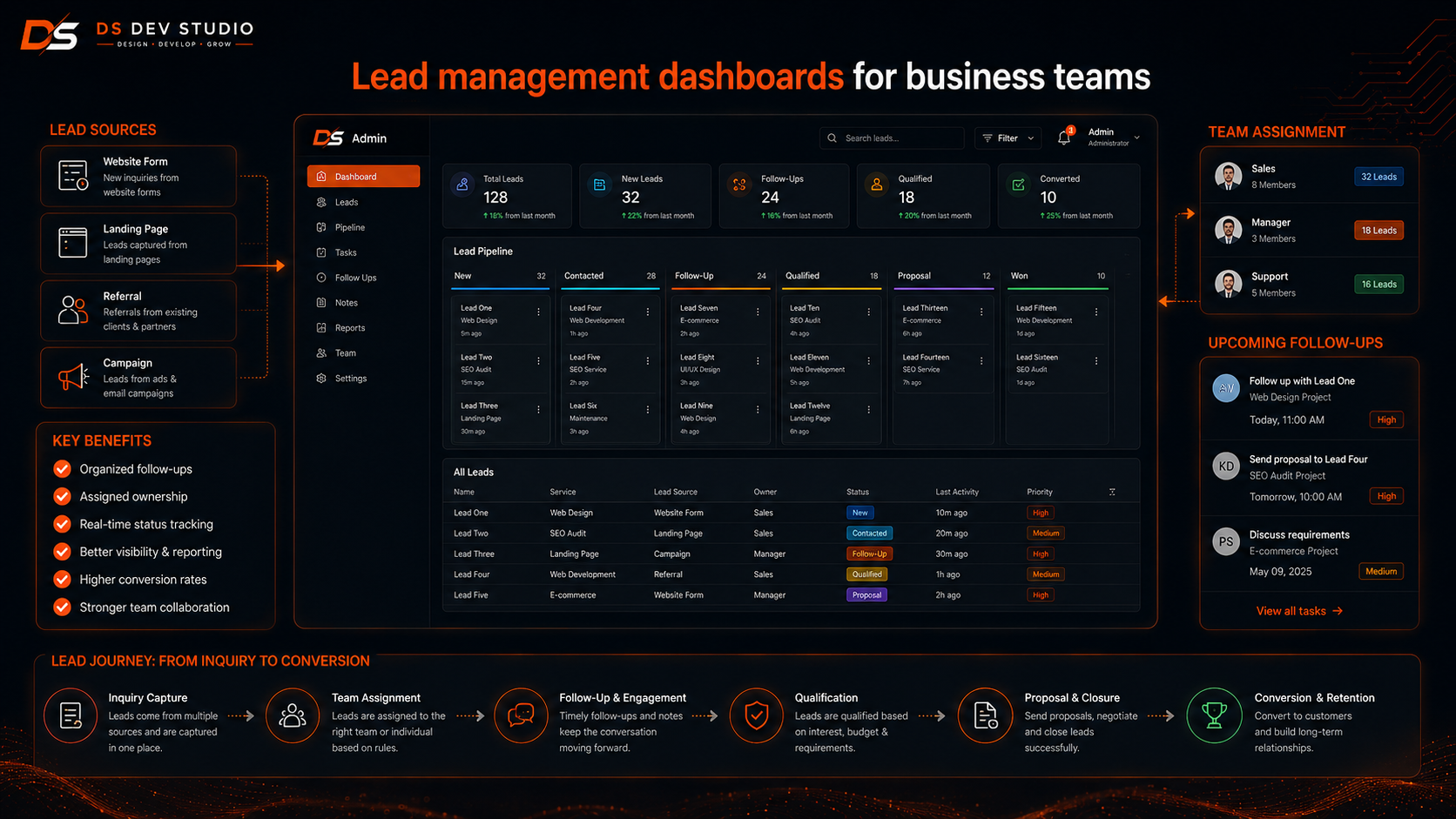
Lead management dashboards help businesses organize inquiries from websites, landing pages, calls, WhatsApp, referrals, ads, and social media. A role-based dashboard can show leads according to user responsibility and access level.
A lead management dashboard can include lead records, source tracking, status updates, assigned users, follow-up dates, notes, search, filters, and reports. Managers can view team performance, while users can focus on their assigned leads.
Deepak Sharma can build lead tracking dashboards where roles determine who can view, edit, assign, or export lead data. This keeps lead handling organized and secure.
DS Dev Studio can connect lead dashboards with website forms, landing pages, CRM modules, APIs, and backend databases.
Customer management dashboards with access control
Customer management dashboards help businesses store and manage customer profiles, contact details, notes, service history, follow-up records, and activity timelines. Role-based access is important because customer data should not be visible to everyone without purpose.
A customer management dashboard can allow managers to see full customer history, staff users to update assigned customer records, and viewers to see limited information. Access can be designed according to business policy.
As a Custom Web Application Developer and CRM Developer, Deepak Sharma can build customer management modules with backend-controlled permissions, search, filters, notes, activity history, and reports.
DS Dev Studio creates customer dashboards that help businesses respond with context while keeping sensitive information protected.
Service request dashboards for operational control
Service request dashboards are useful for businesses that need to manage customer requests, bookings, support tickets, repair requests, consultation requests, or project inquiries. Role-based dashboards can show each user the requests they are responsible for.
A service request dashboard can include request details, customer information, service type, date, status, assigned staff, notes, priority, and completion updates. Managers can view all requests, while staff users can manage assigned work.
Deepak Sharma can build service request dashboards using PHP, Laravel, CodeIgniter, MySQL, React, and APIs. The dashboard can connect with public website forms or internal entry forms.
DS Dev Studio builds service dashboards that help businesses reduce manual coordination and improve operational visibility.
Report dashboards for owners and managers
Report dashboards help owners and managers understand business activity. A role-based report dashboard can show different data depending on user level. Owners may see complete business reports, managers may see team-level reports, and staff users may see personal activity summaries.
Reports can include total leads, pending follow-ups, converted customers, lost leads, service requests, user activity, source-wise leads, monthly records, and pipeline summaries. Filters can help narrow reports by date, source, status, user, or service type.
As a Business Dashboard Developer, Deepak Sharma can build reporting dashboards that answer useful business questions. Reports should support decisions, not only show decorative numbers.
DS Dev Studio focuses on dashboard reports that are clear, role-aware, and useful for daily business management.
MySQL database planning for role-based dashboards
MySQL database planning is important for role-based business dashboards because permissions, users, roles, records, reports, and activity logs depend on clean data structure. Poor database planning can make access control and reporting difficult.
A role-based dashboard may need tables for users, roles, permissions, leads, customers, notes, statuses, follow-ups, service requests, reports, settings, and activity logs. These tables should be planned according to the actual workflow.
Deepak Sharma can plan MySQL databases for admin panels, CRM dashboards, service dashboards, and custom web applications. The goal is to make records easy to store, retrieve, filter, update, and protect.
DS Dev Studio treats database planning as a foundation of admin panel development. Role-based access works best when data relationships are clear.
API integration for admin dashboards
API integration helps admin dashboards connect with frontend applications, public websites, landing pages, mobile apps, third-party tools, email platforms, payment systems, Google Sheets, WhatsApp systems, and analytics platforms. APIs allow data to move between systems.
A role-based dashboard may use APIs to fetch data, submit forms, update statuses, assign users, display reports, or connect with external tools. Backend APIs should check permissions before allowing sensitive actions.
As an API Integration Developer and Backend API Developer, Deepak Sharma can build API workflows for admin panels and custom business dashboards. These APIs can connect React dashboards with Laravel, PHP, or CodeIgniter backends.
DS Dev Studio plans APIs around real workflow needs. APIs should be clear, secure, and useful for business operations.
Activity logs and audit history in admin panels
Activity logs can be useful in role-based admin dashboards because businesses may need to know who changed what and when. If a user updates a lead status, edits a customer record, assigns a service request, or changes a setting, the system can record that activity.
Audit history improves accountability. It helps managers understand user activity and investigate changes when needed. For CRM systems, activity history can also show the progress of a lead or customer conversation.
Deepak Sharma can build activity log features for admin panels, CRM systems, and custom dashboards. Logs can include user, action, record type, timestamp, and change details depending on project needs.
DS Dev Studio can include activity logs when a business needs better visibility into backend actions and user accountability.
Dashboard forms with validation and permissions
Forms are a major part of admin dashboards. Users may create leads, update customers, add services, upload files, change statuses, add notes, assign users, and submit reports. Each form should be validated and protected according to user permissions.
Validation helps prevent incomplete or incorrect data. Permission checks help prevent unauthorized actions. For example, a staff user may add notes but not delete records. A manager may assign leads but not change system settings.
As an Admin Panel Developer, Deepak Sharma can build dashboard forms with clear labels, validation messages, success responses, backend checks, and role-based action control.
DS Dev Studio focuses on forms that are useful for business users and safe for backend data handling.
Role-based dashboard for small businesses
Small businesses can benefit from role-based dashboards when more than one person manages leads, customers, service requests, or reports. Even a small team may need owner, manager, staff, and viewer roles to avoid confusion and protect data.
A small business dashboard can include simple modules such as leads, customers, follow-ups, users, reports, services, and settings. Role-based access can keep the system clean by showing each user only what they need.
Deepak Sharma can build role-based dashboards for small businesses that need practical admin control without enterprise-level complexity. The first version can start with essential roles and expand later.
DS Dev Studio builds small business dashboards that match team workflow and remain easy to use after launch.
Role-based dashboard for startup MVPs
Startup MVPs often need admin dashboards to manage early users, waitlist signups, demo requests, feedback, customer records, and internal reports. Role-based access can be useful when founders, admins, support users, and viewers need different permissions.
A startup dashboard should be lean in the first version. It may include users, leads, signups, notes, statuses, reports, and settings. More roles and modules can be added as the startup grows.
As a Full Stack Web Developer and Admin Panel Developer, Deepak Sharma can build startup dashboards using React, Laravel, PHP, CodeIgniter, MySQL, and APIs.
DS Dev Studio helps startups create practical role-based dashboards that support validation and early operations without unnecessary overbuilding.
Security basics for role-based admin panels
Security is important in role-based admin panel development because dashboards may contain sensitive business and customer information. Admin systems can include phone numbers, emails, customer notes, lead data, reports, user records, service requests, and internal settings.
Security basics include authentication, authorization, role-based access, form validation, safe database queries, protected API routes, restricted exports, controlled file uploads, and careful error handling. Sensitive actions should be checked on the backend.
Deepak Sharma can build admin panels with practical security awareness using Laravel, PHP, CodeIgniter, MySQL, React, and API-based backend logic. Security should be built into the dashboard workflow, not added as an afterthought.
DS Dev Studio treats admin panel security as part of professional business dashboard development.
Performance planning for business dashboards
Performance matters because users may work inside the admin dashboard every day. If tables, filters, reports, and forms load slowly, the dashboard becomes frustrating. A role-based business dashboard should be fast enough for practical daily use.
Performance planning can include efficient MySQL queries, pagination, filtered data loading, optimized API responses, lightweight frontend components, proper indexing, and careful report generation. The dashboard should not load unnecessary data when a filtered view is enough.
Deepak Sharma can build dashboards with performance in mind. Lead lists, customer profiles, reports, and service request views should remain usable as records increase.
DS Dev Studio balances dashboard features with speed, maintainability, and user experience.
SEO friendly public pages with admin backend support
Many admin panel projects are connected with public business websites. A business may collect leads from service pages, landing pages, blog posts, contact forms, demo request pages, or quote request forms. Public pages should still follow SEO-friendly structure.
As an SEO Friendly Website Developer, Deepak Sharma can build public-facing pages with clear headings, readable content, optimized images, descriptive alt text, internal links, responsive layout, and strong CTAs. The admin panel backend can then manage submitted data.
For this topic, keywords such as Admin Panel Developer, Role-Based Business Dashboards, Laravel Admin Panel Developer, React Admin Dashboard Developer, Backend Developer India, CRM Web Application Developer, and API Integration Developer can be used naturally.
DS Dev Studio connects public lead generation pages with secure role-based admin dashboards so businesses can collect and manage data more effectively.
Why hire Deepak Sharma as an Admin Panel Developer?
Businesses can hire Deepak Sharma as an Admin Panel Developer when they need role-based business dashboards, secure admin panels, CRM dashboards, lead management panels, customer management systems, service request dashboards, reporting systems, user roles, permissions, APIs, and custom backend workflows.
The advantage of hiring a custom admin panel developer is that the dashboard can be planned around the business process. You can define user roles, permissions, modules, reports, lead stages, customer fields, workflow actions, and integration needs according to how your team actually works.
Deepak Sharma can also support connected services such as backend development, PHP development, Laravel development, CodeIgniter development, React dashboard development, CRM development, API integration, responsive website development, and full stack web application development.
DS Dev Studio is suitable for small businesses, startups, consultants, agencies, local service providers, professional firms, and growing teams that need secure and practical admin dashboards.
How DS Dev Studio plans role-based dashboard projects
DS Dev Studio plans role-based dashboard projects by first understanding the business workflow. This includes identifying who will use the dashboard, what each user type should access, what modules are required, what data needs to be stored, what actions users can perform, and what reports are useful.
After planning, the dashboard can be divided into modules such as users, roles, permissions, leads, customers, services, requests, reports, notes, settings, API endpoints, and activity logs. Each module should solve a clear business problem.
The development process can include MySQL database planning, backend development, authentication, authorization, admin UI, React dashboard screens, API routes, form validation, reporting features, testing, deployment support, and future improvement planning.
Deepak Sharma focuses on dashboards that remain useful after launch. The final admin panel should help the business manage data, protect access, reduce manual work, and improve operational control.
Common mistakes in role-based admin panel development
One common mistake is building the dashboard before defining roles and permissions. If access levels are not planned clearly, the system may either expose too much data or block users from doing necessary work.
Another mistake is controlling permissions only on the frontend. Hiding buttons is not enough. Backend-level authorization should protect routes, APIs, database actions, exports, settings, and sensitive records.
Businesses should also avoid poor database planning, unclear modules, overloaded dashboards, no activity logs, weak form validation, slow reports, no testing, and unplanned API access. These issues can reduce dashboard reliability.
DS Dev Studio helps avoid these mistakes by focusing on workflow planning, role mapping, permission structure, secure backend logic, clean database design, practical UI, and useful reports.
When should a business hire an Admin Panel Developer?
A business should hire an Admin Panel Developer when it needs secure backend control over leads, customers, users, service requests, reports, content, CRM data, bookings, sales records, or custom application workflows. An admin panel becomes important when manual tracking is no longer enough.
A business should also hire admin panel development services when different users need different access levels. If owners, managers, staff, sales users, support users, and viewers should see different dashboard sections, role-based dashboard development is needed.
Businesses should consider role-based admin panel development before scaling operations, adding more team members, launching CRM systems, increasing lead generation, connecting APIs, or managing sensitive customer data through custom systems.
Deepak Sharma can support businesses that need Admin Panel Developer, Laravel Admin Panel Developer, React Admin Dashboard Developer, Backend Developer India, CRM Web Application Developer, Business Dashboard Developer, or API Integration Developer services through DS Dev Studio.
Conclusion
Hiring an Admin Panel Developer for role-based business dashboards can help businesses create secure, organized, and practical backend control systems. A role-based admin panel should include secure login, user roles, permissions, dashboard cards, lead management, customer records, service requests, reports, activity logs, forms, APIs, and backend-controlled access. Through DS Dev Studio, Deepak Sharma provides admin panel development, Laravel admin panel development, PHP backend development, CodeIgniter dashboard development, React admin dashboard UI, CRM web application development, MySQL database planning, API integration, reporting dashboard development, and custom web application development. For businesses searching for Admin Panel Developer, Role-Based Business Dashboards, Laravel Admin Panel Developer, React Admin Dashboard Developer, CRM Web Application Developer, Backend Developer India, Business Dashboard Developer, or API Integration Developer, DS Dev Studio offers a practical and business-focused approach. A well-planned role-based dashboard can help a business protect data, organize users, manage workflows, track reports, reduce manual work, and prepare for growth. With the right admin panel developer, a business dashboard becomes more than a backend screen; it becomes a secure control center for daily operations.
Useful internal links
- Explore admin panel development services
- Explore role-based dashboard development
- Explore Laravel admin panel development
- Explore React admin dashboard development
- Explore CRM web application development
- Explore backend development services
- Explore API integration development services
- Explore custom web application development
- View DS Dev Studio portfolio projects
- Contact Deepak Sharma to hire an Admin Panel Developer
Frequently asked questions
Can I hire Deepak Sharma as an Admin Panel Developer for role-based business dashboards?+
Yes. You can hire Deepak Sharma as an Admin Panel Developer for role-based business dashboards, including secure login, user roles, permissions, CRM dashboards, lead management panels, customer records, reports, service request dashboards, Laravel admin panels, PHP backend systems, CodeIgniter dashboards, React dashboard UI, and API integration through DS Dev Studio.
What is a role-based business dashboard?+
A role-based business dashboard is an admin panel where different users have different access levels. Owners, managers, staff users, sales users, support users, and viewers can see or manage only the sections and actions allowed for their role.
Why is backend permission control important in admin panels?+
Backend permission control is important because hiding buttons on the frontend is not enough. The backend should protect routes, APIs, database actions, exports, settings, and sensitive records so unauthorized users cannot perform restricted actions.
Can DS Dev Studio build Laravel or React admin dashboards?+
Yes. DS Dev Studio can build Laravel admin panels, PHP admin panels, CodeIgniter dashboards, and React admin dashboard interfaces. React can manage the frontend UI, while Laravel, PHP, or CodeIgniter can handle backend logic, roles, permissions, APIs, and database operations.
Is a role-based admin panel useful for small businesses?+
Yes. A role-based admin panel is useful for small businesses when multiple users manage leads, customers, service requests, reports, or CRM records. It helps protect data, reduce confusion, and give each team member the right level of access.