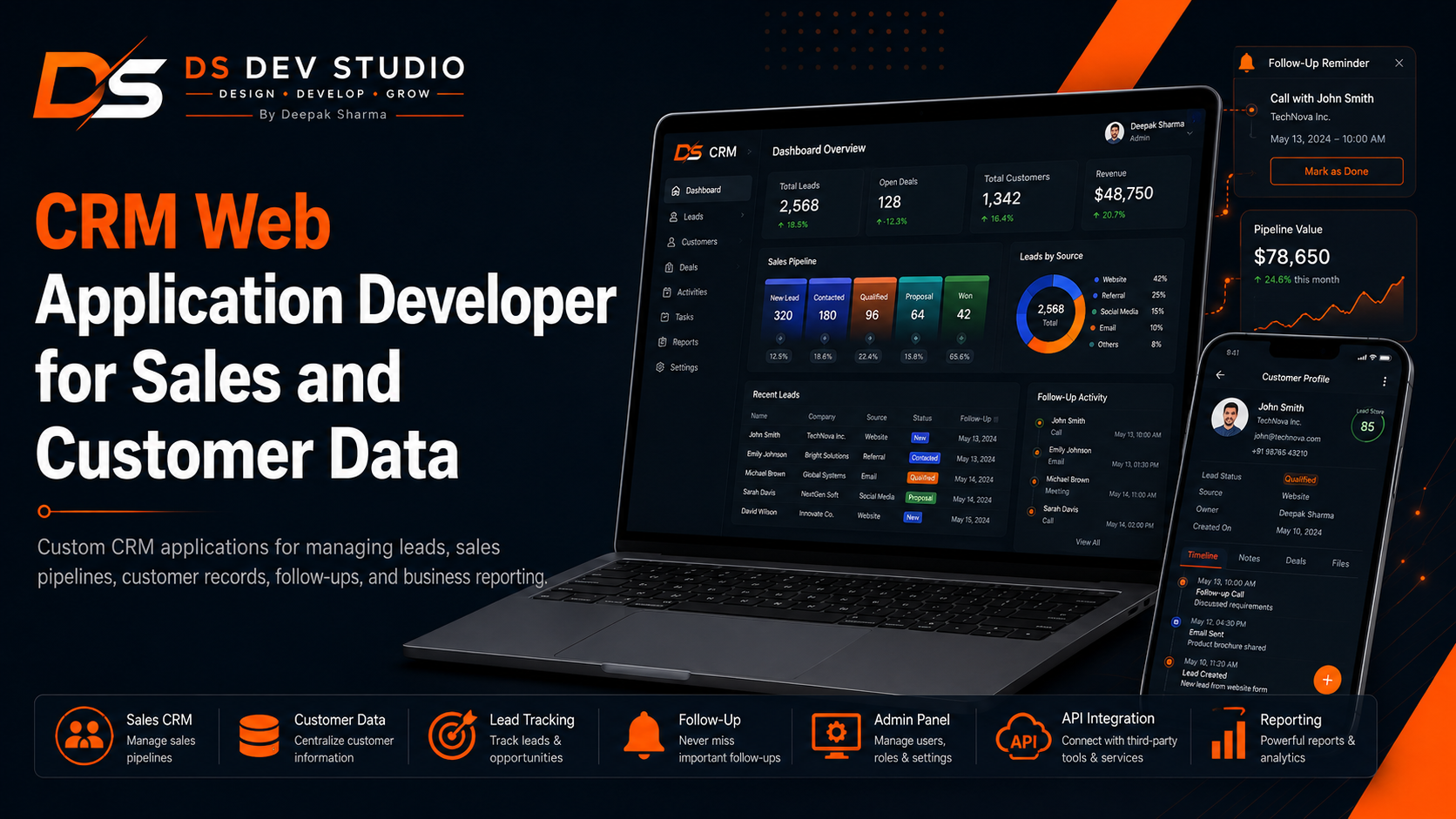
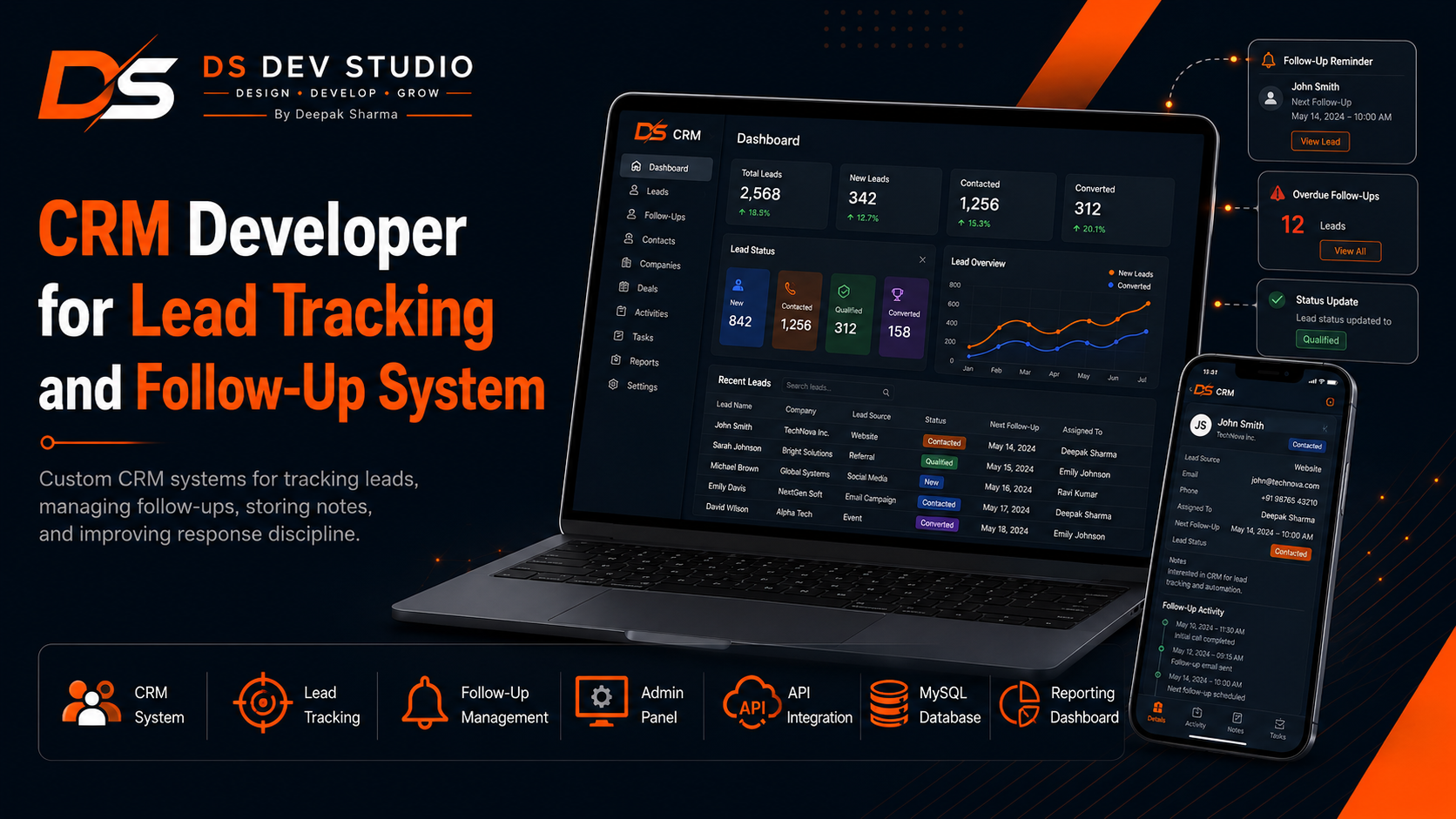
PHP CRM Developer for Small Business Management Systems
A complete guide for small businesses looking for a PHP CRM Developer for management system development, covering PHP CRM systems, lead management, customer records, follow-up tracking, admin panels, MySQL database planning, reports, user roles, API integration, CodeIgniter CRM, Laravel support, dashboards, and custom business web application development by DS Dev Studio.

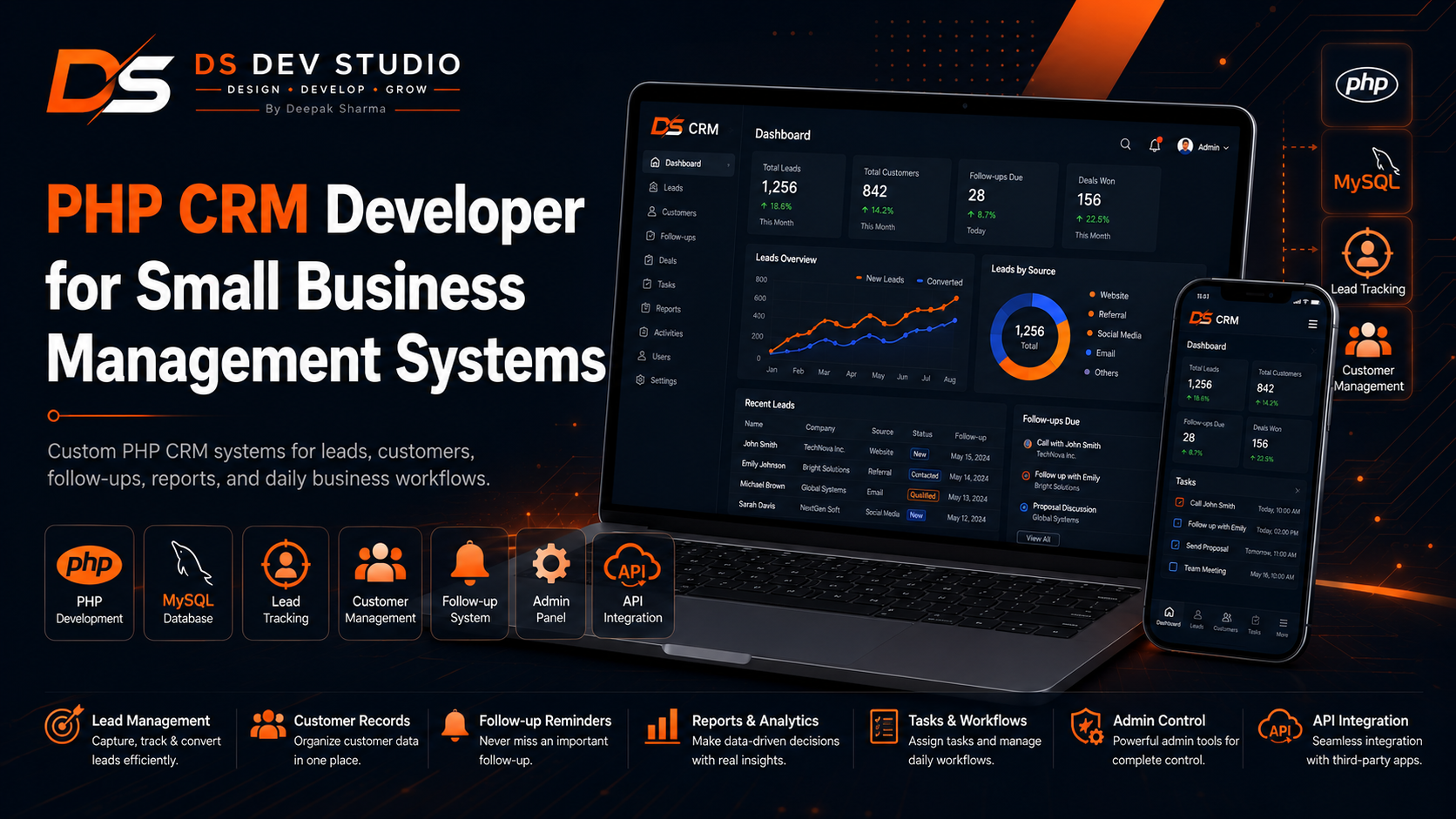
Small businesses often begin with simple tools. Leads may be stored in spreadsheets, customer notes may stay in WhatsApp chats, follow-ups may depend on memory, and service requests may be tracked through phone calls or notebooks. This may work for a short time, but as inquiries increase, the business starts losing control. A PHP CRM Developer can build a custom small business management system that brings leads, customers, follow-ups, tasks, reports, and admin controls into one organized dashboard.
A PHP CRM system is useful when a small business needs a practical backend tool without unnecessary enterprise-level complexity. It can help manage lead records, customer information, service requests, sales stages, follow-up dates, staff users, notes, source tracking, and reports. Instead of forcing the business to adjust to a generic CRM, a custom PHP CRM can be planned around the actual workflow of the business.
Deepak Sharma Web Developer services through DS Dev Studio include PHP CRM development, small business management system development, CRM web application development, MySQL database planning, admin panel development, lead tracking dashboards, follow-up systems, customer management modules, API integration, CodeIgniter CRM development, Laravel backend support, React dashboard UI, and custom web application development.
For businesses searching for PHP CRM Developer, CRM Developer, CRM Web Application Developer, Small Business CRM Developer, Backend Developer India, PHP Developer Freelancer, CodeIgniter CRM Developer, Laravel Developer, Admin Panel Developer, or API Integration Developer, DS Dev Studio provides a practical and business-focused development approach. The goal is to build a CRM system that helps the business work better every day.
Why small businesses need a custom PHP CRM system
Small businesses need CRM systems because customer information becomes harder to manage as the business grows. When leads come from website forms, landing pages, WhatsApp messages, phone calls, referrals, ads, emails, and social media, the team needs one place to track everything. Without a CRM, follow-ups can be missed, customer notes can disappear, and sales opportunities can become unclear.
A custom PHP CRM system gives small businesses a central management tool. It can store new inquiries, customer details, lead source, service interest, follow-up dates, notes, statuses, assigned users, and reports. This makes the business more organized and helps the team respond faster.
A small business CRM does not need to be complicated. It should focus on the modules the team actually uses. For many businesses, the first version may include leads, customers, notes, follow-ups, users, reports, and settings. More features can be added later when the business needs them.
Deepak Sharma focuses on PHP CRM development that is practical and workflow-based. DS Dev Studio builds small business management systems that reduce manual tracking and make customer handling easier.
What a PHP CRM Developer can build for small businesses
A PHP CRM Developer can build custom modules for small business management. These may include lead management, customer records, follow-up tracking, service requests, user management, sales stages, notes, reports, source tracking, admin settings, API connections, and dashboard summaries.
For a local service provider, the CRM may manage service inquiries, customer location, request status, follow-up dates, and completed work. For a consultant, it may manage consultation leads, proposal stages, meeting notes, and client records. For an agency, it may manage project inquiries, lead source, assigned team member, and proposal status.
As a PHP CRM Developer and Backend Developer India, Deepak Sharma can build CRM systems using PHP, MySQL, Laravel, CodeIgniter, React dashboard UI, and API integration where required. The exact technology can be selected according to the size and complexity of the CRM.
DS Dev Studio builds CRM systems that match business workflow. The system should be simple enough to use daily and structured enough to support future growth.
Lead management in a PHP CRM system
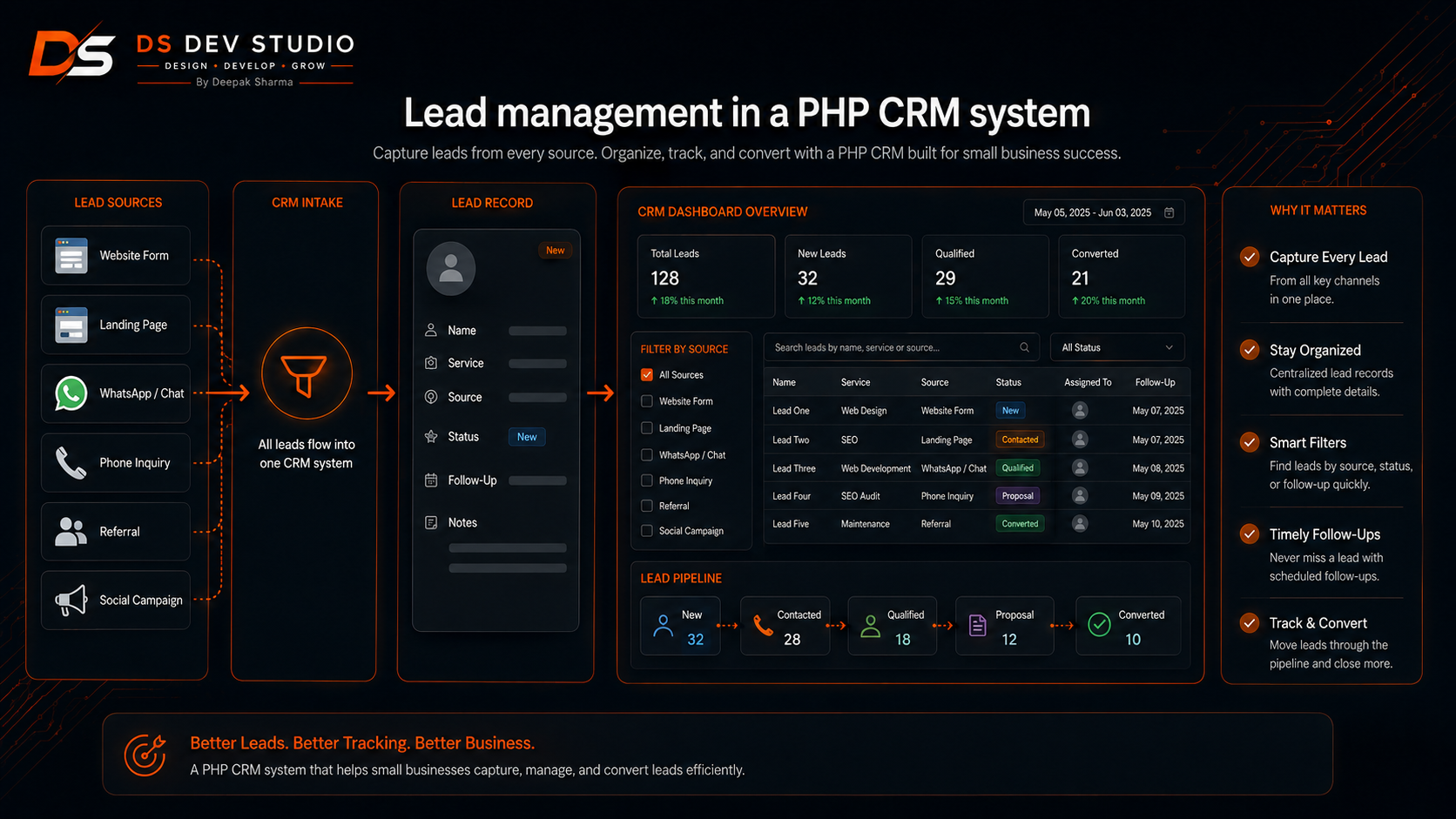
Lead management is one of the most important parts of a small business CRM. A lead management module allows the business to store inquiries, track lead status, assign follow-ups, add notes, and understand where leads are coming from. This reduces the risk of missed opportunities.
A lead record can include name, phone, email, company, service interest, source, message, status, assigned user, follow-up date, priority, and notes. These fields can be customized according to the business process. A service provider may need location and service type, while a B2B agency may need company name and budget range.
Deepak Sharma can build PHP lead management systems where users can add leads, update status, search records, filter by source, view pending follow-ups, and manage notes. The system can receive leads from website forms and landing pages where required.
DS Dev Studio focuses on lead management dashboards that help small businesses act faster. The CRM should show which leads are new, which need follow-up, and which have converted or closed.
Customer management for small business CRM
Customer management helps businesses store and use customer information properly. A customer record can include contact details, past inquiries, service history, notes, follow-up records, billing references, assigned user, and relationship status. This information helps teams continue conversations with context.
A PHP CRM can include customer profiles where users can view all related records in one place. This is useful when a customer contacts the business multiple times, asks for different services, or has a longer relationship with the company.
As a CRM Web Application Developer, Deepak Sharma can build customer management modules that make records searchable, editable, and connected with leads or service requests. This helps small businesses move beyond scattered contact lists.
DS Dev Studio builds customer management systems that support better service, faster response, and organized customer communication.
Follow-up tracking system for small teams
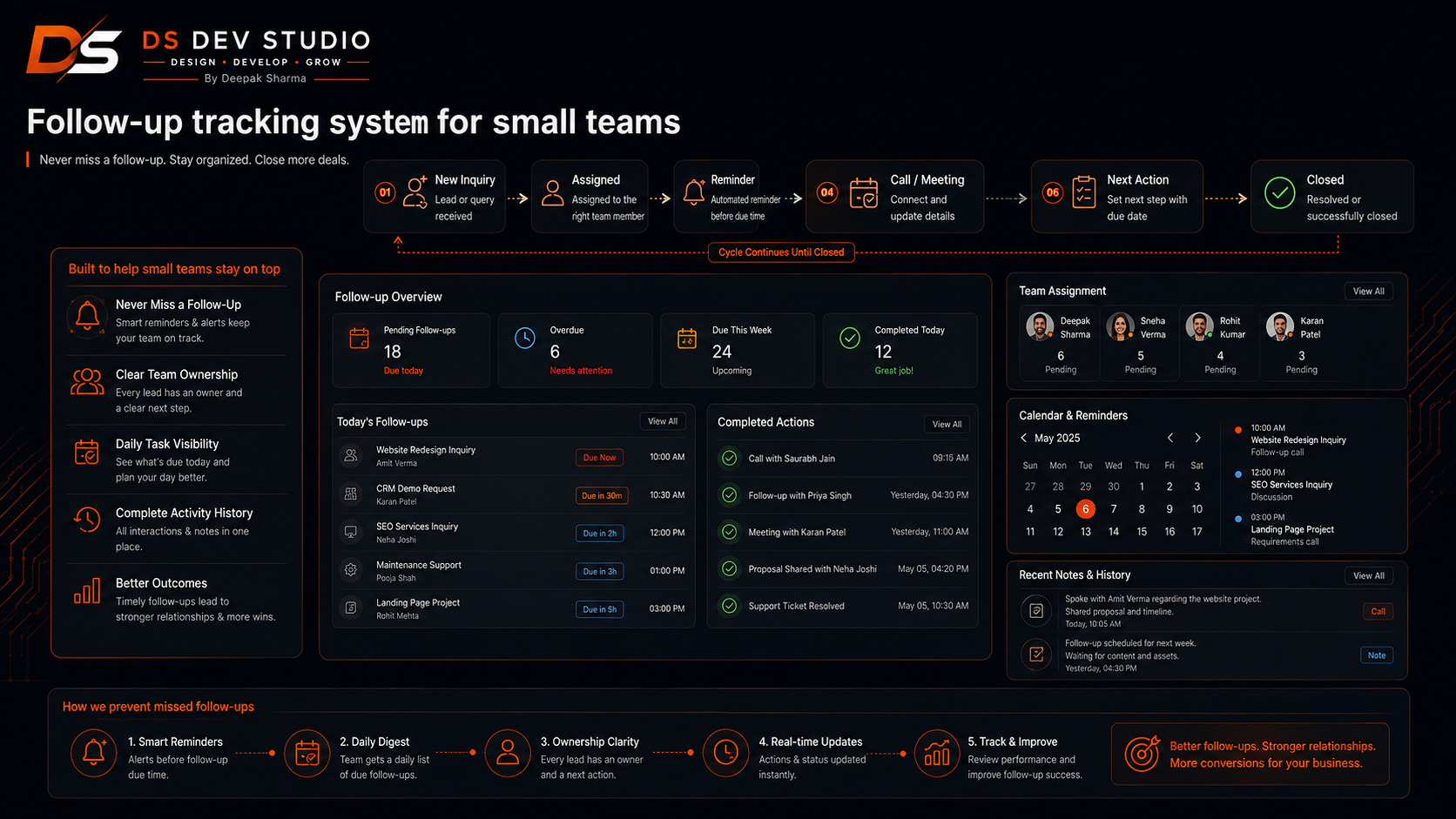
Follow-up tracking is essential because many leads do not convert immediately. A customer may need a second call, quotation reminder, meeting follow-up, pricing clarification, document review, or service confirmation. Without a follow-up system, these actions can be missed.
A PHP CRM follow-up system can include next follow-up date, last contacted date, follow-up notes, assigned user, priority, and follow-up outcome. The dashboard can show today’s follow-ups, overdue follow-ups, upcoming follow-ups, and completed follow-ups.
Deepak Sharma can build follow-up features that help small teams stay consistent. Users can filter leads by follow-up date and status, update notes after calls, and keep track of customer conversations.
DS Dev Studio designs follow-up systems to support daily business activity. A CRM should make follow-up discipline easier, not more complicated.
Admin panel development for PHP CRM systems
The admin panel is the control center of a PHP CRM system. It allows business users to manage leads, customers, services, users, notes, statuses, reports, and settings. A good admin panel should be clean, responsive, and easy to understand.
As an Admin Panel Developer, Deepak Sharma can build admin panels with login, dashboard cards, data tables, filters, search, add-edit forms, status controls, user management, and reports. The admin panel should show useful information without overwhelming users.
A small business admin panel may include views for new leads, pending follow-ups, overdue follow-ups, converted customers, lost leads, and recent activity. These views help users focus on action instead of searching through scattered records.
DS Dev Studio builds PHP CRM admin panels that are practical for business owners, managers, and staff users.
MySQL database planning for PHP CRM development
MySQL database planning is the foundation of PHP CRM development. A CRM system depends on organized data. Leads, customers, users, notes, statuses, follow-ups, sources, reports, services, and settings should be stored in a clear structure.
A poor database structure can make the CRM difficult to maintain. Filters may become slow, reports may become inaccurate, and customer records may not connect properly with leads or follow-ups. This is why database planning should happen before development.
Deepak Sharma can plan MySQL databases for small business CRM systems. Tables can be created according to the workflow, such as leads, customers, users, roles, statuses, notes, follow_ups, sources, services, and activity logs.
DS Dev Studio treats database planning as a core part of CRM development. A well-planned database makes the CRM easier to use, search, filter, report, and expand.
User roles and access control in small business CRM
User roles are important when multiple people use the CRM. A business owner may need full access, a manager may need team-level visibility, a staff user may only need assigned leads, and a viewer may only need reports. Role-based access helps keep the CRM organized and secure.
A PHP CRM can include user roles that control who can view, add, edit, delete, assign, export, and report on data. This helps protect customer information and prevents users from accessing sections they do not need.
As a Backend Developer and CRM Developer, Deepak Sharma can build role-based access using PHP, Laravel, CodeIgniter, MySQL, and React dashboard UI where required. Permissions should be controlled by backend logic, not only hidden from the interface.
DS Dev Studio can plan user roles based on the real team structure of the small business.
Sales pipeline tracking for small business CRM
Sales pipeline tracking helps businesses understand where each lead stands in the sales process. A lead may be new, contacted, qualified, proposal sent, follow-up pending, negotiation, won, or lost. These stages help the team manage sales activity more clearly.
A PHP CRM can include sales pipeline stages that match the business model. A service business may use quote sent, visit scheduled, confirmed, completed, and closed. A consultant may use discovery call, proposal, negotiation, won, and lost.
Deepak Sharma can build pipeline tracking features where users can update stages, filter leads by stage, and view reports showing how many leads are in each step. This gives business owners better visibility into sales progress.
DS Dev Studio keeps pipeline features practical. The CRM should support decision-making without creating unnecessary complexity.
Service request management in a PHP CRM
Many small businesses need to manage service requests, not only sales leads. A service request may include customer details, service type, location, preferred date, status, assigned staff, notes, and completion details. A PHP CRM can organize these requests inside the same management system.
A service request module can show new requests, pending requests, assigned work, completed work, and cancelled requests. Users can update statuses, add notes, and track customer communication.
Deepak Sharma can build service request management systems for local service providers, repair businesses, agencies, consultants, professional firms, education services, and appointment-based businesses.
DS Dev Studio can connect service request forms from the website with the PHP CRM backend so customer requests are stored and managed properly.
Reports and dashboard summaries for business owners
Reports help business owners understand performance. A PHP CRM can show how many leads were added, how many are pending, how many converted, which sources generated inquiries, which team members are handling leads, and which follow-ups are overdue.
Dashboard summaries can include total leads, new leads, pending follow-ups, converted customers, lost leads, monthly inquiries, source-wise leads, and user-wise activity. These summaries help owners take faster decisions.
As a CRM Web Application Developer, Deepak Sharma can build reporting modules with filters by date, status, source, assigned user, service type, and outcome. Reports should show useful business information, not random numbers.
DS Dev Studio focuses on reports that support action. A good CRM report should help the business see what needs attention.
CodeIgniter CRM development for small business systems
CodeIgniter CRM development can be useful for small business management systems that need a lightweight structure. CodeIgniter can support lead records, customer profiles, follow-up tracking, admin panels, reports, user login, and database-driven modules.
As a CodeIgniter CRM Developer and CodeIgniter Developer Freelancer, Deepak Sharma can build CRM systems that are practical, clear, and manageable for small businesses. CodeIgniter can be a good option when the CRM needs more structure than plain PHP but does not require a large framework setup.
A CodeIgniter CRM can include modules such as leads, customers, users, notes, statuses, follow-ups, reports, services, and settings. These modules can be customized according to the business workflow.
DS Dev Studio can recommend CodeIgniter when the small business needs a custom CRM with a lightweight but organized backend structure.
Laravel support for advanced PHP CRM systems
Laravel can be useful when a PHP CRM system needs stronger structure, scalability, authentication, role-based permissions, database migrations, API routes, reports, and future modules. While basic PHP can work for simple systems, Laravel may be better for larger CRM applications.
As a Laravel Developer and PHP CRM Developer, Deepak Sharma can build Laravel-supported CRM systems for businesses that expect growth. Laravel can support user roles, secure admin panels, APIs, dashboard modules, and complex database relationships.
A business may start with a simple PHP CRM and later require Laravel-level structure when more users, integrations, and reports are needed. Planning the technology according to future needs can reduce rework.
DS Dev Studio can recommend PHP, CodeIgniter, or Laravel based on the business workflow, budget, complexity, and expansion plan.
React dashboard UI for PHP CRM systems
React dashboard UI can improve the user experience of a PHP CRM system. React can create reusable components such as lead tables, customer cards, status badges, filters, forms, modals, report cards, and dashboard navigation.
As a React Admin Dashboard Developer and Full Stack Web Developer, Deepak Sharma can connect React dashboards with PHP, Laravel, or CodeIgniter backend APIs. The frontend can provide a modern interface while the backend handles data and business logic.
A React CRM dashboard can show new leads, pending follow-ups, customer records, reports, user activity, source filters, and status updates. Users can submit changes through API-connected forms.
DS Dev Studio can build React dashboard UI when a small business CRM needs a cleaner and more interactive frontend experience.
API integration for PHP CRM systems
API integration helps PHP CRM systems connect with websites, landing pages, email tools, Google Sheets, WhatsApp systems, payment platforms, analytics tools, and third-party applications. This reduces manual copying and improves workflow accuracy.
For example, a website contact form can send lead data directly into the CRM. A landing page can pass campaign source information. A CRM can send customer records to an email follow-up tool. A dashboard can fetch report data through APIs.
As an API Integration Developer, Deepak Sharma can build API workflows that connect the CRM with other business tools. The integration should support real business needs such as lead capture, customer communication, reporting, or automation.
DS Dev Studio plans API integration carefully so the CRM remains practical and not unnecessarily complex.
Website form integration with PHP CRM
Website form integration is one of the most useful features for a small business CRM. When someone submits a contact form, quote request form, booking form, or landing page form, the data can automatically enter the CRM instead of only being sent by email.
A PHP CRM can store form submissions with source, message, service interest, contact details, and status. The business team can then follow up from the CRM dashboard and track the outcome.
Deepak Sharma can connect business website forms with PHP CRM systems using backend logic and API integration. This helps small businesses avoid losing leads and makes inquiry management more organized.
DS Dev Studio can connect service pages, landing pages, WordPress forms, React forms, and custom website forms with CRM backend systems.
Small business workflow automation with PHP CRM
A PHP CRM can support basic workflow automation for small businesses. Automation does not need to be complex. It may include automatic lead creation from forms, status-based dashboard views, follow-up reminders, email notifications, source tagging, and assigned user notifications.
These small automation features can save time and reduce manual mistakes. For example, when a customer submits a quote request, the CRM can create a lead, mark it as New, save the source, and show it in the pending follow-up list.
As a Backend Developer and CRM Developer, Deepak Sharma can build workflow automation according to the needs of the business. The automation should be useful and understandable, not overly complicated.
DS Dev Studio focuses on CRM workflows that help small businesses respond faster and manage customer data more consistently.
Security basics for PHP CRM development
Security is important in PHP CRM development because the system stores customer information, lead details, notes, phone numbers, emails, follow-up records, user accounts, and internal business data. A CRM should protect this information properly.
Security basics can include login protection, role-based access, form validation, safe database queries, controlled admin actions, spam protection, restricted exports, protected API routes, and careful error handling. The exact security setup depends on the project scope.
Deepak Sharma can build PHP CRM systems with practical security awareness. Backend permissions should control sensitive actions, and customer information should be handled responsibly.
DS Dev Studio treats security as part of professional CRM development. A small business CRM should be easy to use, but it should still protect important data.
Performance planning for PHP CRM dashboards
Performance matters because small business teams may use the CRM every day. If lead tables, filters, customer records, and reports load slowly, users may avoid the system. A CRM should be fast enough for practical daily use.
Performance planning can include efficient MySQL queries, pagination, indexing, filtered data loading, optimized API responses, lightweight dashboard UI, and clean backend code. The CRM should not load unnecessary data when a filtered view is enough.
Deepak Sharma can build PHP CRM systems with practical performance planning. Lead lists, follow-up views, search filters, and reports should remain usable as records grow.
DS Dev Studio balances CRM features with performance so the system remains useful after launch.
SEO friendly public website pages with CRM backend support
Many small business CRM systems are connected with public website pages. A business may use service pages, landing pages, blog posts, contact forms, quote request pages, and booking forms to collect leads. These public pages should follow SEO-friendly structure.
As an SEO Friendly Website Developer, Deepak Sharma can build public-facing pages with proper headings, readable content, optimized images, descriptive alt text, internal links, clear CTAs, and responsive layouts. The CRM backend can then manage submitted leads and follow-ups.
For this topic, keywords such as PHP CRM Developer, CRM Developer, CRM Web Application Developer, Small Business Management System, Lead Management System, Follow-Up System, and Admin Panel Developer can be used naturally.
DS Dev Studio connects lead generation pages with CRM backend systems so small businesses can collect and manage inquiries more effectively.
Why hire Deepak Sharma as a PHP CRM Developer?
Businesses can hire Deepak Sharma as a PHP CRM Developer when they need a custom small business management system, lead tracking dashboard, customer management module, follow-up system, admin panel, MySQL database, sales pipeline, reports, user roles, API integration, or workflow automation.
The advantage of hiring a custom CRM developer is that the system can be planned around the business process. You can define lead fields, customer records, statuses, follow-up rules, users, reports, service request modules, and dashboard views according to how your team actually works.
Deepak Sharma can also support connected services such as backend development, PHP development, CodeIgniter development, Laravel development, React dashboard development, admin panel development, API integration, responsive website development, and full stack web application development.
DS Dev Studio is suitable for small businesses, startups, consultants, agencies, local service providers, professional firms, and growing teams that need a PHP CRM system that is practical, organized, and useful after launch.
How DS Dev Studio plans PHP CRM projects
DS Dev Studio plans PHP CRM projects by first understanding the business workflow. This includes identifying where leads come from, what information must be stored, how follow-ups work, what customer fields are needed, who will use the system, what roles are required, and what reports are useful.
After planning, the CRM can be divided into modules such as leads, customers, users, roles, statuses, notes, follow-ups, sources, service requests, reports, dashboard screens, settings, and API endpoints. Each module should serve a clear business purpose.
The development process can include MySQL database planning, PHP backend development, authentication, admin panel UI, lead forms, follow-up features, API connections, reporting dashboards, testing, deployment support, and future improvement planning.
Deepak Sharma focuses on CRM systems that remain useful after launch. The final system should help the small business manage leads, organize customers, follow up on time, and reduce manual work.
Common mistakes in PHP CRM development
One common mistake is building a CRM without understanding the business workflow. If the business does not define lead statuses, customer fields, follow-up process, user roles, and reports, the CRM can become confusing.
Another mistake is making the CRM too complex in the first version. Small businesses usually need useful features first, not every advanced feature. The CRM should start with essential modules and expand later.
Businesses should also avoid poor database planning, weak role-based access, missing follow-up reminders, no source tracking, slow dashboards, unclear reports, and no website form integration. These issues reduce CRM value.
DS Dev Studio helps avoid these mistakes by focusing on workflow planning, clean database structure, simple dashboard UI, secure backend logic, useful reports, API clarity, and practical PHP CRM features.
When should a small business hire a PHP CRM Developer?
A small business should hire a PHP CRM Developer when leads, customers, follow-ups, and service requests become difficult to manage manually. If inquiries are scattered across website forms, calls, WhatsApp, emails, spreadsheets, and social media, a CRM can bring them into one organized system.
A small business should also hire CRM developer services when follow-ups are missed, customer history is not stored, lead status is unclear, team ownership is confusing, or reports are unavailable. A custom PHP CRM can solve these workflow problems.
Businesses should consider PHP CRM development before scaling marketing campaigns, adding more team members, launching lead generation pages, or increasing customer outreach. More leads require better tracking and follow-up systems.
Deepak Sharma can support businesses that need PHP CRM Developer, CRM Developer, CRM Web Application Developer, Small Business CRM Developer, Backend Developer India, CodeIgniter CRM Developer, Admin Panel Developer, or API Integration Developer services through DS Dev Studio.
Conclusion
Hiring a PHP CRM Developer for small business management systems can help businesses organize leads, manage customer records, track follow-ups, control service requests, view reports, and reduce manual work. A good PHP CRM system should include lead management, customer profiles, follow-up dates, notes, source tracking, user roles, admin panels, dashboard summaries, MySQL database structure, API integration, and website form connection where required. Through DS Dev Studio, Deepak Sharma provides PHP CRM development, CRM web application development, small business management system development, MySQL database planning, admin panel development, CodeIgniter CRM development, Laravel support, React dashboard UI, API integration, backend development, and custom web application development. For businesses searching for PHP CRM Developer, CRM Developer, CRM Web Application Developer, Small Business CRM Developer, Lead Management System, Follow-Up System, Admin Panel Developer, Backend Developer India, or API Integration Developer, DS Dev Studio offers a practical and business-focused approach. A well-planned CRM can help a small business respond faster, follow up on time, understand lead sources, manage customers better, and prepare for growth. With the right PHP CRM developer, a small business management system becomes more than software; it becomes an organized workflow for daily business operations.
Useful internal links
- Explore PHP CRM development services
- Explore CRM web application development
- Explore small business CRM development
- Explore lead tracking CRM development
- Explore admin panel development services
- Explore backend development services
- Explore CodeIgniter CRM development services
- Explore API integration development services
- View DS Dev Studio portfolio projects
- Contact Deepak Sharma to hire a PHP CRM Developer
Frequently asked questions
Can I hire Deepak Sharma as a PHP CRM Developer for small business management systems?+
Yes. You can hire Deepak Sharma as a PHP CRM Developer for small business management systems, including lead tracking dashboards, customer records, follow-up tools, admin panels, MySQL databases, user roles, reports, API integration, CodeIgniter CRM systems, Laravel support, and custom web application workflows through DS Dev Studio.
What features should a small business CRM include?+
A small business CRM should include lead records, customer profiles, lead source tracking, statuses, follow-up dates, notes, assigned users, role-based access, reports, search, filters, dashboard summaries, service request modules, and website form integration where required.
Is PHP good for custom CRM development?+
Yes. PHP is useful for custom CRM development because it can support form processing, MySQL databases, admin panels, lead management, customer records, reports, user login, API endpoints, and business workflow systems. CodeIgniter or Laravel can be used when more structure is needed.
Can DS Dev Studio connect a website form with a PHP CRM?+
Yes. DS Dev Studio can connect website forms, landing pages, quote request forms, booking forms, and contact forms with a PHP CRM system. This helps lead data move into the CRM automatically for tracking and follow-up.
Should a small business use a custom CRM or a generic CRM tool?+
A generic CRM can work for standard workflows, but a custom CRM is useful when the business needs specific lead fields, follow-up stages, service request modules, reports, user roles, or integrations. DS Dev Studio can build a custom CRM around the business process.