API Integration Developer for Websites
A practical guide to API integration for websites, React apps, CRM systems, admin panels, forms, dashboards, and backend workflows.

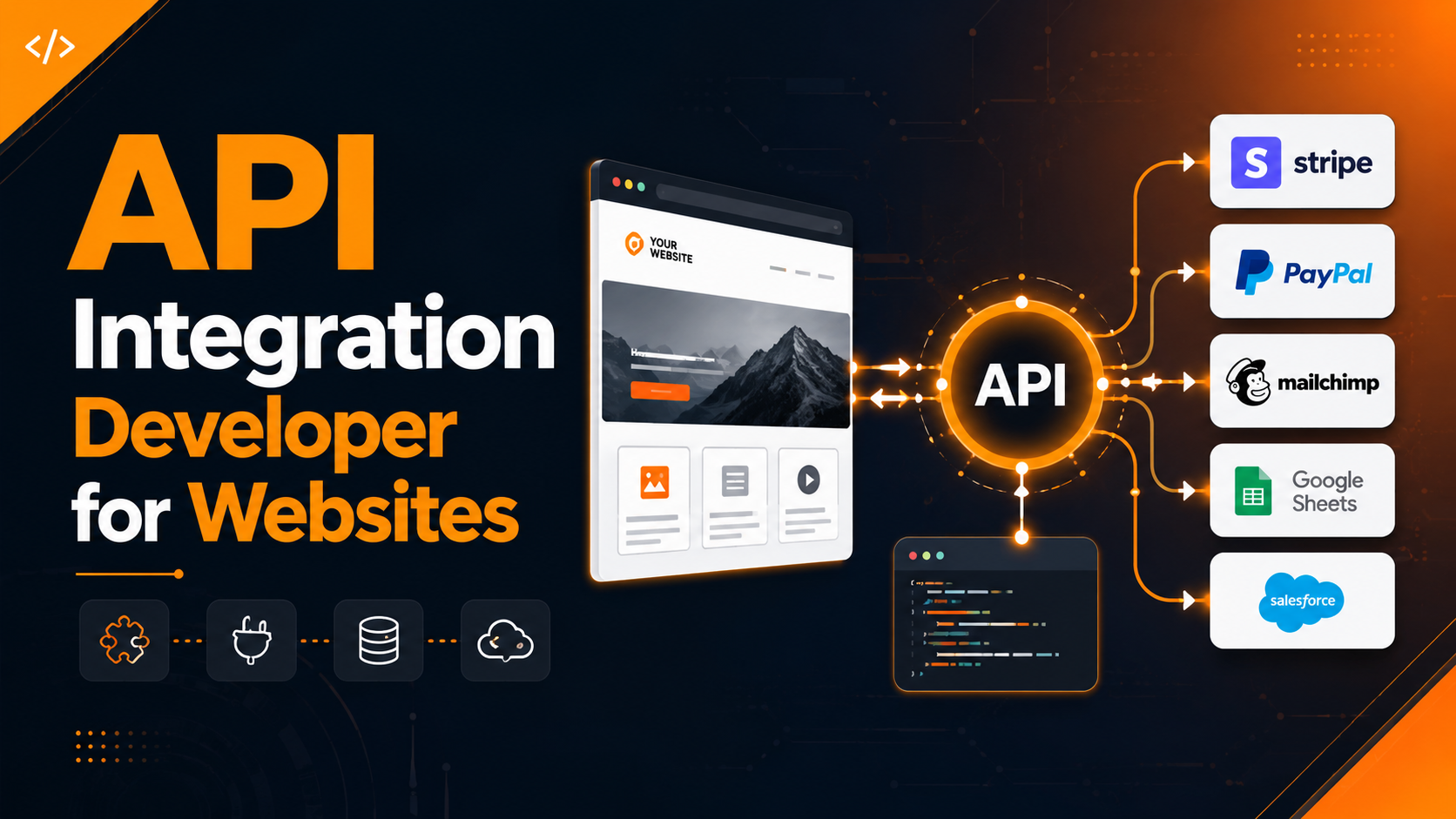
An API Integration Developer links websites or web apps with outside or internal systems. API integration is applied in contact forms, dashboards, CRM systems, admin panels, payment flows, booking systems, reporting screens, third-party services, and data-driven user interfaces. When you need to send, receive, display, edit, or synchronize information from the website API integration comes in handy.
Most of the time, small company sites turn into complex systems after some time. Sometimes the contact form of a webpage has to be able to send and receive emails as well as save requests. An online panel may need the ability to track customers’ activities. A React application may have to represent some data coming from a backend. A CRM system may have to deal with leads coming from sources like company websites.
The need to hire an API integration developer arises if your website or web-based application requires connected data flows instead of isolated web pages. The developer would make it possible to connect frontend interface with backend system, databases, forms and admin panels as well as third-party tools so that the business can perform data management more efficiently.
What is API integration?
API integration helps two systems connect. API is an abbreviation of application programming interface. Simply put, API is a standardized method for one system to either ask data from another system, or send information to it. For example, a React-based UI can retrieve customer data from a backend API and show it on a dashboard.
The working of API is triggerred through the process of request and response. The frontend sends a request and the backend handles it appropriately and delivers the reply. Usually the reply may include the information such as customer data, success notification, validation errors, numbers in the dashboard, report data, etc. This is how modern web and apps are connected with each other.
API Integration can be divided into two categories: Internal and External. Internal APIs connect the frontend part of your website with its backend. External APIs are used to connect your website with external tools like payment gateways, email systems, customer relationship management solutions, analytics systems, or booking platforms, etc. Either way, you have to streamline the process carefully, so everything works without failures.
Where API integration is used
API Integration refers to the use of API services for the sake of transferring data from one application or service to another. This can include simply submitting data through a contact form or creating a complex CRM dashboard. The key point of API integrations is to make them seamless and easy, so that users don’t have to transfer data manually by themself.
APIs can often be found on corporate sites for purposes such as inquiry forms, dashboards for managers, customer details, email messages, reports, processing payments, booking requests, etc. With regard to web applications, APIs are applied to create login systems, data tables, roles for users, filters, reports, as well as for working with files and updating data.
- Enquiry mechanisms and contact forms.
- Dashboard encompasses CRM along with customer info.
- Admin interface consists of forms, reports, and tables.
- Booking or payment workflows.
- Business services and tools from another vendor.
- React-based app requiring backend data.
- Reports and analytics dashboards.
- Capturing leads and more.
- System of notifications via mail.
- Backend application programming interface for web-based interfaces.
API integration with React and backend systems
Through various APIs, React provides connections to display various items, submit forms, filter, maintain the dashboard as well as create interactive web applications. While a React developer freelancer provides the interface at the frontend, a backend developer freelancer creates the API endpoints to process or provide the information accordingly.
As an illustration, consider a React admin dashboard which could require the presentation of a lead list. In such case, the frontend would send a request to the backend API. The backend would search and access lead records in the database, and reply back with records in structured format. Following the response, React would display those records in a table with the help of various filters, buttons and status labels. The above mentioned connection is achieved through API integration.
It is possible for React to relay information via APIs. When a user completes the registration form, React is able to transmit the relevant information to the backend server. The validation of the information then takes place after which it gets stored in MySQL database and an email notification is sent to the user about the registration process. After that, the user is directed to thank you page.
API integration for contact forms and enquiry systems
The use of API integration is commonly found in around contact forms. While the form looks simple and harmless, several actions are going on behind the form. The form is capable of sending the data to an email service provider. It is also capable of saving the information in the database. The form can also add the lead to a CRM system. Another feature of the form is triggering notification after being submitted.
For small firms, this is essential because form submissions consist of possible clients. If form information is only displayed on the screen or directed to a single email address without being stored in the cloud, inquiries may slip away unnoticed. API integration is capable of enabling a better inquiry process by linking the form to e-mail, database storage, admin panels or CRM software.
An efficient API Integration Developer will need to test all stages of a form process. This process will be inclusive of required fields, proper email format, contact number details, loading time, success messages, error messages, duplicate submissions, as well as redirection to a 'thank you' page.
API integration for CRM web applications
The CRM Web Application Developer regularly utilizes integrations with APIs as CRM systems rely heavily on linked data. The information about prospective customers may be collected through an online form, customer records may be found in the database, changes in status updates may come from the dashboard made by team members, and reports may be accessed by managers in the given system.
APIs enable the CRM interface to interact with the backend. It is possible to retrieve a lead list using an API. One can send a new follow-up note using an API. By using an API, one can save an update on the status. It is possible to generate reports by asking for specific data from the backend.
When companies transition from using spreadsheets to a custom CRM platform, integrating an API improves workflow. With an API in play, instead of performing repetitive tasks, users work within a single dashboard while the API manages data transfer between the front end, the back end, and the database.
API integration for admin panels
The integration of APIs becomes crucial in managing the business data effectively in the admin panel development. An Admin Panel Development Expert carries the responsibility of creating different screens for various functional components like user screens, enquiries screen, services screen, product screens, projects screen, reports screen, files screen and settings screen. The use of API integration becomes essential to serve the development needs for carrying out the functions like listing records, adding new record, editing record, removing them, filtering records and updating status.
To illustrate, an admin panel presents information about various inquiries in a table format. The information is retrieved from some API. If the admin changes the information related to the status of any lead, an API call is made in order to update the database. If the admin needs to filter inquiries based on date or service, the API is responsible for providing data. Therefore, the admin panel becomes working not just visual.
API integration in the admin panel must also take user roles and permissions into account because not every user can perform every task. The APIs must confirm user permissions to view, modify or remove information. This ensures that company data is safe.
API integration for dashboards and reports
Dashboards and reports require data. Sometimes dashboards will need total inquiries, active clients, pending prospects, done activities, monthly data, or latest actions to be shown. APIs are able to collect this data from the back end and send it to the front end in a form of information that can be shown as cards, tables, graphs, or summaries.
Different filters may be required for reports as well, such as date range filters, status filters, filters on the type of service, filters on the person assigned, filters on location and filters on the customer category. In this case, filters are sent from the frontend to the API and data that meet requirements comes back from the backend.
A reputable API Integration Developer must refrain from sending superfluous data. Having the API give only the necessary data for the screen makes it easier to build a responsive UI and improves the whole performance.
Backend technologies used for API integration
Integrating the API can employ a wide variety of technologies such as ReactJS, JavaScript, PHP, Laravel, CodeIgniter, MySQL, REST API, JSON and backend services. Normally, React is used for the front-end interface. The back-end API endpoints can be created using PHP, Laravel or CodeIgniter. The data can be stored using MySQL.
Laravel is handy when there's a need for a structured backend creating of routes, controllers, authentication, validation, and organization of APIs. CodeIgniter works best for lightweight PHP-based systems and business applications already in place. Core PHP can be true for small API workflows. The choice of technology should depend on the project needs.
The developer responsible for creating a site(s) must also pick a backend solution that can be sustained over time. If the intention is for the app to continue to grow (meaning more users, dashboards, reports, modules, etc.), then a more formal backend framework will help to manage that growth. If the objective is to just connect to something like a form, then a simpler approach would suffice.
REST APIs and JSON responses
In website and web application development, REST API is one of the most frequently adopted methods for integration. It enables a front end to perform various operations like requesting to retrieve records, save data, update records, or delete entries. JSON is the most common response format as it is structured and easy to use for front end codebases such as React.
For instance, let's say there is an API that is going to return a list of leads in JSON format. The leads can easily be read by React, and the response would be shown on a dashboard table. Another API might receive form data in JSON and save it in the database. This process of requesting and getting a response is fundamental in web application development today.
Clearly structured API responses are important in the above manner. The frontend must communicate success and errors in a clear manner. Responses with poor structure cause issues in frontend development and confusion in users.
Error handling and validation in API workflows
Integrated API must perform successfully even when events are not ideal. It must know how to process incorrectly provided data, what to do if fields are missing, how to understand faced errors, what to do with server errors, and what to do with unauthorized usage of the system. Proper handling of errors makes usage of the system more user-friendly and reliable.
Validation ensures the user experience maintains certain quality standards. The backend must validate that all mandatory fields, email addresses, and telephone numbers, as well as the formats of the uploaded files, statuses, and the permissions of users are valid before data can be stored. At the same time, administrative API must give clear responses so that the frontend can generate appropriate messages to users.
Let’s say a user has submitted a form not entering email addresses, the API should not be failing silently. it should give a clear response regarding validation. The frontend can then show an appropriate message beside the field thus improving the usability of your application.
Security in API integration
Since APIs can bring forth crucial business executions, they should be addressed in terms of security issues. The APIs that are public may be involved in the processing of the forms provided by users whereas APIs that are private perform various functions such as customer records, management actions by administrators, user data creation, generation of reports, and the creation of CRM workflow.
Security may involve the following: user authentication, implementation of access control lists to ensure proper permissions, validation of information received through API endpoints, utilization of secured data querying, protection of API routes, and error handling. If the users’ actions require a login, the application should check if they have the right permissions before processing the request.
Even systems used by small businesses require basic API security. Contact forms must be safeguarded from spam attempts to the greatest extent possible. Admin panel APIs should not permit unauthorized modification of data. File uploads should be verified. All the above contribute to improving the reliability of the system.
Planning API integration before development
It is important to properly plan the API workflow prior to the start of development. The first step is determining the systems that require communication. After that, the next step is identifying the data to be transferred between those systems. The next step is to select the actions that users are going to take.
As an illustration, if you have a React dashboard that must show leads, then there must be a lead listing endpoint provided by the API. The updating of a lead's status should happen via another endpoint when there is a need for the admin. If reports are needed, then filtering values and summary responses should be from the backend. Hence, a well-planned structure guarantees development clarity.
- You need to make a list of all the systems to be integrated.
- It is crucial to clearly outline what data needs to be sent, received, changed, or removed.
- You will have to determine which frontend screens will require data from the API.
- The rules for validating the data entered into forms need to be developed.
- Decide whether users will need to go through authentication and whether access rights are necessary.
- Establish if third-party services will be used.
- Success and error messages need to be developed, as well as the states of loading.
- You should run tests of the interface connected to the API beforehand.
Common API integration mistakes
Often, issues with API integrations arise from poor planning of workflows. Quite a few projects begin by designing front-end screens before they have fully figured out what needs to be returned from the back-end system. Others create APIs even before they have made sure that responses will be validated and proper error messages will be returned. This makes it difficult to use and maintain the application.
It is also a frequent mistake to provide too much data. APIs must provide only what is needed for the display and avoid giving unnecessary reports or confidential data. If the API structure is poor, dashboards will malfunction. If filters and reports are not designed according to standards, users might not receive reports on time or at all.
An efficient API Integration Developer needs to focus on how the user behaves in real processes. What happens if the Internet connection is slow? What happens if information is missing in the input form? What happens if the server is down? Oh, and what happens if a person has no permission to perform an action? Such moments increase the trust towards the developed system.
How DS Dev Studio can help
Deepak Sharma's DS Dev Studio offers implementation of API integration solutions for projects built in PHP, Laravel, CodeIgniter, admin panels, CRM systems, etc., where the focus is on building API workflows that deliver genuine business processes.
Deepak Sharma, a web developer, is engaged in a variety of activities including frontend development, backend development, React interfaces, PHP solutions, Laravel workflows, CodeIgniter solutions, MySQL databases, administrator panels, CRM modules, forms, and custom web applications. The combination of frontend and backend expertise is quite handy, as usually the API integration work requires knowledge of both frontend and backend.
If you're in need of React API integration, CRM information flow, admin interface APIs, contact form processes, dashboard data records, backend connectivity, or custom web app integration, DS Dev Studio is here to help you get the most out of your API workflow.
Conclusion
The communication of different systems through APIs offers the opportunity for applications and web pages to become integrated into one system. API integration enables forms, admin panels, dashboards, CRMs, back end systems, and other tools to communicate high-level data with minimal barriers. Businesses can utilize API integration for their inquiry forms, email notifications, database, reports, admin functions and processes, as well as their interfaces built with React. For a proficient API Integration Developer knows how the front end has to behave, how back end functionality works, what’s the purpose of validation and safety measures, and how the loading states and errors should be handled. If you require forms, CRM data stream, admin panel APIs, dashboard, or back end connectivity, you can rely on DS Dev Studio, which is a renowned company run by Deepak Sharma to help you create reliable apps.
Useful internal links
Frequently asked questions
Can I hire Deepak Sharma as an API Integration Developer?+
Yes. You can hire Deepak Sharma for API integration in React apps, PHP systems, Laravel backends, CodeIgniter projects, admin panels, CRM modules, dashboards, forms, and custom web applications.
Can API integration connect React with backend?+
Yes. React can connect with backend APIs to fetch data, submit forms, update records, display dashboard information, filter tables, and manage CRM or admin panel workflows.
Can DS Dev Studio integrate APIs in admin panels?+
Yes. DS Dev Studio can integrate APIs in admin panels for records, forms, filters, dashboards, CRM systems, reports, user management, status updates, and business workflows.
Do business websites need API integration?+
Business websites need API integration when they connect with external tools, forms, CRMs, payment systems, dashboards, databases, email services, or data sources.
Which technologies are used for API integration?+
API integration can use ReactJS, JavaScript, PHP, Laravel, CodeIgniter, MySQL, REST APIs, JSON, backend services, and third-party platforms depending on the project requirement.