ERP Developer for Small Business Workflow Management
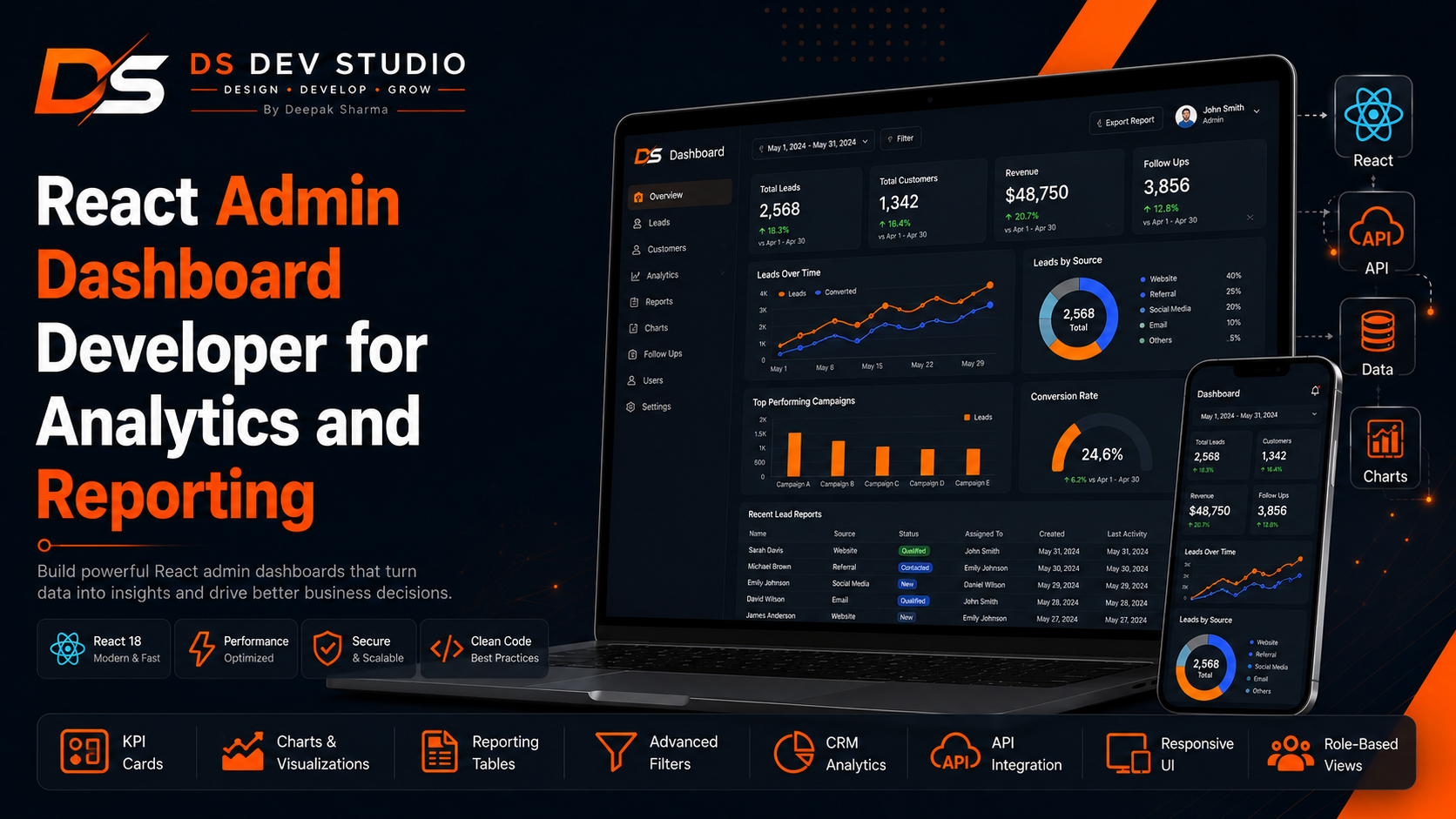
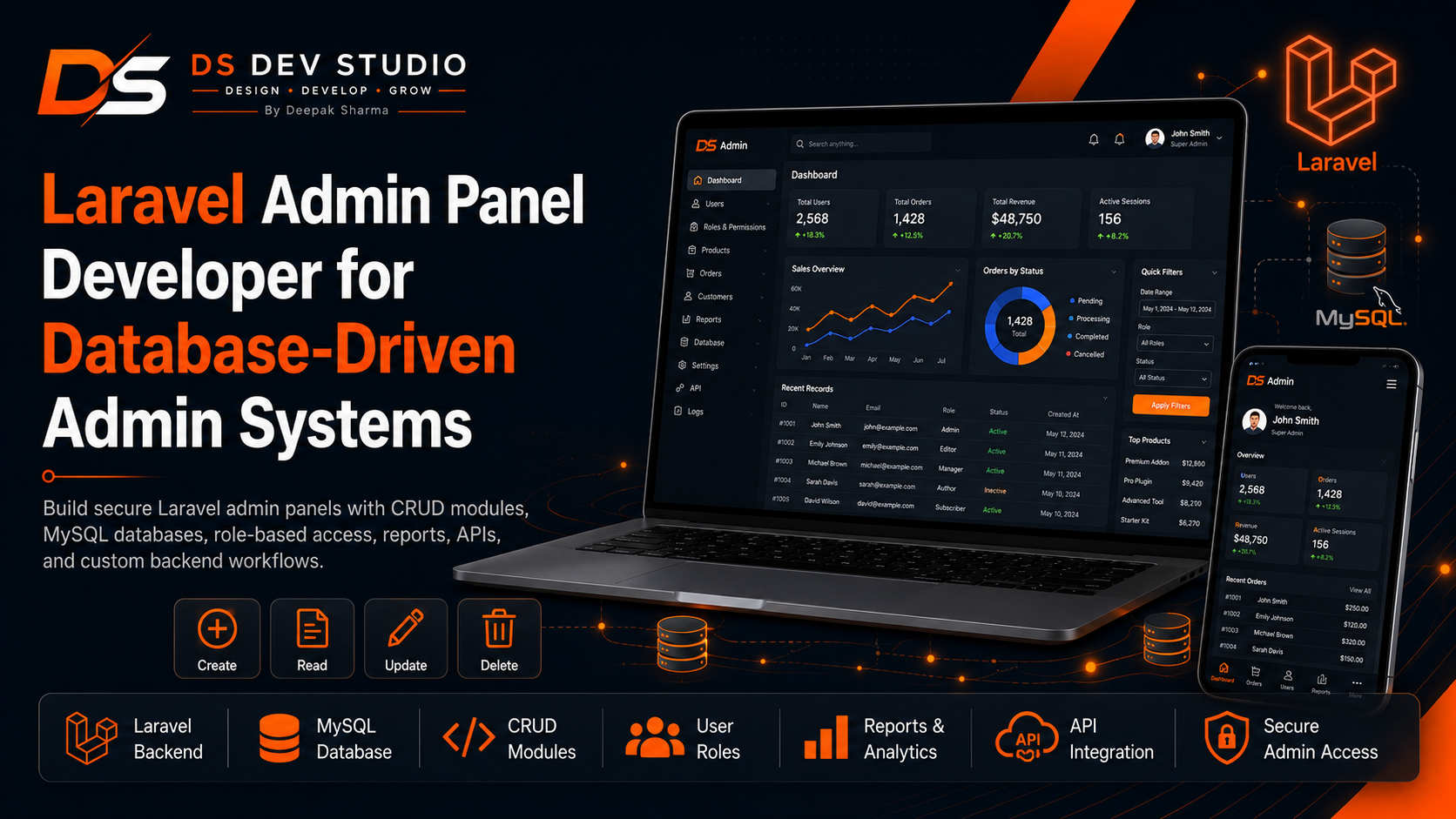
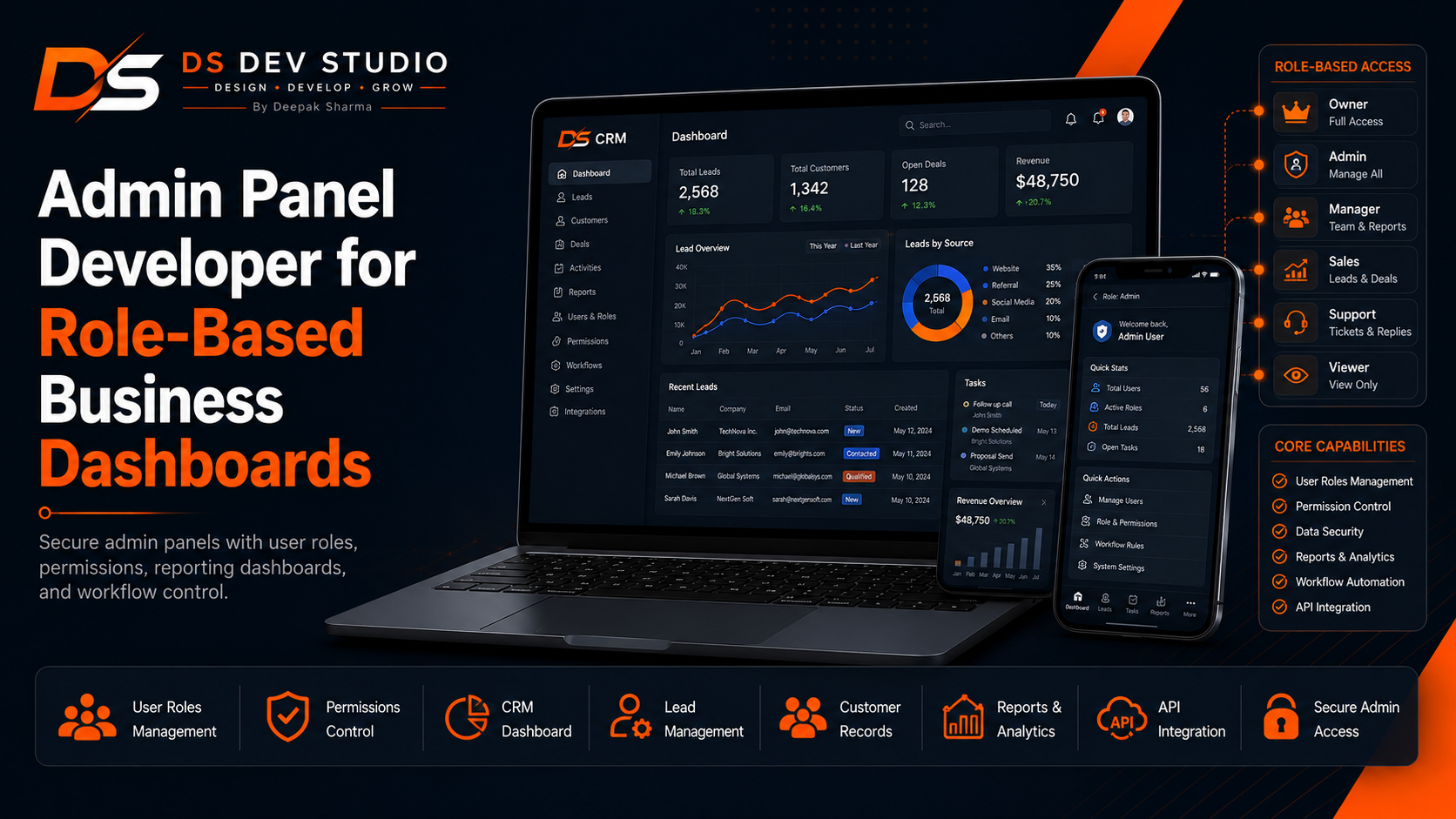
A complete guide for small businesses looking for an ERP Developer for workflow management, covering custom ERP development, business process modules, CRM integration, lead and customer management, service request workflows, inventory-style tracking, user roles, admin panels, reports, API integration, PHP backend development, Laravel admin systems, CodeIgniter support, React dashboard UI, and custom web application development by DS Dev Studio.

Small businesses often run on many small workflows at the same time. Leads come from the website, customers ask for updates, staff members manage tasks, service requests need follow-up, inventory or internal records need tracking, reports are prepared manually, and owners need visibility into what is happening. When these workflows are scattered across spreadsheets, WhatsApp messages, phone calls, emails, notebooks, and separate tools, the business becomes harder to manage. This is where a custom ERP system can help.
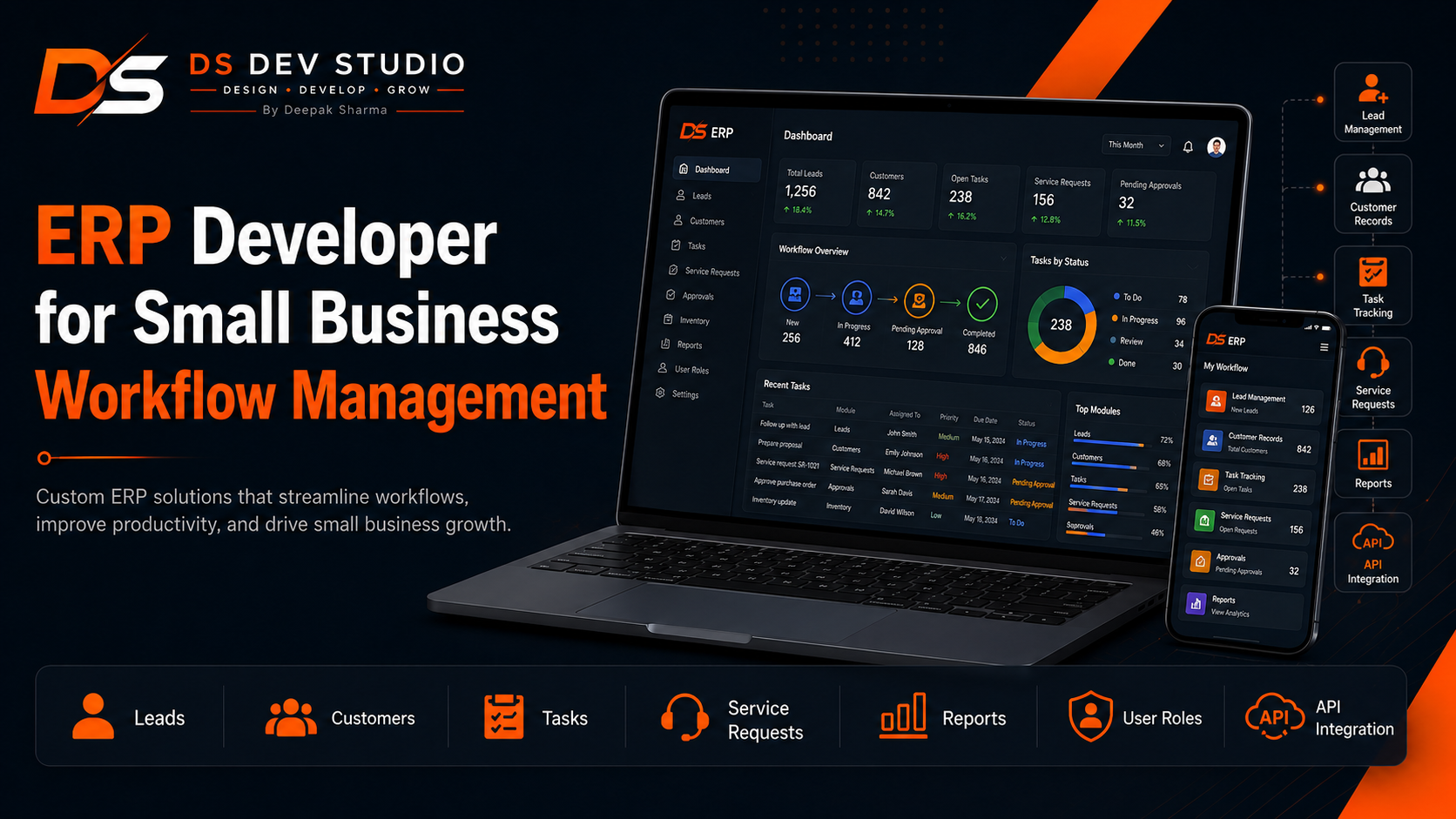
An ERP Developer for small business workflow management builds digital systems that connect business modules into one structured platform. A small business ERP does not need to be a heavy enterprise system. It can begin with practical modules such as leads, customers, users, tasks, service requests, inventory-style records, reports, approvals, follow-ups, invoices, internal notes, and dashboards. The purpose is to make daily business operations easier to manage.
Deepak Sharma Web Developer services through DS Dev Studio include ERP development, small business workflow management system development, custom web application development, backend development, PHP development, Laravel admin panel development, CodeIgniter support, CRM web application development, API integration, MySQL database planning, React admin dashboard UI, and business dashboard development.
For businesses searching for ERP Developer, Small Business ERP Developer, Custom ERP Developer, Business Workflow Management System, Admin Panel Developer, CRM Web Application Developer, Backend Developer India, Laravel Admin Panel Developer, React Admin Dashboard Developer, or API Integration Developer, DS Dev Studio provides a practical and business-focused approach. The goal is to build an ERP system that matches real business workflow instead of forcing the business into a generic process.
Why small businesses need ERP workflow management
Small businesses need ERP workflow management because work becomes difficult to track as the team, customers, and service requests grow. At the beginning, a spreadsheet may be enough. Later, the business may need proper lead tracking, customer profiles, staff assignments, service status updates, internal task tracking, payment follow-ups, inventory-style records, and reports.
A custom ERP system brings these workflows into one dashboard. Instead of using separate files for leads, customers, tasks, and reports, the business can manage records through connected modules. This reduces duplication and makes information easier to find.
An ERP Developer should understand business operations before building modules. The system should answer practical questions: who owns this task, what is pending, which customer needs follow-up, what request is delayed, which record changed, and what report needs attention.
Deepak Sharma focuses on ERP systems that improve daily workflow. DS Dev Studio builds small business ERP applications that are simple enough for teams to use and structured enough to support growth.
What a custom ERP Developer can build
A custom ERP Developer can build modules for leads, customers, users, tasks, services, products, inventory-style records, requests, approvals, reports, notes, roles, permissions, and settings. Each module can be designed around how the business works.
For a service business, the ERP may include lead management, customer records, service requests, staff assignment, follow-up dates, completion status, and reports. For a small trading business, the ERP may include customer data, product records, stock-style tracking, order requests, and status updates. For an agency, the ERP may include leads, clients, project requests, tasks, notes, and reporting.
As a Full Stack Web Developer and ERP Developer, Deepak Sharma can build ERP-style systems using PHP, Laravel, CodeIgniter, MySQL, React, APIs, and custom backend logic. The system can start small and grow as the business adds new workflow requirements.
DS Dev Studio builds ERP systems based on actual workflow. The focus is not to copy a large enterprise ERP. The focus is to create practical modules that help small businesses manage daily work.
ERP modules for lead and customer management
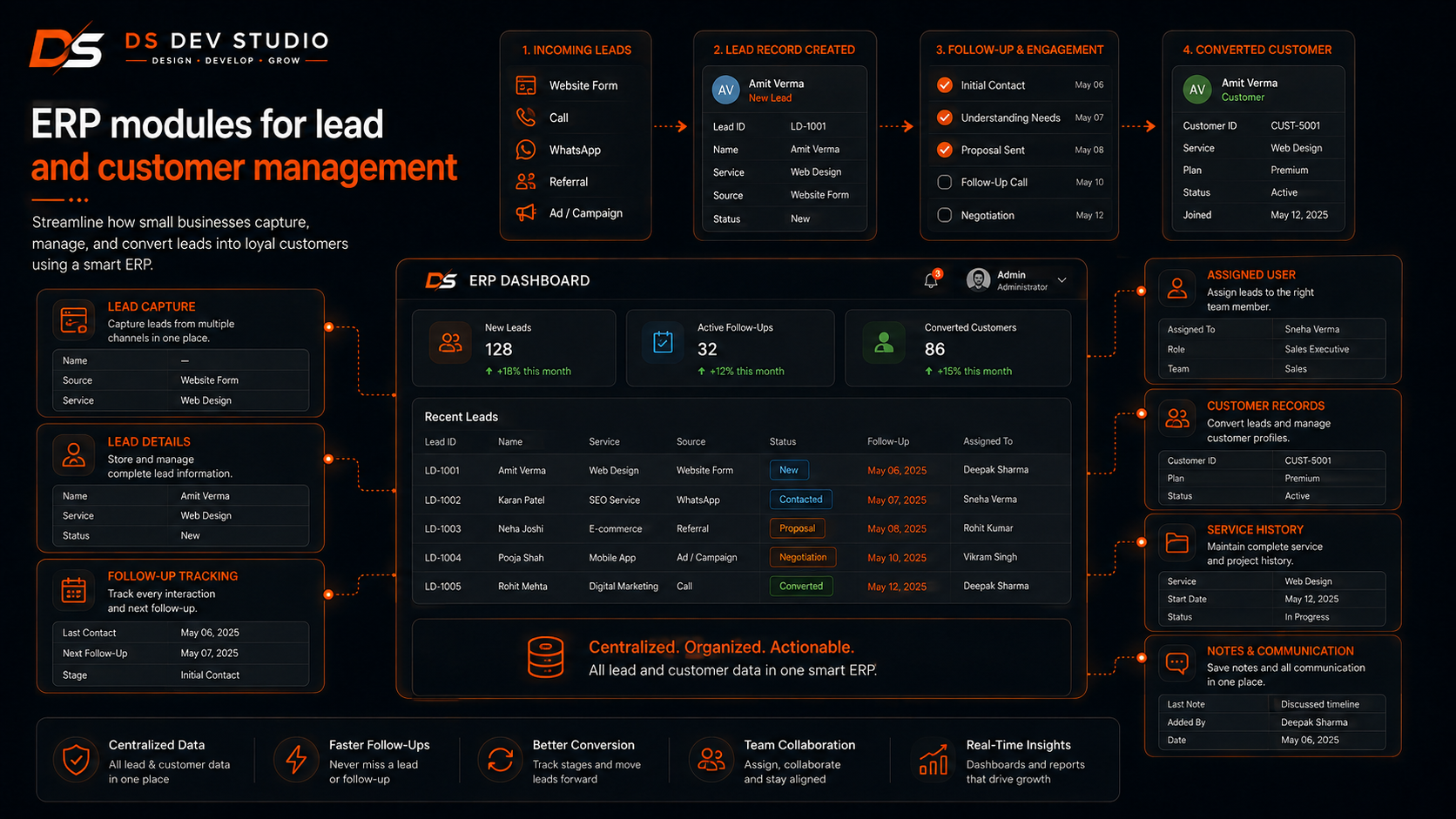
Lead and customer management are common modules in small business ERP systems. Leads may come from website forms, landing pages, calls, WhatsApp, ads, referrals, and manual entries. Customer records may include contact details, service history, notes, follow-ups, assigned users, and status.
A lead module can include name, phone, email, company, service interest, source, message, status, assigned user, follow-up date, priority, and notes. A customer module can include profile information, previous requests, purchase or service history, internal notes, and activity timeline.
As a CRM Developer and ERP Developer, Deepak Sharma can build lead and customer modules that connect with the wider business workflow. A lead can become a customer, a customer can create a service request, and a service request can appear in reports.
DS Dev Studio connects CRM-style modules with ERP workflow so small businesses can manage relationships and operations from one system.
Task and workflow assignment in small business ERP
Task assignment is useful when team members need to manage work inside the ERP. A business owner or manager may assign leads, service requests, follow-ups, project tasks, internal checks, or customer actions to staff members. The ERP should show who is responsible for each task.
A task module can include task title, related customer, related lead, assigned user, due date, priority, status, notes, and completion date. Users can update progress, managers can filter pending work, and owners can review overdue tasks.
Deepak Sharma can build workflow assignment features that help businesses reduce confusion. Instead of asking repeatedly who is handling a task, the ERP dashboard can show ownership and status clearly.
DS Dev Studio builds workflow assignment systems that are practical for small teams, service providers, consultants, agencies, and local businesses.
Service request management in ERP systems
Service request management is important for businesses that handle customer requests, bookings, consultations, repair jobs, project inquiries, support requests, or appointment-based work. A custom ERP can organize these requests from creation to completion.
A service request module can include customer details, service type, preferred date, location, request description, assigned staff, priority, status, notes, and completion details. The dashboard can show new requests, pending requests, assigned requests, completed requests, and cancelled requests.
As a Custom Web Application Developer and Admin Panel Developer, Deepak Sharma can build service request workflows using PHP, Laravel, CodeIgniter, MySQL, React dashboard UI, and API integration where required.
DS Dev Studio creates ERP service modules that help businesses manage work more professionally and reduce manual coordination.
Inventory-style tracking for small businesses
Some small businesses need inventory-style tracking even if they do not need a large warehouse system. They may need to track products, materials, equipment, service items, stock status, issued items, received items, or internal resources. A custom ERP can include lightweight inventory-style modules.
An inventory module can include item name, category, quantity, unit, status, supplier, location, notes, and movement history. Depending on the business, it can also include low-stock indicators, request records, or report summaries.
Deepak Sharma can build inventory-style modules that match small business needs without making the system overly complex. The goal is to track the information that actually matters for daily operations.
DS Dev Studio can add inventory or resource tracking modules inside ERP systems when the workflow requires better visibility of business items.
Role-based access in ERP workflow systems
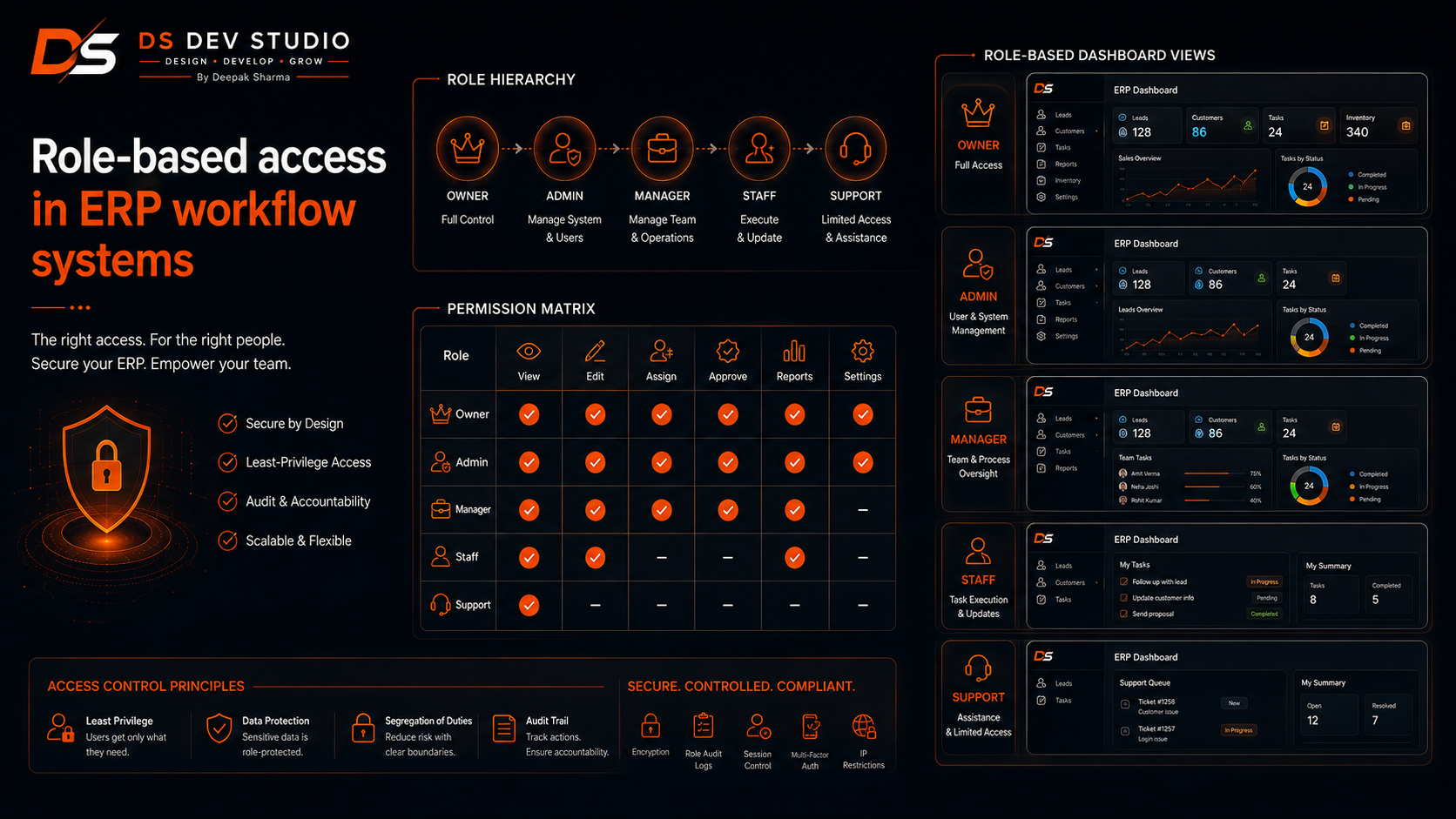
Role-based access is important in ERP systems because different users need different permissions. A business owner may need full access. A manager may need team-level reports. A staff user may only need assigned tasks. An accountant may need invoice or payment-related modules. A viewer may only need read-only access.
An ERP system can include roles and permissions that control who can view, create, edit, delete, assign, approve, export, and report on records. This protects business information and keeps each user focused on relevant work.
As a Role-Based Dashboard Developer and Backend Developer India, Deepak Sharma can build ERP systems where backend logic controls permissions properly. Frontend menus can adjust based on role, but sensitive actions should be protected at the backend level.
DS Dev Studio treats role-based access as a core part of ERP development, especially when customer data, team tasks, reports, and internal records are involved.
ERP admin panel development
The admin panel is the main control area of an ERP system. It can include modules for leads, customers, tasks, service requests, inventory, users, roles, reports, settings, and activity logs. A good ERP admin panel should be clean, secure, and easy for business users to operate.
As an Admin Panel Developer, Deepak Sharma can build ERP admin panels with login, dashboard summaries, data tables, filters, search, forms, status controls, user management, role-based access, reports, and settings.
A small business ERP admin panel should focus on action. Users should be able to see pending work, update records, assign tasks, track customer activity, and view reports without confusion.
DS Dev Studio builds admin panels that make ERP modules easier to use and maintain after launch.
Laravel ERP development for structured business systems
Laravel is useful for ERP development when the system needs structure, authentication, user roles, database migrations, models, controllers, validation, APIs, reports, and future scalability. A Laravel admin panel can support multiple ERP modules with organized backend architecture.
As a Laravel Developer and Laravel Admin Panel Developer, Deepak Sharma can build Laravel-based ERP systems for small businesses that need reliable backend logic and structured workflow management.
Laravel can be useful for ERP modules such as leads, customers, tasks, service requests, users, roles, reports, inventory-style records, approvals, and settings. It can also connect with React dashboards and external APIs.
DS Dev Studio can recommend Laravel when the ERP system needs long-term maintainability, secure access control, and scalable module development.
PHP ERP development for practical business workflows
PHP ERP development can be practical for small businesses that need custom workflow systems without unnecessary enterprise complexity. PHP can support forms, database records, admin panels, user login, reports, APIs, and business modules.
As a PHP Developer Freelancer and ERP Developer, Deepak Sharma can build PHP-based workflow systems for leads, customers, tasks, service requests, reports, and admin controls. The system can be simple in the first version and expanded later.
PHP can also support existing business applications where ERP-style modules need to be added gradually. For more structure, Laravel or CodeIgniter can be used depending on project needs.
DS Dev Studio uses PHP backend development when the business needs practical execution, custom workflow logic, and manageable backend systems.
CodeIgniter ERP support for existing PHP applications
CodeIgniter can be useful when a business already has an existing PHP application and wants to add ERP-style workflow modules. Instead of rebuilding everything immediately, selected modules can be improved or built in CodeIgniter.
A CodeIgniter-based workflow system can include leads, customers, users, tasks, follow-ups, service requests, reports, and settings. It can provide more structure than plain PHP while remaining lightweight.
As a CodeIgniter Developer Freelancer and CodeIgniter CRM Developer, Deepak Sharma can build or improve CodeIgniter modules for existing PHP applications that need better workflow management.
DS Dev Studio can recommend CodeIgniter when the project needs a practical upgrade path for existing PHP systems.
React dashboard UI for ERP systems
React dashboard UI can make ERP systems easier to use by creating a modern and interactive frontend. React can display dashboard cards, module tables, filters, task lists, status badges, charts, forms, modals, and report sections.
As a React Admin Dashboard Developer and Full Stack Web Developer, Deepak Sharma can build ERP dashboards that connect with Laravel, PHP, or CodeIgniter backend APIs. React manages the interface, while the backend handles database operations, permissions, and workflow logic.
A React ERP dashboard can show business summaries such as pending tasks, new leads, open service requests, low inventory-style records, overdue follow-ups, completed work, and user activity.
DS Dev Studio can use React when the ERP system needs a cleaner user experience and API-connected dashboard interface.
MySQL database planning for ERP systems
MySQL database planning is critical for ERP systems because multiple modules must connect properly. Leads, customers, tasks, service requests, users, roles, inventory records, reports, notes, statuses, and activity logs may all be related.
A poorly planned database can make the ERP difficult to maintain. Reports may be inaccurate, filters may be slow, records may duplicate, and modules may not connect properly. Good database planning helps the system remain useful as the business grows.
Deepak Sharma can plan MySQL database structures for small business ERP systems. Tables and relationships can be designed according to actual business workflow instead of generic assumptions.
DS Dev Studio treats database planning as the foundation of ERP development. A reliable workflow system needs clean and logical data structure.
API integration for ERP workflow systems
API integration helps ERP systems connect with other tools and workflows. A small business may need to connect website forms, CRM modules, email tools, Google Sheets, WhatsApp systems, payment platforms, analytics tools, or third-party applications.
For example, a website form can create a lead inside the ERP. A service request form can enter the request module. A CRM can send customer data to an email tool. A React dashboard can fetch records from backend APIs. These connections reduce manual data entry.
As an API Integration Developer and Backend API Developer, Deepak Sharma can build ERP API workflows that support business operations. APIs should be planned around actual workflow needs and protected through backend access control.
DS Dev Studio builds API-connected ERP systems that help businesses reduce manual work and improve data flow.
Reports and analytics in small business ERP
Reports and analytics help small businesses understand workflow performance. An ERP dashboard can show total leads, pending tasks, completed work, open service requests, overdue follow-ups, user activity, source-wise inquiries, inventory-style summaries, and monthly records.
A reporting module can include date filters, status filters, user filters, service filters, source filters, export-ready tables, and dashboard cards. These reports help owners and managers make better decisions.
Deepak Sharma can build ERP reporting dashboards using PHP, Laravel, CodeIgniter, MySQL, React, and APIs. The reports should answer practical questions about work, customers, staff, and operations.
DS Dev Studio focuses on reports that support action. A good ERP report should help the business know what is pending, what is completed, and where attention is needed.
Approval workflows in custom ERP systems
Some small businesses need approval workflows. A manager may need to approve a quote, request, task completion, leave request, purchase request, service update, or record change. A custom ERP can include approval stages based on business rules.
An approval module can include requested by, approved by, status, comments, approval date, rejection reason, and activity history. Role-based access can control who can submit and who can approve.
As an ERP Developer and Admin Panel Developer, Deepak Sharma can build approval workflows for small businesses that need better internal control.
DS Dev Studio can include approval logic when the business workflow requires manager review before a record moves forward.
Activity logs and audit history in ERP systems
Activity logs help businesses understand who did what inside the ERP system. If a user updates a lead, assigns a task, completes a service request, edits a customer record, changes a status, or exports a report, the system can record the action.
Audit history is useful for accountability and workflow tracking. It can help managers review changes and understand how records moved through the system.
Deepak Sharma can build activity log features for ERP systems using backend logic and database records. Logs can include user, action, module, timestamp, and related record details depending on project needs.
DS Dev Studio can include activity tracking when the business needs better visibility into user actions and operational history.
ERP system security for small business data
ERP systems store important business data, including customers, leads, tasks, service requests, reports, user accounts, internal notes, and workflow records. Security should be considered from the beginning, even for small business ERP systems.
Security basics can include authentication, role-based access, form validation, safe database queries, protected API routes, controlled exports, restricted file uploads, activity logs, and careful error handling. Sensitive actions should be controlled by backend permissions.
Deepak Sharma can build ERP systems with practical security awareness using Laravel, PHP, CodeIgniter, MySQL, React, and API-based backend logic.
DS Dev Studio treats security as part of professional ERP development. A workflow system should be easy to use while still protecting important business records.
Performance planning for ERP dashboards
Performance matters because ERP users may work inside the system every day. Slow tables, delayed filters, heavy reports, and poor form responses can reduce team adoption. A small business ERP should feel fast enough for regular use.
Performance planning can include efficient MySQL queries, pagination, database indexing, optimized API responses, filtered data loading, lightweight dashboard components, and careful report generation.
Deepak Sharma can build ERP dashboards with practical performance planning. Lead lists, task views, customer records, service requests, and reports should remain usable as records grow.
DS Dev Studio balances ERP features with speed, maintainability, and user experience.
ERP system for service businesses
Service businesses can benefit from ERP systems because they manage customers, inquiries, tasks, staff assignments, service requests, follow-ups, and reports. A custom ERP can connect these activities into one dashboard.
A service business ERP can include lead management, customer records, service request management, staff assignment, work status, follow-up tracking, invoice references, reports, and activity history.
As a Custom Web Application Developer and ERP Developer, Deepak Sharma can build ERP systems for local service providers, consultants, agencies, repair businesses, education services, and professional firms.
DS Dev Studio builds service ERP systems that help businesses reduce manual coordination and manage operations more clearly.
ERP system for startup MVP operations
Startups may need ERP-style workflow management during MVP validation. A startup may manage early users, demo requests, waitlist entries, customer feedback, tasks, internal notes, and reports. A lightweight ERP dashboard can help founders stay organized.
A startup ERP-style MVP can include modules such as users, leads, feedback, tasks, reports, follow-ups, and admin settings. The system should remain lean in the first version and expand after validation.
As a Full Stack Web Developer and ERP Developer, Deepak Sharma can build startup workflow systems using React, Laravel, PHP, CodeIgniter, MySQL, and APIs.
DS Dev Studio helps startups build workflow tools that support early operations without overbuilding unnecessary features.
SEO friendly public pages with ERP backend support
Many ERP systems are connected with public business websites. A business may collect leads, service requests, quote requests, booking requests, or customer inquiries through service pages, landing pages, blogs, and contact forms. These pages should remain SEO-friendly while the ERP backend manages the data.
As an SEO Friendly Website Developer, Deepak Sharma can build public-facing pages with proper headings, readable content, optimized images, descriptive alt text, internal links, responsive layouts, and clear CTAs. Submitted data can then move into the ERP system.
For this topic, keywords such as ERP Developer, ERP Developer for Small Business, Small Business Workflow Management, Custom ERP Developer, Admin Panel Developer, Backend Developer India, CRM Web Application Developer, and API Integration Developer can be used naturally.
DS Dev Studio connects lead generation pages with ERP backend systems so businesses can collect, organize, and act on workflow data more effectively.
Why hire Deepak Sharma as an ERP Developer?
Businesses can hire Deepak Sharma as an ERP Developer when they need small business workflow management systems, custom ERP modules, admin dashboards, lead management, customer records, task tracking, service request systems, inventory-style records, reports, APIs, and role-based access.
The advantage of hiring a custom ERP developer is that the system can be planned around the real workflow of the business. You can define modules, data fields, user roles, reports, approval stages, task flows, customer records, and integrations according to your actual process.
Deepak Sharma can also support connected services such as backend development, PHP development, Laravel development, CodeIgniter development, React dashboard development, CRM development, admin panel development, API integration, responsive website development, and full stack web application development.
DS Dev Studio is suitable for small businesses, startups, consultants, agencies, local service providers, professional firms, and growing teams that need custom workflow systems that are practical after launch.
How DS Dev Studio plans ERP workflow projects
DS Dev Studio plans ERP workflow projects by first understanding the business process. This includes identifying the main departments or workflows, what data needs to be stored, who will use the system, what roles are needed, what reports are useful, and what modules should be built first.
After planning, the ERP can be divided into modules such as leads, customers, users, tasks, service requests, inventory-style records, reports, approvals, settings, API endpoints, and activity logs. Each module should solve a clear business problem.
The development process can include MySQL database planning, backend development, authentication, role-based access, admin panel UI, React dashboard screens, API routes, form validation, reporting features, testing, deployment support, and future improvement planning.
Deepak Sharma focuses on ERP systems that remain useful after launch. The final system should help the business manage workflows, reduce manual work, protect data, and make daily operations easier to track.
Common mistakes in small business ERP development
One common mistake is trying to build every ERP module in the first version. Small businesses should usually start with the most important workflows, such as leads, customers, tasks, service requests, and reports. More modules can be added after the system proves useful.
Another mistake is building an ERP without understanding the workflow. If roles, statuses, data fields, task ownership, approvals, and reports are not planned clearly, the ERP may become difficult to use.
Businesses should also avoid poor database planning, weak role-based access, slow dashboards, unclear reports, no activity history, missing API structure, and overloaded interfaces. These issues reduce ERP value.
DS Dev Studio helps avoid these mistakes by focusing on workflow planning, module prioritization, clean database design, secure backend logic, practical dashboards, API clarity, and useful reports.
When should a small business hire an ERP Developer?
A small business should hire an ERP Developer when daily workflows become difficult to manage manually. If leads, customers, tasks, service requests, inventory-style records, reports, and team assignments are scattered across different tools, a custom ERP can bring them into one system.
A business should also hire ERP development services when it needs role-based dashboards, workflow automation, reports, API integrations, admin panels, customer records, task tracking, approval flows, or custom business modules that generic tools do not support well.
Small businesses should consider ERP development before scaling operations, adding more staff, increasing customer inquiries, launching more service workflows, or depending too heavily on manual spreadsheets.
Deepak Sharma can support businesses that need ERP Developer, Small Business ERP Developer, Custom ERP Developer, Admin Panel Developer, Backend Developer India, CRM Web Application Developer, React Admin Dashboard Developer, or API Integration Developer services through DS Dev Studio.
Conclusion
Hiring an ERP Developer for small business workflow management can help businesses organize leads, customers, tasks, service requests, reports, users, inventory-style records, approvals, and internal workflows inside one practical system. A good small business ERP should not be overloaded from the beginning. It should start with useful modules, clean database planning, role-based access, admin dashboards, reports, API integration, and scalable backend logic. Through DS Dev Studio, Deepak Sharma provides ERP development, small business workflow management system development, custom web application development, backend development, PHP development, Laravel admin panel development, CodeIgniter support, CRM web application development, React dashboard UI, MySQL database planning, API integration, and reporting dashboard development. For businesses searching for ERP Developer, Small Business ERP Developer, Custom ERP Developer, Business Workflow Management System, Admin Panel Developer, CRM Web Application Developer, Backend Developer India, React Admin Dashboard Developer, or API Integration Developer, DS Dev Studio offers a practical and business-focused approach. A well-planned ERP system can help a small business reduce manual work, improve task ownership, manage customer activity, track service requests, protect data, and prepare for growth. With the right ERP developer, workflow management becomes easier, clearer, and more connected across the business.
Useful internal links
- Explore ERP development services
- Explore small business workflow system development
- Explore admin panel development services
- Explore CRM web application development
- Explore Laravel admin panel development
- Explore React admin dashboard development
- Explore backend development services
- Explore API integration development services
- View DS Dev Studio portfolio projects
- Contact Deepak Sharma to hire an ERP Developer
Frequently asked questions
Can I hire Deepak Sharma as an ERP Developer for small business workflow management?+
Yes. You can hire Deepak Sharma as an ERP Developer for small business workflow management, including custom ERP modules, lead management, customer records, task tracking, service request systems, reports, user roles, admin dashboards, APIs, Laravel backend systems, PHP workflows, CodeIgniter support, and React dashboard UI through DS Dev Studio.
What modules should a small business ERP include?+
A small business ERP can include leads, customers, tasks, service requests, users, roles, reports, inventory-style records, approvals, notes, follow-ups, settings, activity logs, API endpoints, and dashboards. The first version should focus on the most important workflows.
Is custom ERP development useful for small businesses?+
Yes. Custom ERP development is useful for small businesses when workflows are scattered across spreadsheets, emails, WhatsApp, calls, and separate tools. A custom ERP can organize records, assign work, track status, generate reports, and reduce manual coordination.
Can DS Dev Studio build ERP systems with Laravel or PHP?+
Yes. DS Dev Studio can build ERP systems using Laravel, PHP, CodeIgniter, MySQL, React, and API integration. Laravel is useful for structured ERP applications, PHP can support practical workflows, and CodeIgniter can help existing PHP applications.
Should a small business ERP include CRM features?+
Most small business ERP systems benefit from CRM features such as lead tracking, customer records, follow-up dates, notes, source tracking, assigned users, and reports. These CRM features can connect with tasks, service requests, and workflow modules.